
This configuration illustrates how large-scale deletions can be performed through automation in a more controlled and secure way.
It introduces a pattern that reduces the risk of accidental mass deletion caused by misconfigured filters, while maintaining full configurability.
The approach relies on isolating deletion logic into a single, reusable field and adding validation layers before execution.
Overview
The objective of this configuration is to:
-
Centralize deletion logic in a single configurable field
-
Provide visibility on impacted instances before deletion
-
Reduce risks linked to complex or incorrect filters
-
Introduce safety thresholds to prevent unintended mass deletion
-
Enable monitoring and alerting when deletion conditions are not met
All elements described below are fully configurable and can be adapted depending on the use case and data sensitivity.
Core principle
Instead of directly applying filters inside an automation, this approach separates:
-
Selection of instances to delete
-
Validation of the volume of deletion
-
Execution of the deletion
This ensures better control and visibility.
Configuration
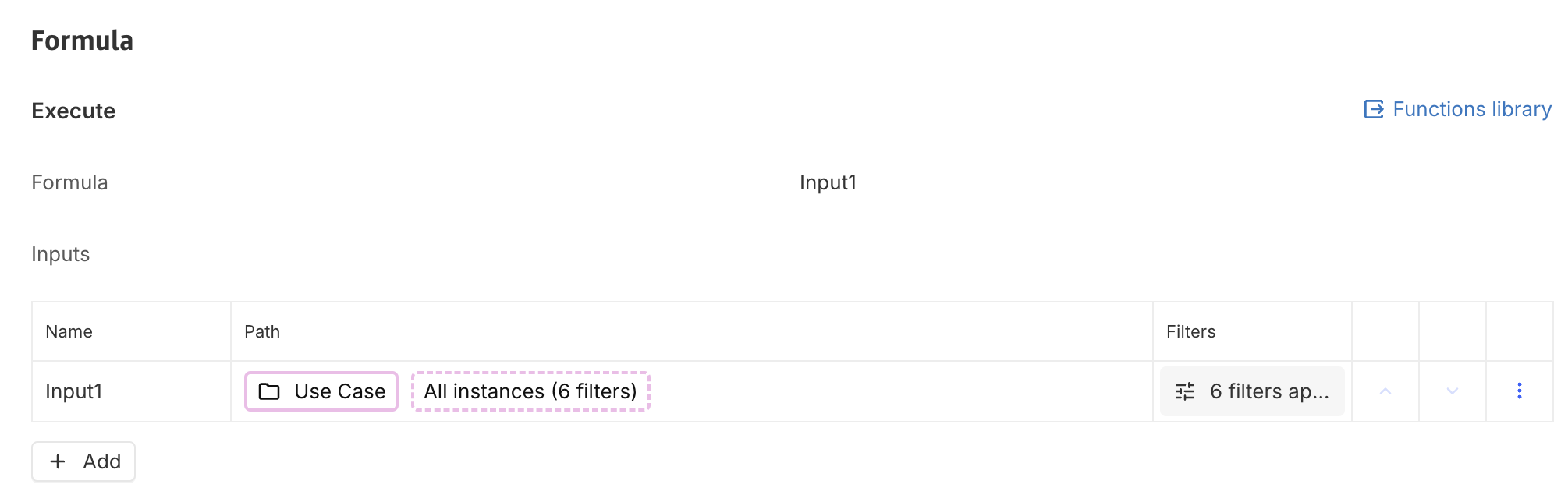
1. Deletion scope (Calculated association field)
A calculated n-n association field is created to define the scope of deletion.
This field:
-
Uses as input Concept with instances to delete > All instances with filters
-
Returns all instances that are intended to be deleted
-
Acts as the single source of truth for deletion logic
Also see Re-use filters on instances.
2. Deletion count (Control field)
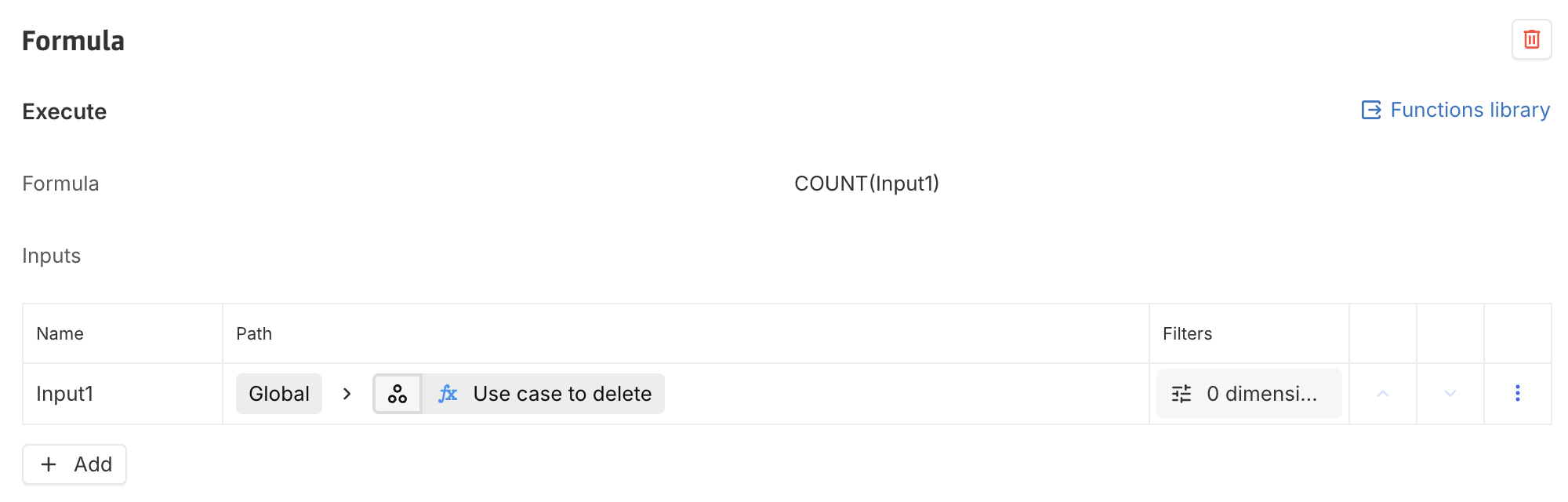
A second field is created to count the number of instances identified for deletion.
This field:
-
Is a simple count of the previously defined association field
-
Provides a measurable indicator of deletion volume
This enables validation before triggering any destructive action.
3. Monitoring dashboard
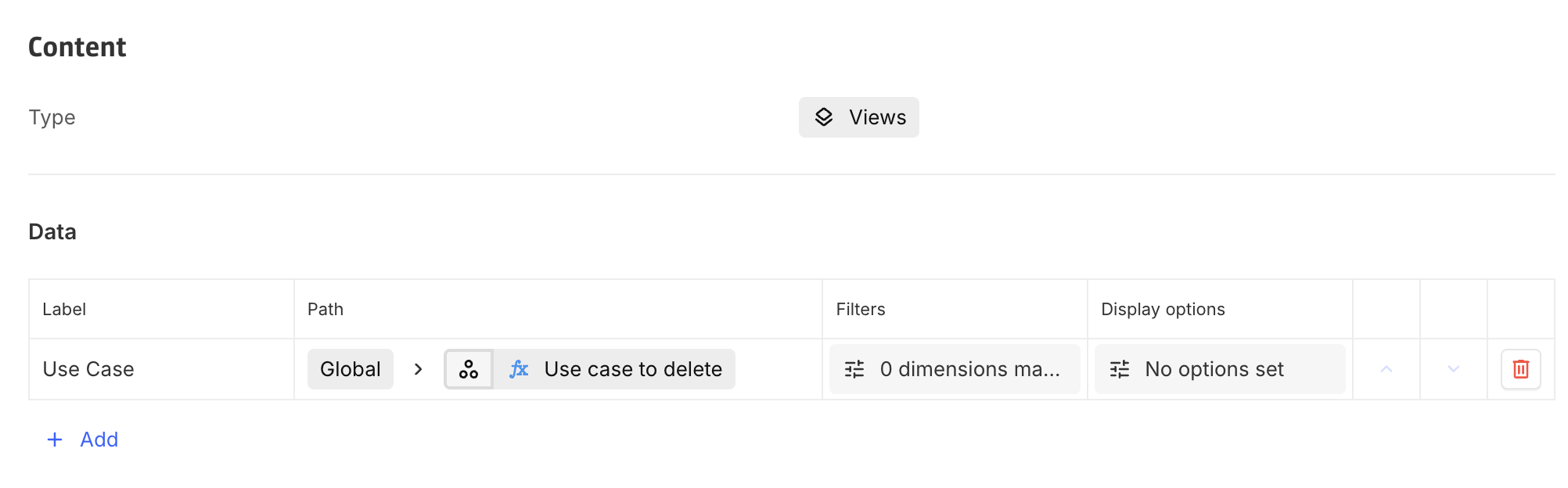
A dashboard can be configured to provide visibility on:
-
The list of instances targeted for deletion (the n-n computed field must be used to retrieve instances)
-
The total number of instances (via the count field)
This dashboard serves as a validation layer, allowing users to:
-
Review the data before deletion
-
Ensure the scope is consistent with expectations
Automation configuration
1. Iteration strategy
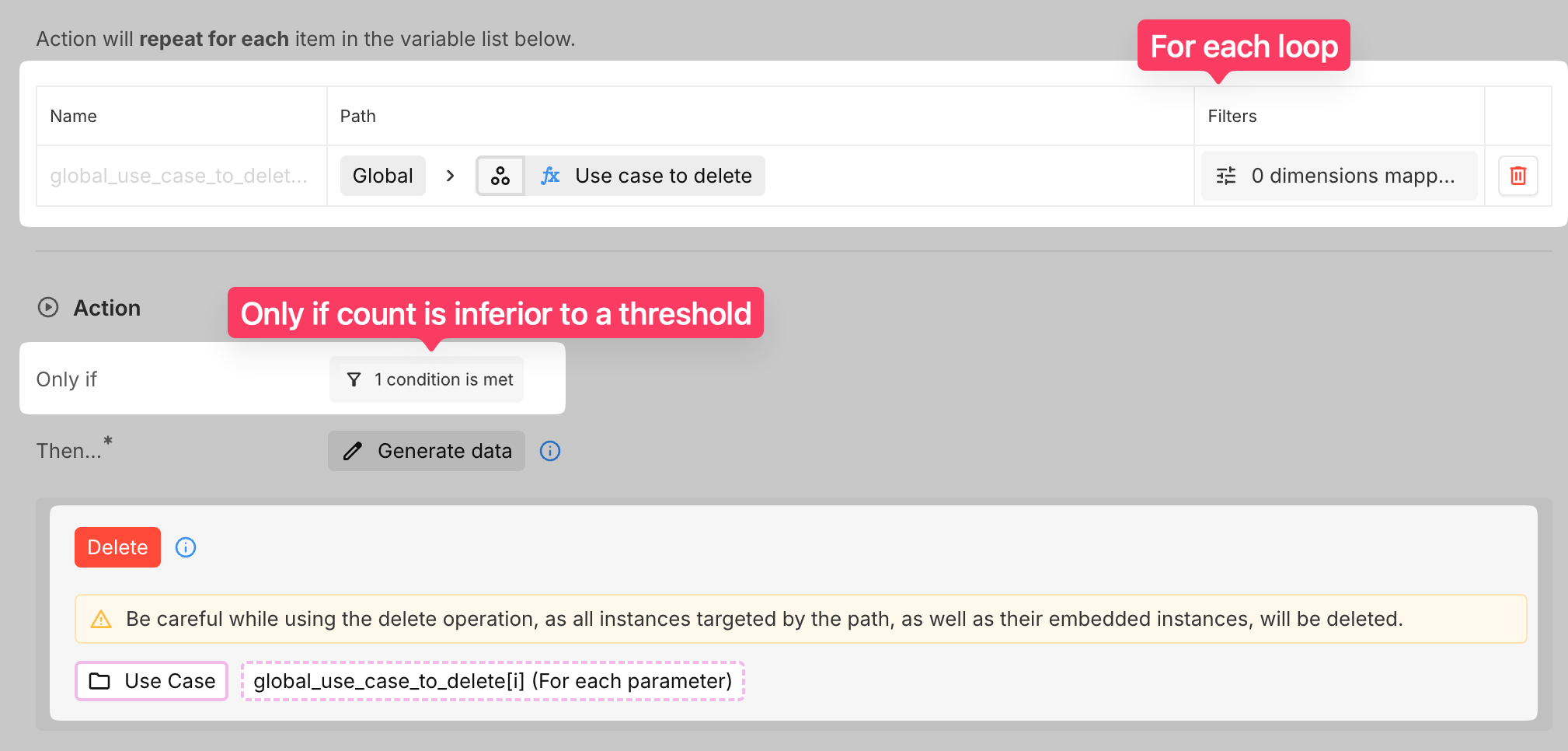
Instead of redefining filters in the automation:
-
Use the calculated association field directly. Remember that n-n computed fields are not typed. The path must therefore be: Global > Use cases to delete > Use case > All instances.
-
Iterate through it using a For each
Global fields cannot always be directly used in deletion paths.
Using a for each lopp ensures proper access and execution.
2. Safety condition (Threshold)
A condition is added to the automation:
-
Deletion is executed only if the count is below a defined threshold
Example:
-
Expected deletion volume: ~50 instances
-
Threshold: 60
If the count exceeds the threshold:
-
The automation does not execute
This prevents unintended large-scale deletions caused by faulty filters.
Alerting mechanism (Optional but recommended)
A second automation can be implemented to monitor anomalies.
Trigger Condition
-
If the count exceeds the defined threshold
Action
-
Send an email notification to relevant users
Email Content
The email can include:
-
Explanation that deletion was blocked
-
The number of impacted instances
-
A direct link to the dashboard displaying the targeted instances
This ensures that:
-
Users are aware of the issue
-
They can review and correct the filter if needed
Key benefits
-
Single source of truth for deletion logic
-
Improved safety through threshold validation
-
Better visibility via dashboards
-
Reduced risk of misconfigured filters
Limitations
-
If the filter itself is incorrect but still below the threshold, deletion will still occur
-
This approach reduces risk but does not eliminate the need for careful filter design