
2025-06-25
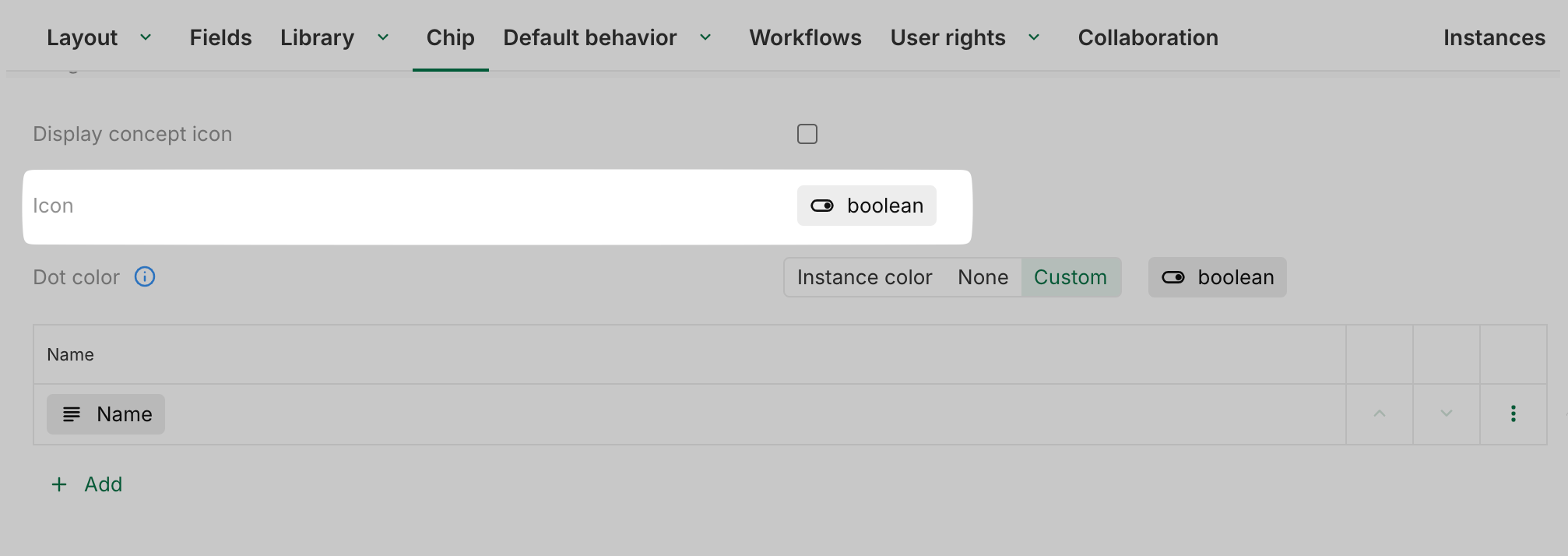
[New] Boolean field as chip icon
Boolean fields can now be displayed as icons within chips.
Additionally, for records:
-
Association n-1 and workflow fields can define the chip icon. In this case, the chip will display the icon of the targetted concept chip (if none, no icon will be displayed in the chip).
-
An icon field can also be used directly to define the chip’s icon.
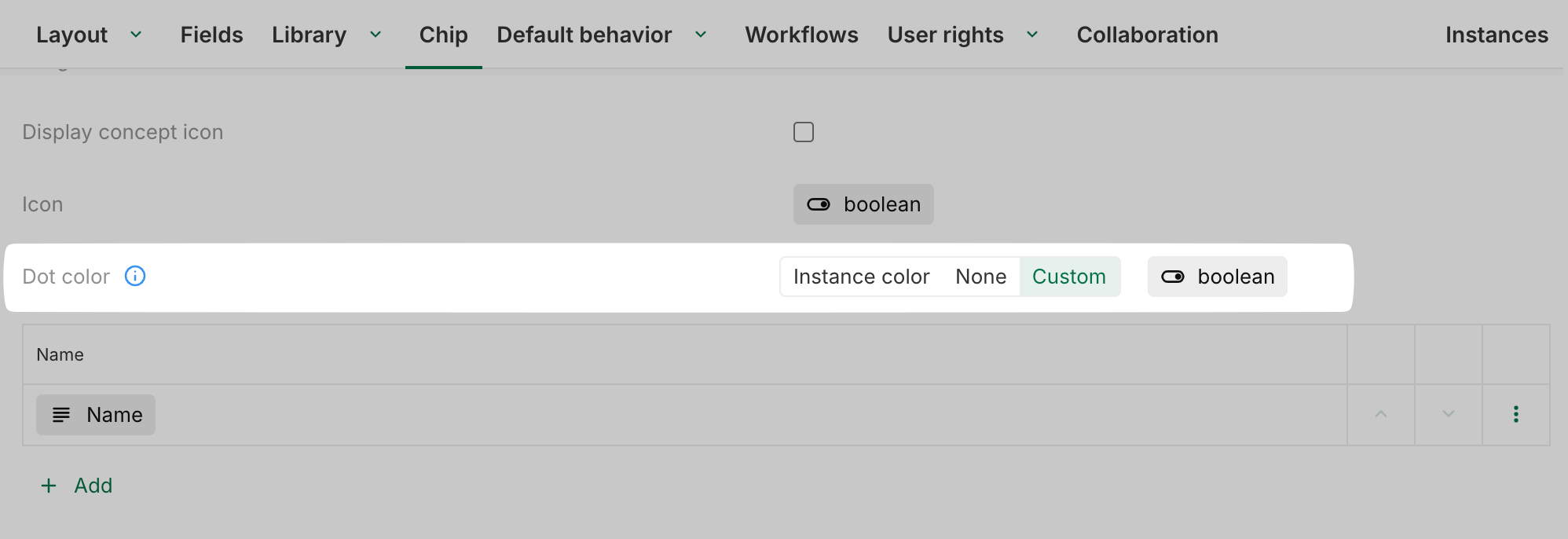
[New] Boolean field as chip dot or instance color
Boolean fields can now be used to define the chip dot color or the concept instance color.
Additionally, for records:
-
Association n-1 and workflow fields can define these colors, using the color defined in the targeted concept.
-
An icon field can also be used to define the color.
-
A color field may be used directly to specify the color.

2025-06-19
[New] Modal performance improvement
The background content behind the modal is no longer reloaded on each update. This improves usability and performance, especially when the background contains large amounts of data, such as on dashboards.
2025-06-12
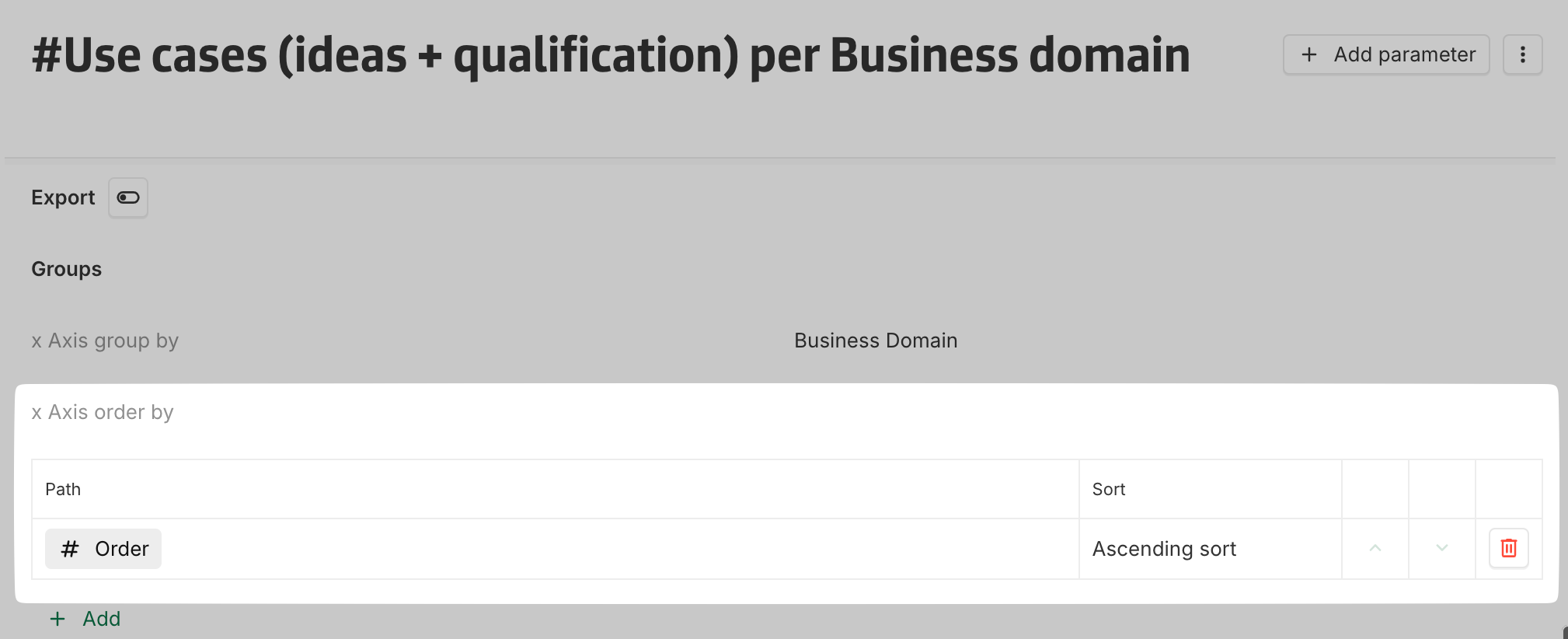
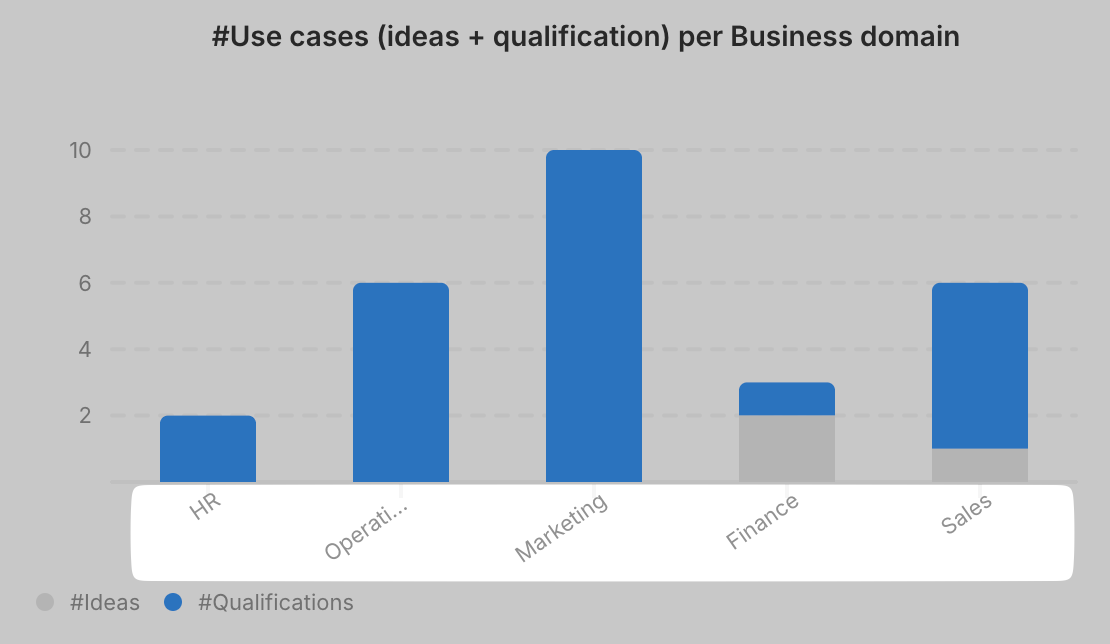
[New] Bar chart: Instances orderting
Instances on the X Axis in bar charts can now be ordered when grouped by a dimension (x Axis group by). If no sort is defined, instances will be sorted by label, as before.
2025-06-05
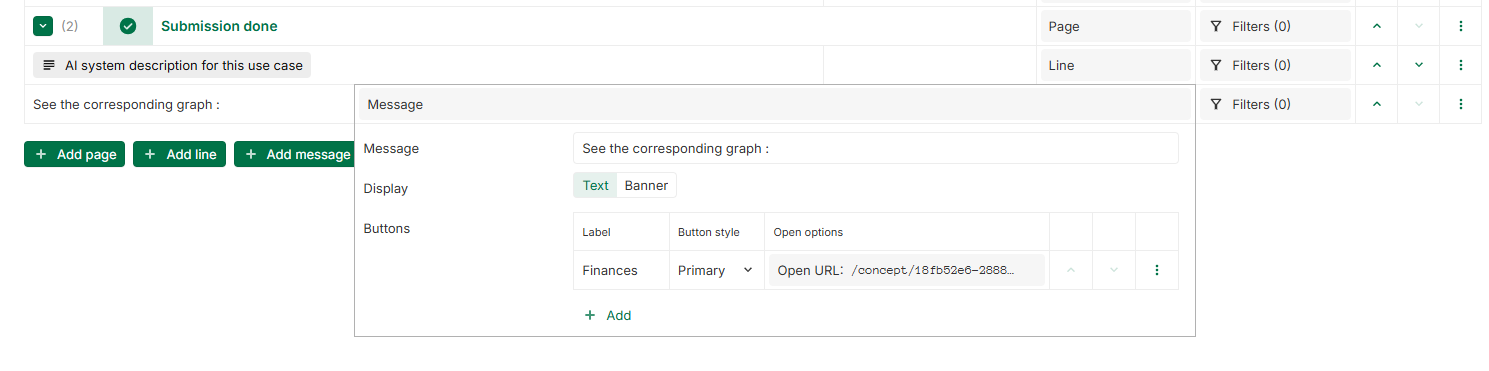
[New] Open URL button in Layout and Form messages
When configuring a Layout, under a Message display options, buttons are now capable of opening a URL, in addition to the existing Open layout action.
URL can target:
-
Internal URL within YOOI (URL starting with
/conceptor/layout) -
External links (like https://www.google.com/ ).
Moreover, buttons are now also available in forms, offering the same features.
2025-28-05
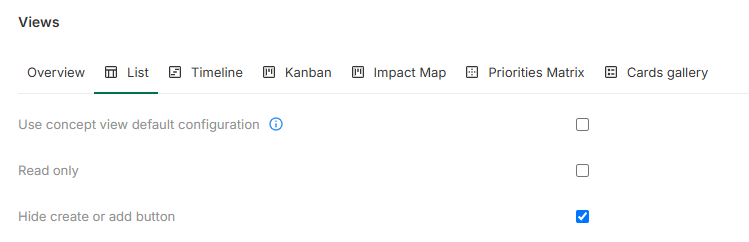
[New] Option to hide create or add button in Views
In view configuration, a new option is available : Hide create or add button. When checked, the Create or Add button of the selected view will be hidden.
For read only views (Read only option checked), the option is automatically selected and cannot be modified.
This option is available for Table, Swimlane, Chip, Cards gallery and Timeseries table views.
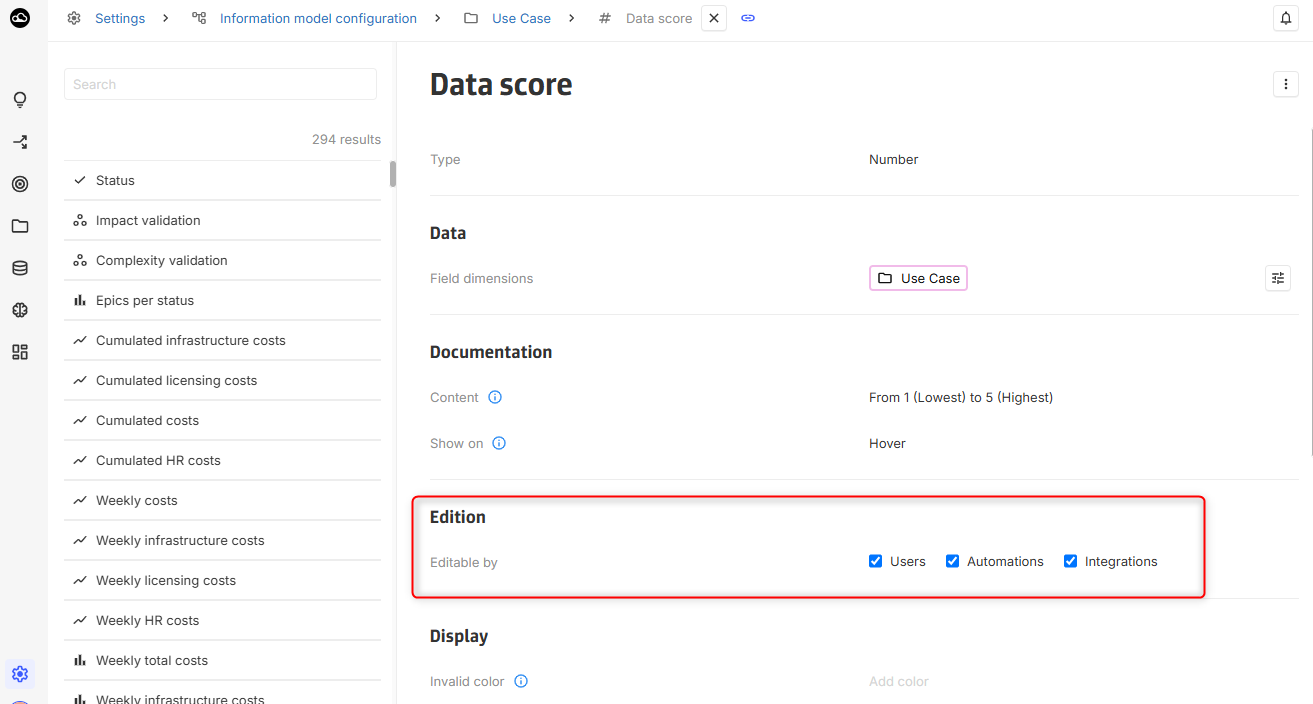
[New] Editable by option in field settings
A new Editable by option is now available in the field settings screen, replacing the former Integration only setting. This option specifies whether a field can be modified by automations, integrations, or users.
By default, all three options are enabled when a field is created. The setting is not displayed for computed fields, as it does not apply.
2025-05-22
[New] ASSERT.FAIL computing function
It is now possible to explicitly trigger an error with an optional message using the ASSERT.FAIL function.
[New] ASSERT.SINGLE computing functions
It is now possible to extract the single element of an array using the ASSERT.SINGLE function.
This is useful when using computing on n-1 association and extracting an unique element from a filtered path.
[Deprecated] Concept Library warning message
The Concept Library is deprecated. A deprecation message is displayed only to admins. If you need assistance migrating to Dashboards, our support team is available to help.

2025-05-15
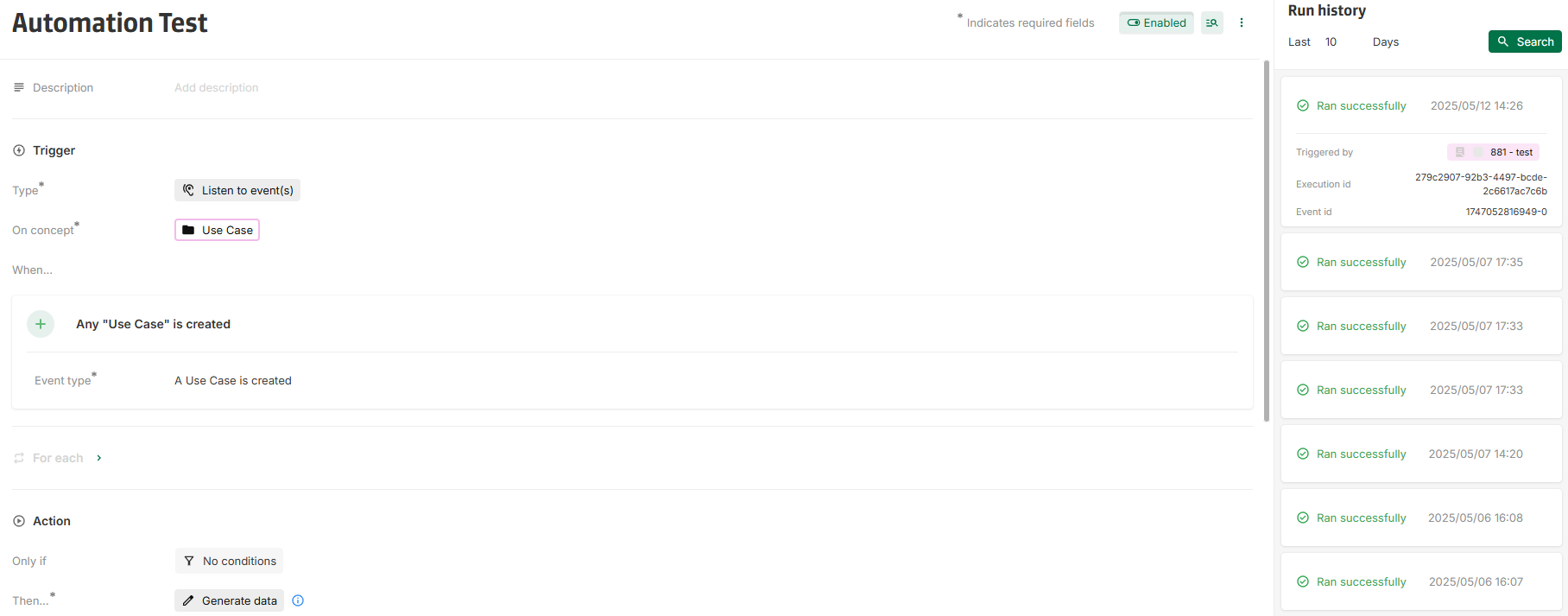
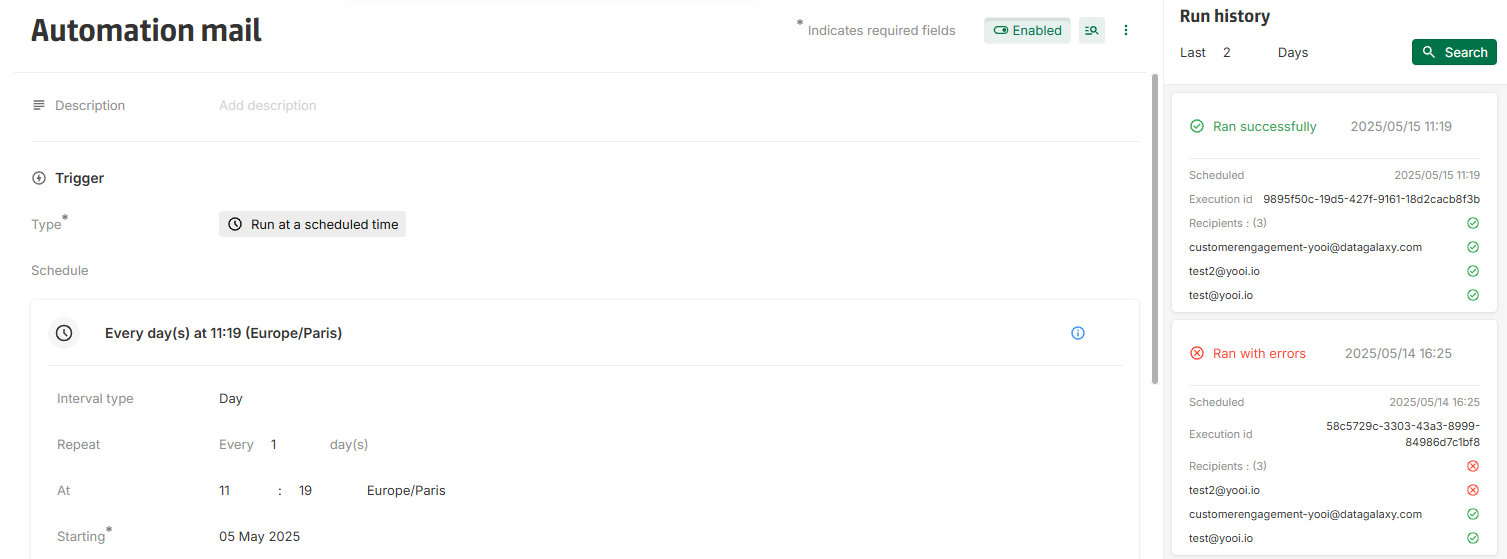
[New] Automation run history
The automation rule detail page now includes a history of previous runs.
Each run appears as a card displaying key information such as execution time and status. Additional details are available when expanded.
Note: Runs executed prior to this release are not included in the history.
For more details and information, please see:
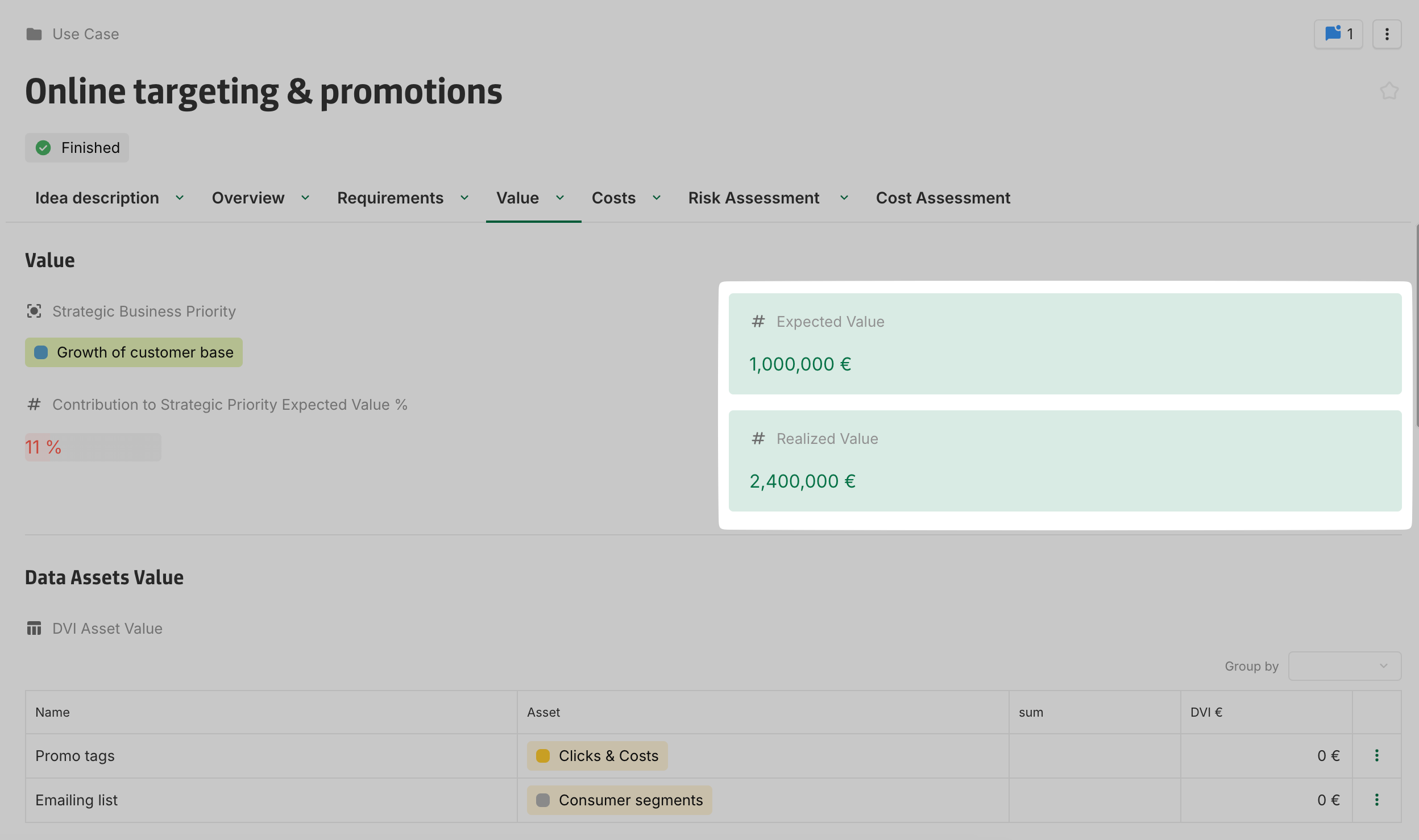
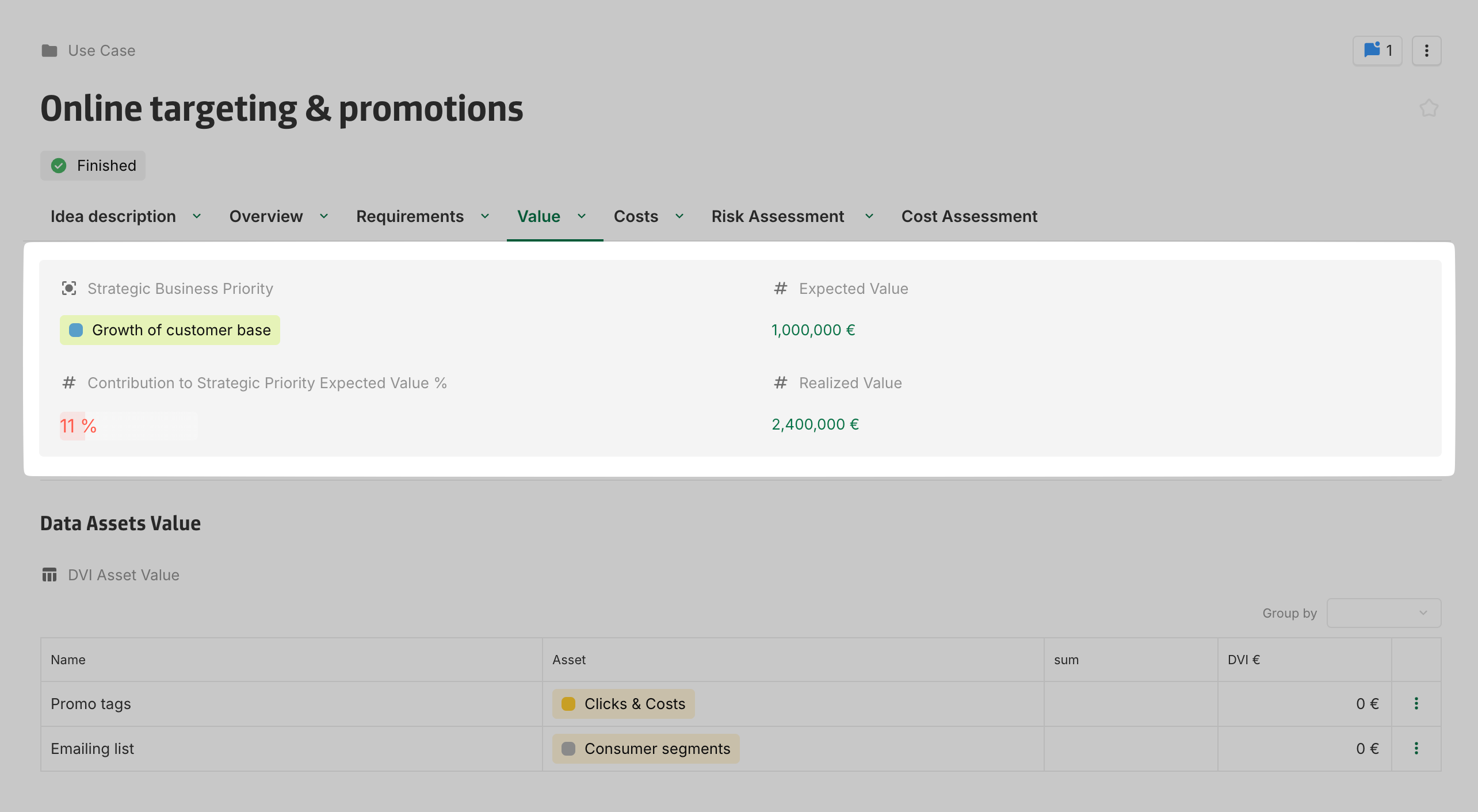
[New] Background color support for layout sections and fields
Layouts now support background color customization for sections and fields.
This feature enhances visual differentiation, improves content organization, and increases overall readability.
Note: While all colors are supported, pastel options may offer the best visual results.
[Improvement] Outline style for platform icons
All default platform icons are now displayed using their outline version.
Icons set by administrators (such as concept icons, dashboard icons, boolean icons) and by users (through the icon field) are not changed.
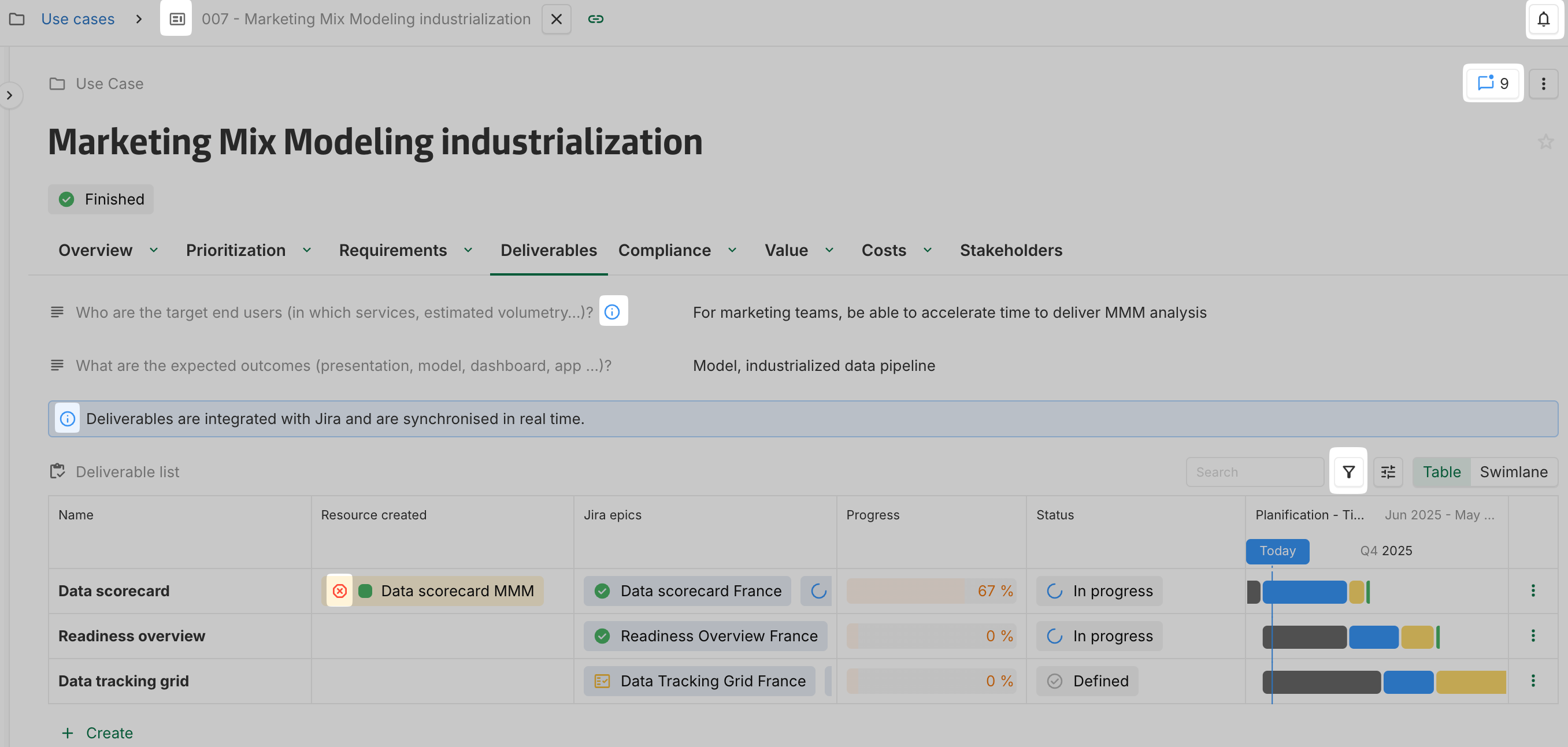
[Improvement] Visual updates across the entire application
The visual of the platform has been streamlined for a cleaner and more consistent user experience.
Across the application:
Margins have been reduced to maximize space dedicated to display content.
On concept instance layout:
The workflow indicator is no longer in a separate column and is now displayed at the end of the title line.
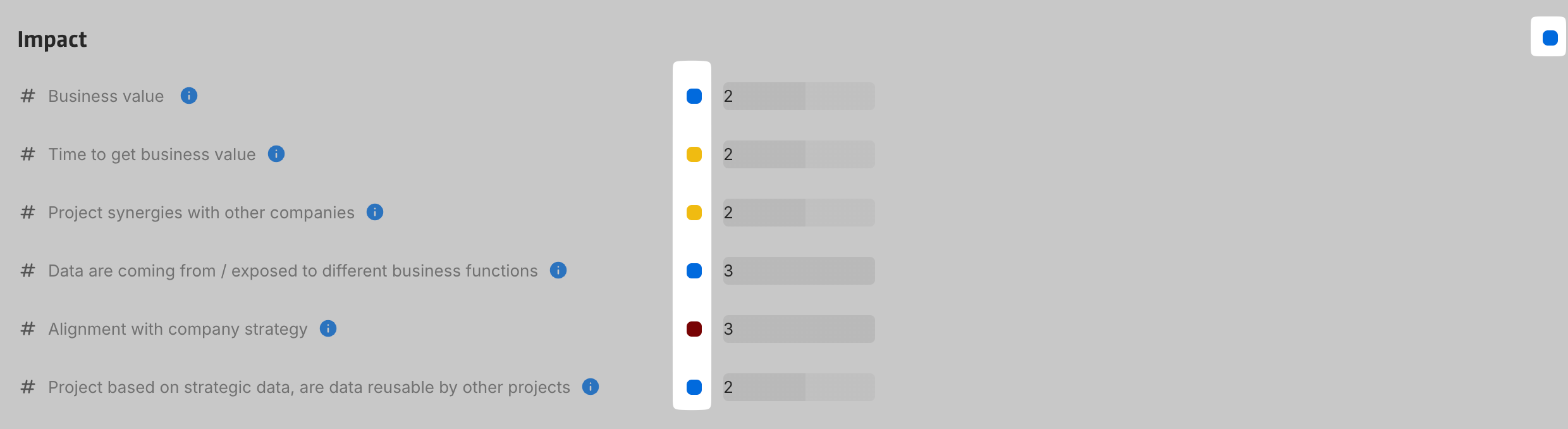
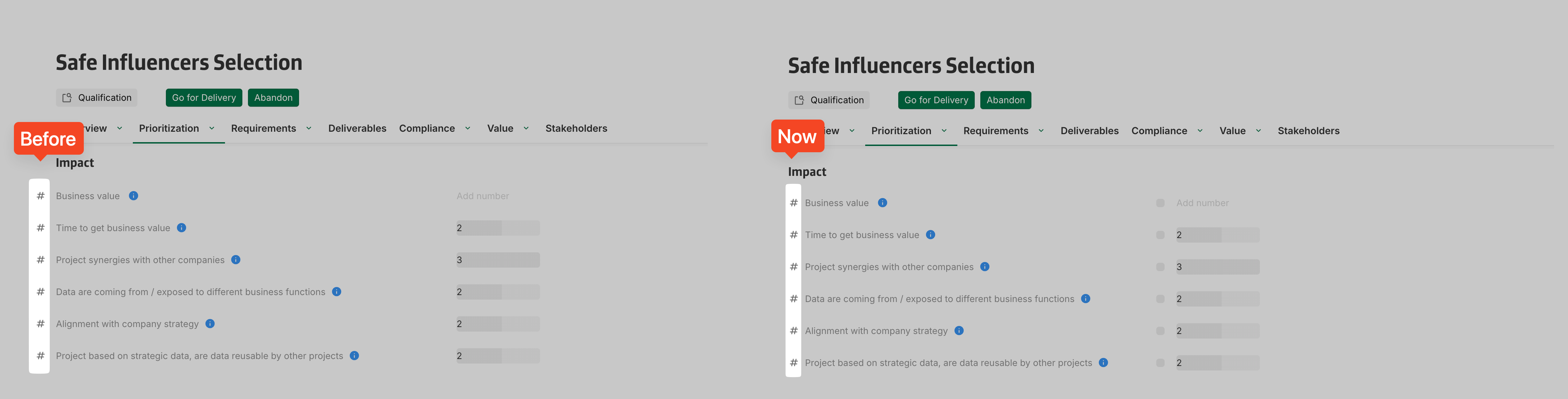
On concept instance layouts and cards:
The dedicated icon column has been removed; icons are now aligned with the field content.

2025-04-24
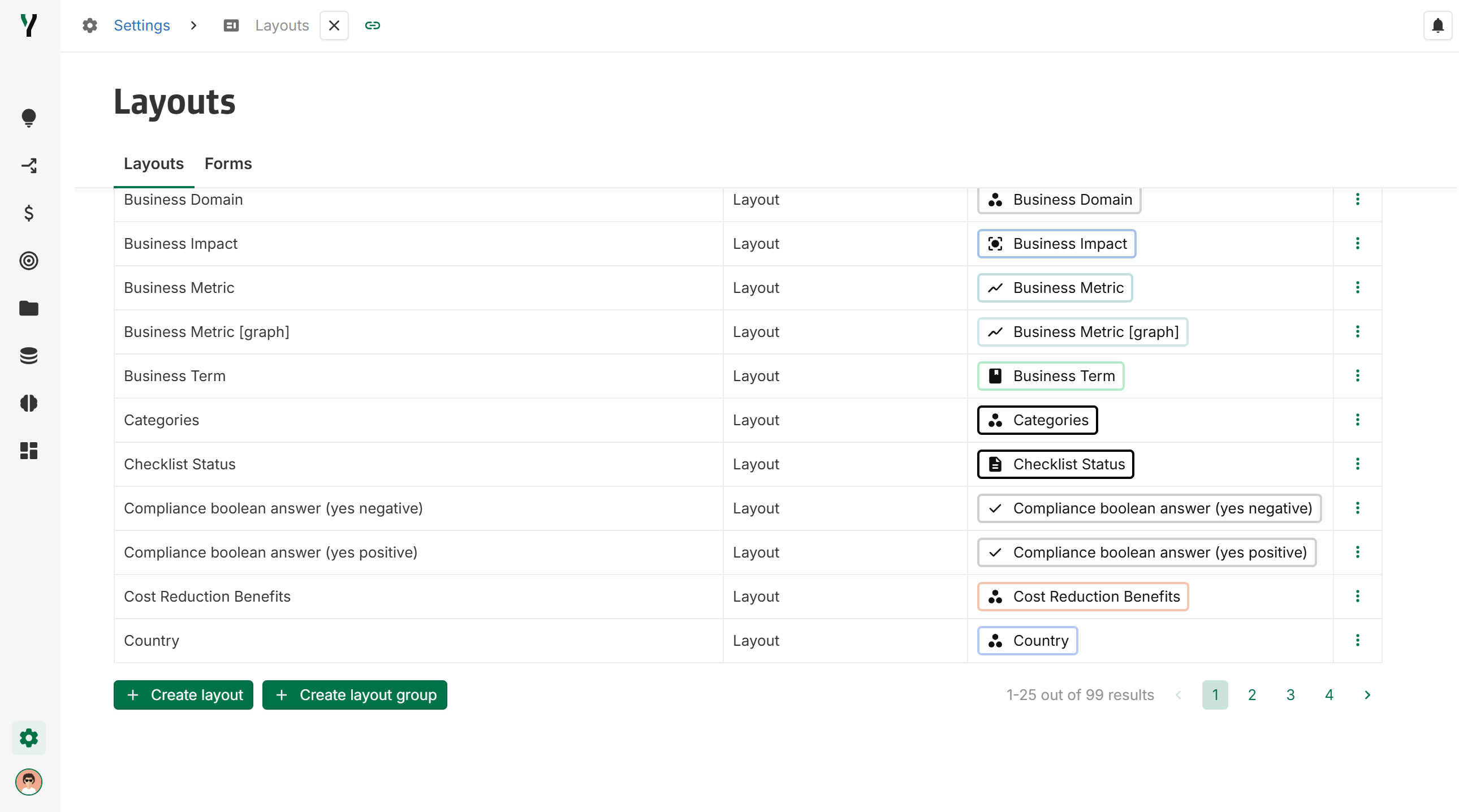
[New] Layout and Form groups
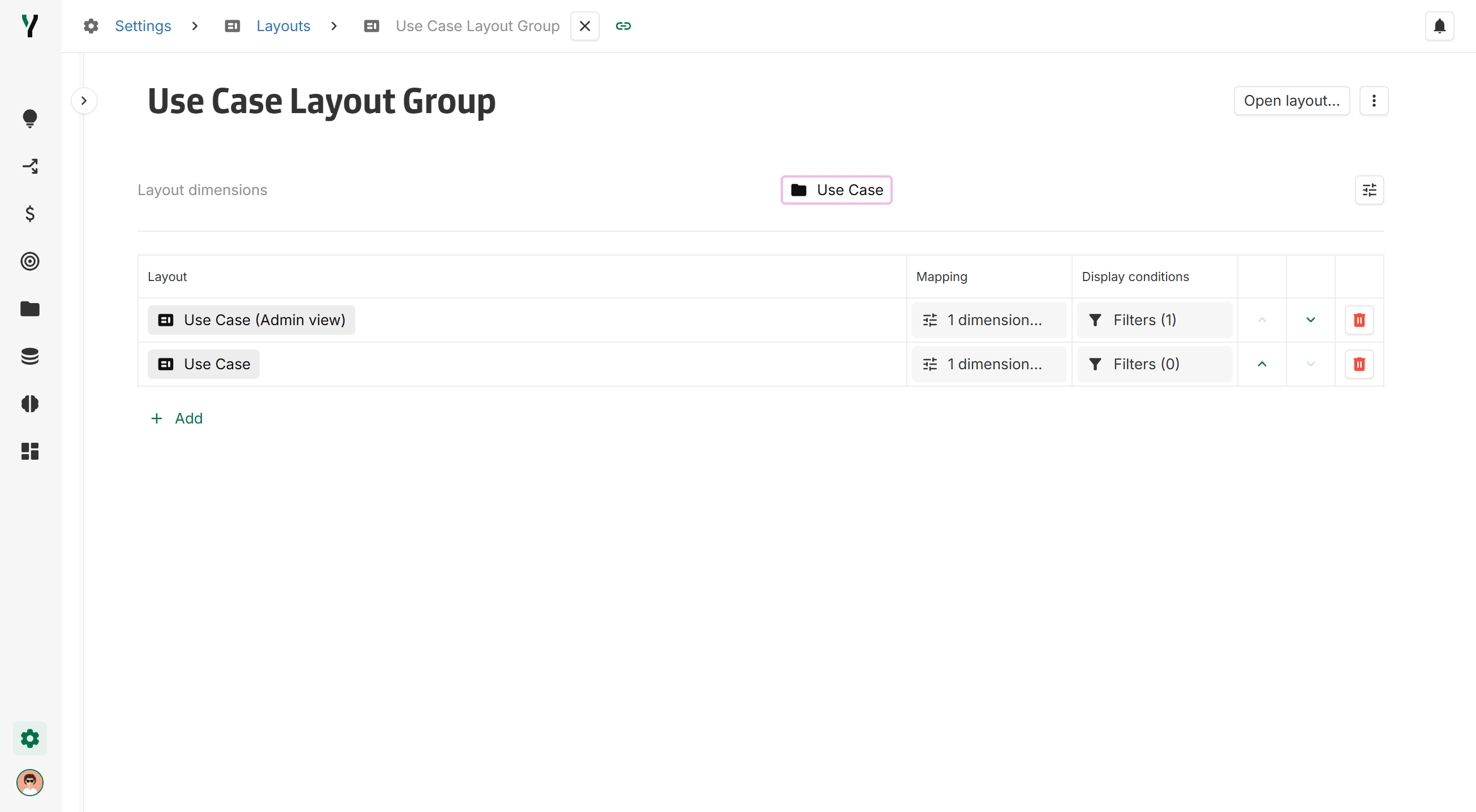
Layouts can now be organized into Layout Groups, allowing dynamic selection based on user role or instance values.
Key features include:
-
Conditional display: Each layout within a group is assigned a display filter. When the group is used, the first layout that meets the filters is displayed.
-
Priority ordering: Layouts are ranked within the group to define the display priority.
-
Shared dimensions: All layouts in the group must have identical dimensions.
-
Central configuration: Layout Groups can be created and managed directly from the layout library.
-
Default layout: A Layout Group can be defined as the default layout for a concept.
Layouts that match the group's dimensions are available for selection in the configuration table. The order determines which layout is prioritized for display.
Same feature is available for Forms (Form group).
[New] Data Import: Empty Cell Handling in import destination
Empty Excel cells can no longer be used to match existing YOOI instances during data import. All matching criteria are now mandatory—partial matches (e.g., Name = Data AI while Country is empty) are no longer supported. If a match relies on an empty cell, the entire line will be ignored during the import process.
[Improvement] DataGalaxy Connector: Synchronisation of existing instances
Instances that have already been synchronized will continue to be updated, even if they no longer match the current configuration filter.
To prevent further synchronization, the key must be removed from the corresponding YOOI instance. However, be cautious: if the instance later matches the filter again, it will be automatically recreated. Instances for which the key has been emptied will never be considered again.
2025-04-18
[New] DataGalaxy connector: Updates from YOOI to DataGalaxy
The DataGalaxy connector now supports updates and deletions from YOOI for both flat-dictionary and flat-usages types.
For more information, refer to the documentation.
[New] Data import: Match instances using External key field
Instances can now be matched on data import using an External key field.
[New] Open buttons available on layout message area
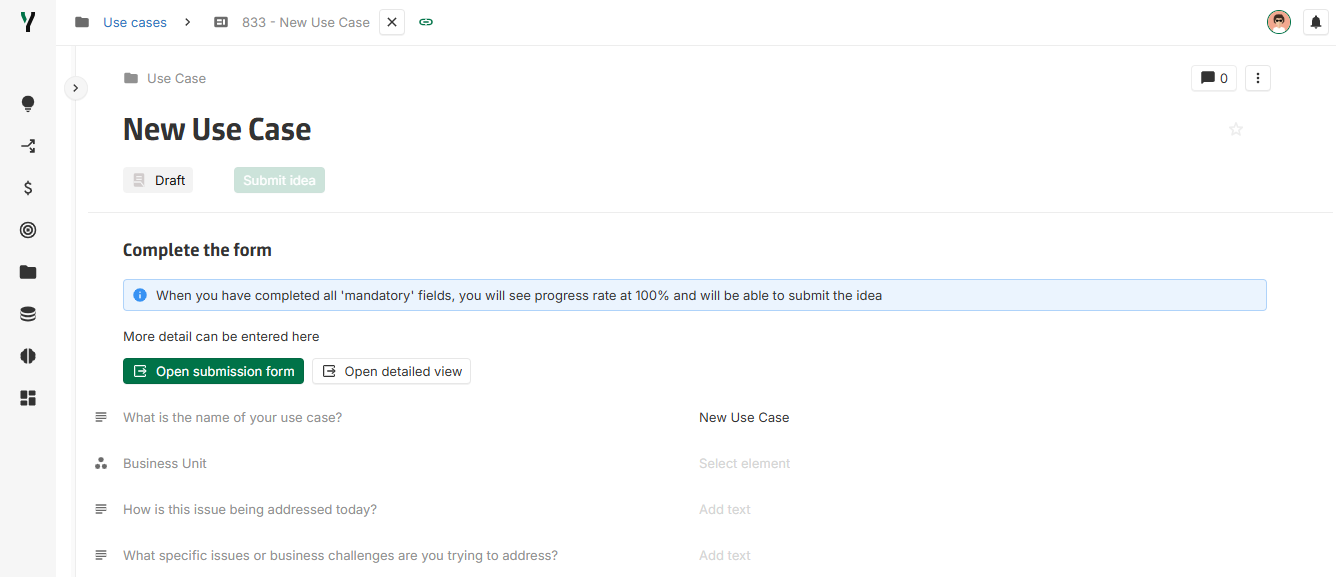
It is now possible to configure multiple open buttons in the layout message area.
Configuration is available in the layout message line display option. Button label and style can be customized as well as the layout or form opened.
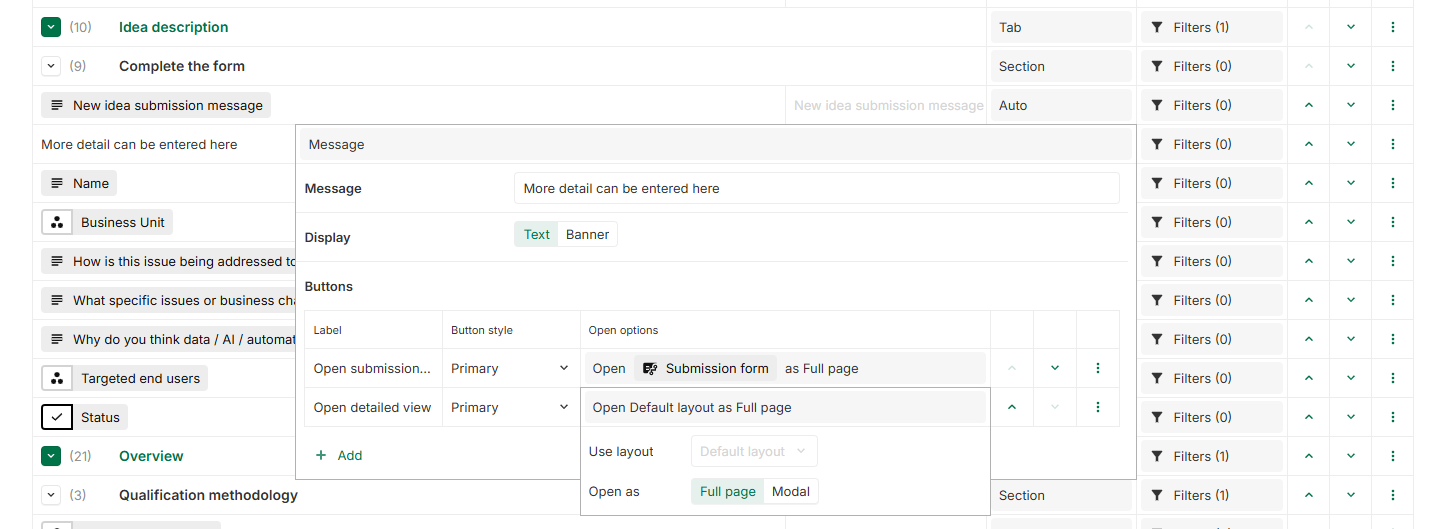
All configured buttons will be displayed at the end of the banner or at the bottom of the message line.
[Improvement] Data import: Update associations fields with Users
Association fields with Users can now be updated via data import.
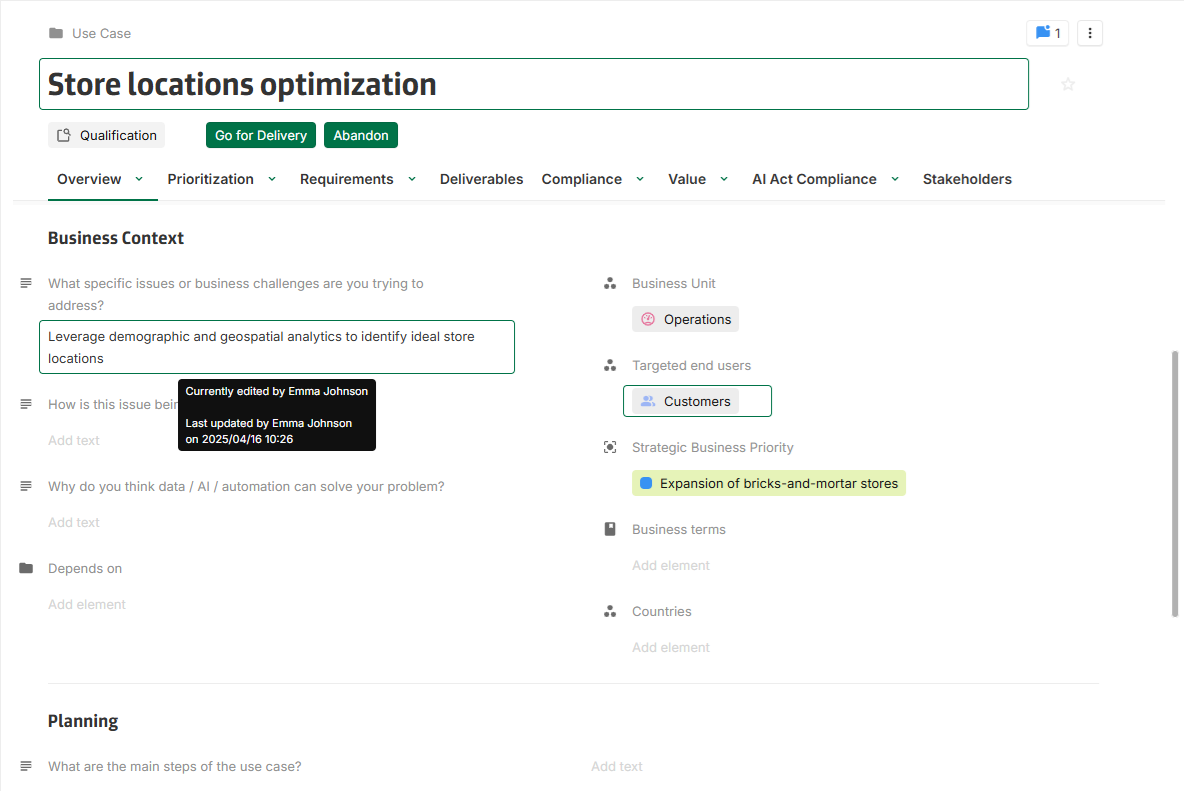
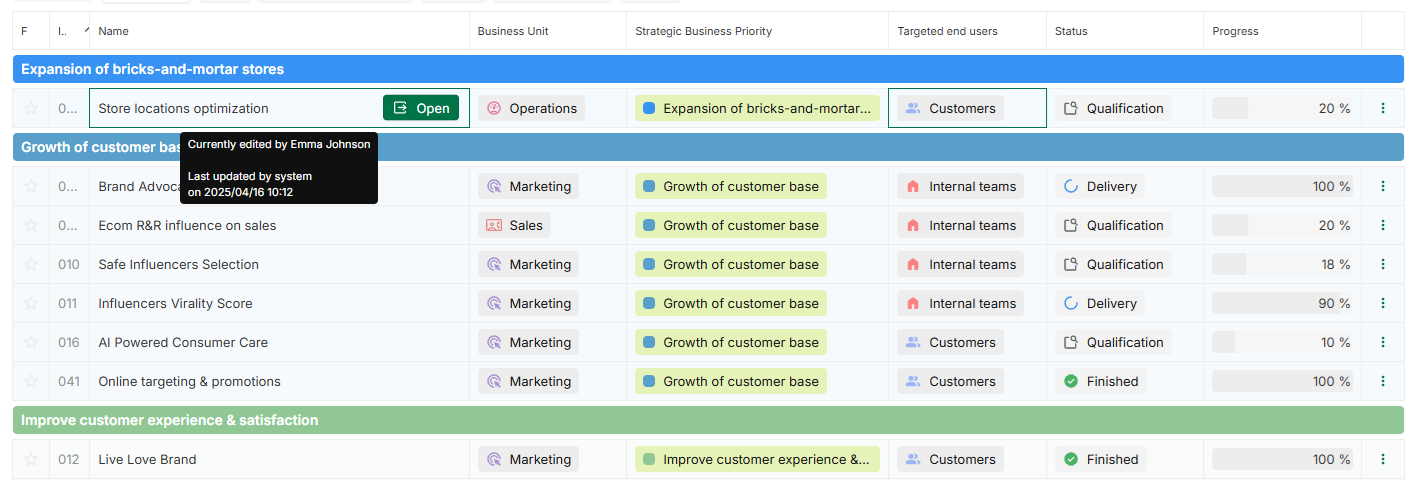
[Improvement] Unified multiplayer editing indicator
The display of fields being updated by other users has been unified across the platform.
A tooltip is now shown to indicate who is currently editing a field.
[Improvement] Multidimensional multiplayer edition indicator
Multiplayer edition indicator is now supported on multidimensional fields.
[Improvement] History tooltip on multidimensional fields
Multidimensional fields with history now display a Last updated by tooltip.
[Improvement] Jira connector: JQL filter for instance creation
The Jira connector can now be configured to synchronize only selected instances from Jira to YOOI using a JQL filter. This enhancement enables more precise control over instance imports. Full configuration details are available in the updated documentation.
2025-04-10
[New] Layout switch
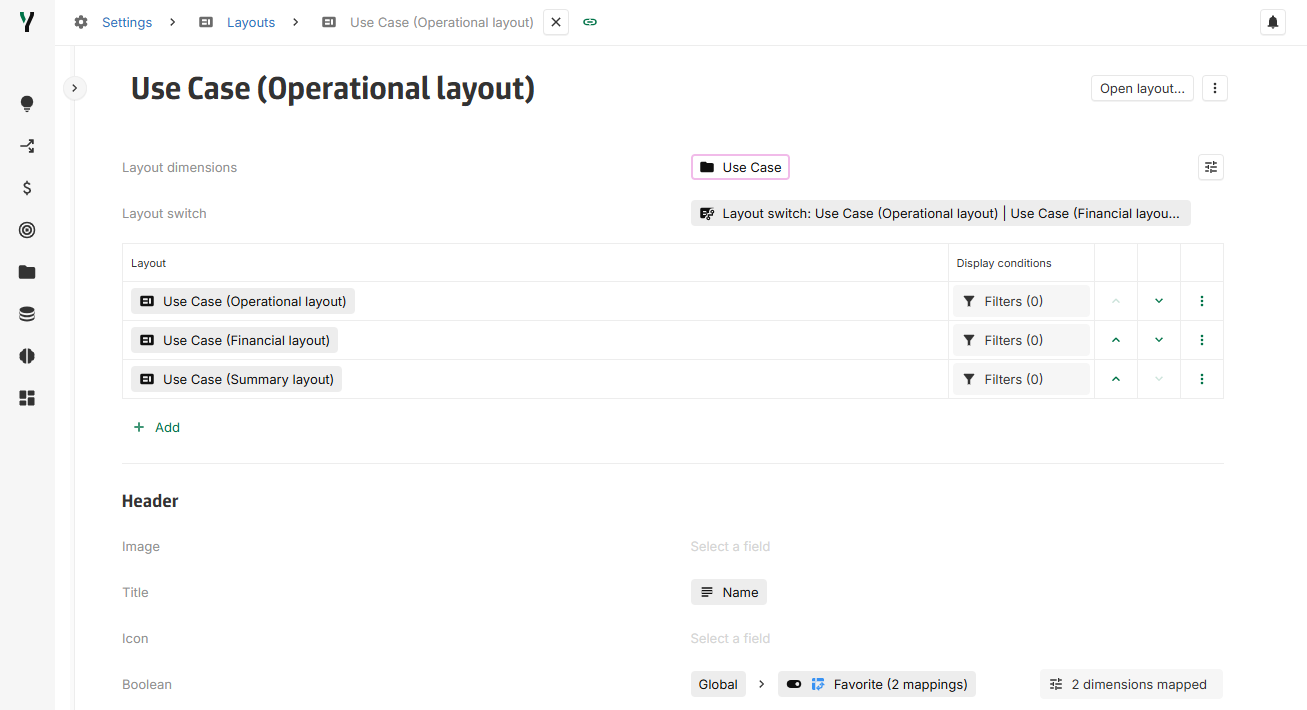
You can now group multiple layouts within a Layout switch, allowing users to navigate between them effortlessly:
-
The Layout switch consists of multiple layouts that can be navigated between each other. The content within the switch can be filtered based on instance values or the logged-in user.
-
Each Layout switch shares layouts with identical dimensions.
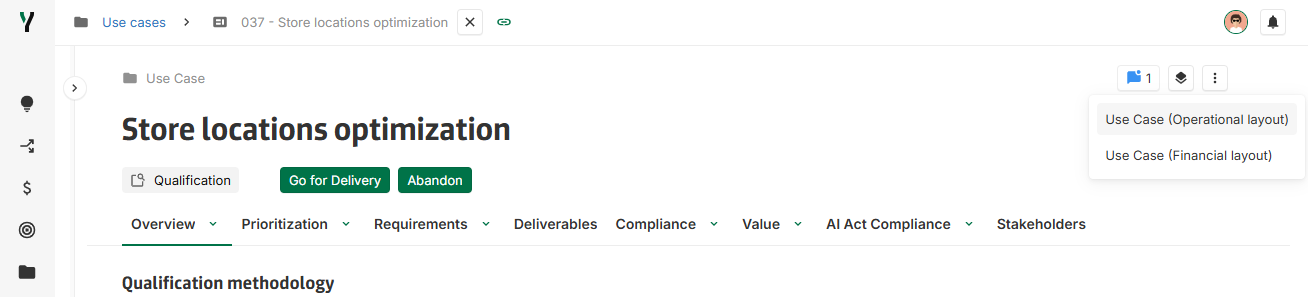
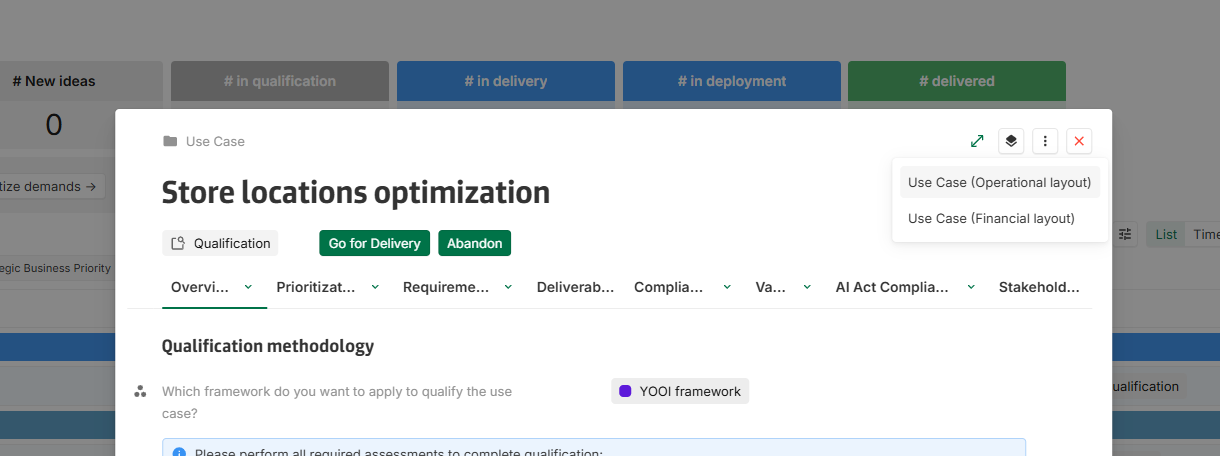
The Layout switch button is available in both the full-page and modal layout headers.
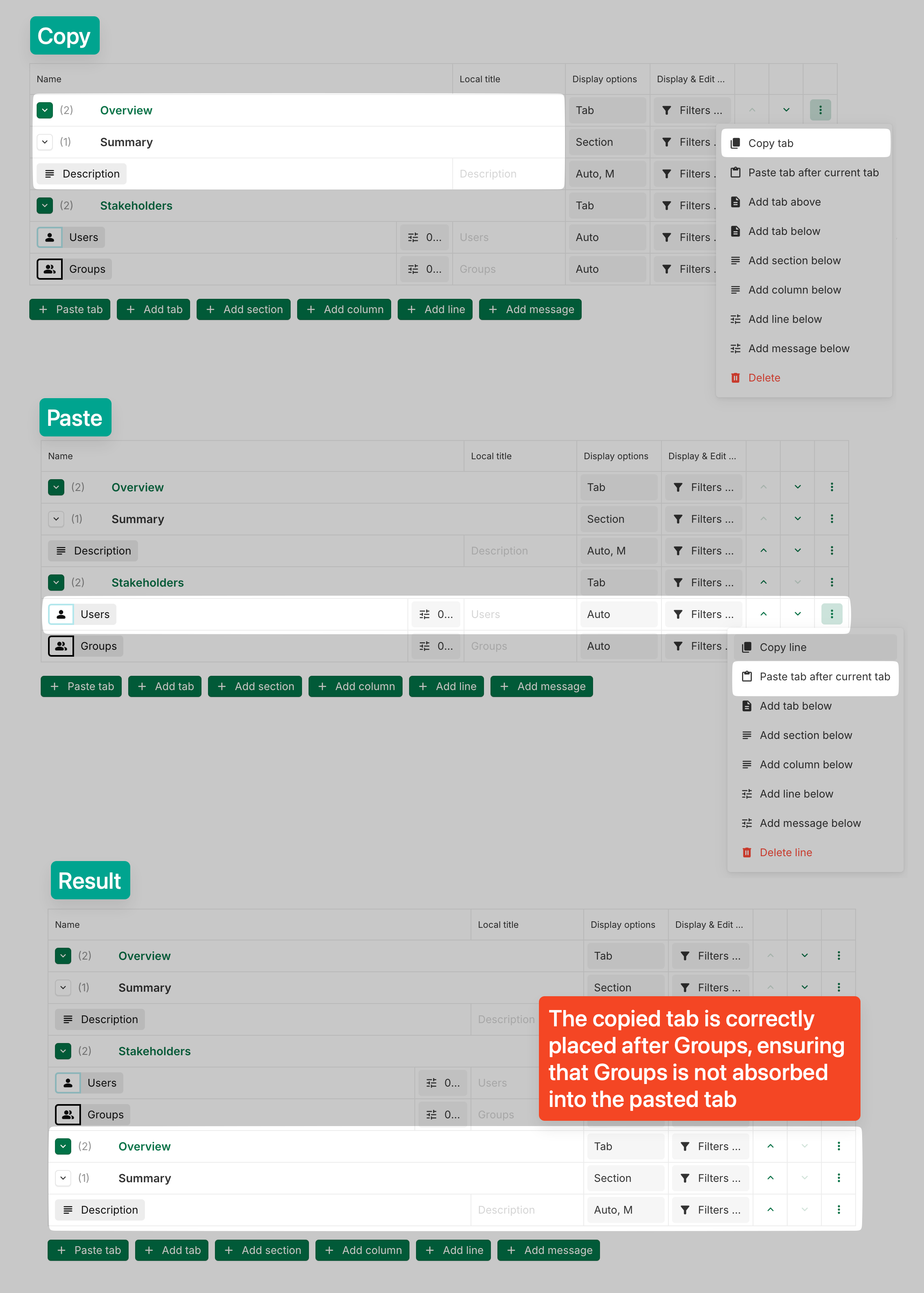
[New] Copy paste elements of layout
Tabs, sections, columns, and lines can now be copied and pasted — either within the same layout or into another one, as long as the target layout includes at least all the dimensions of the original.
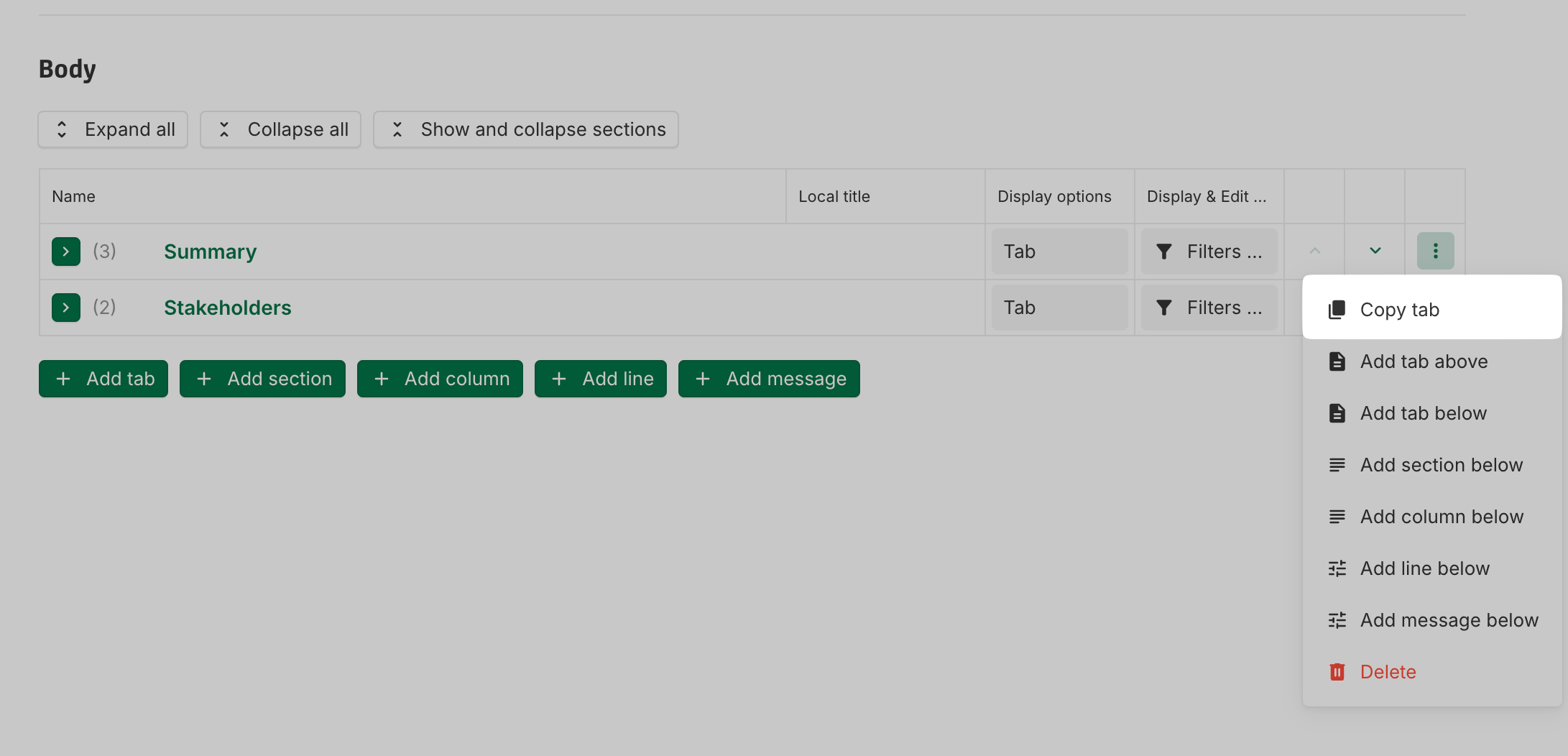
In detail:
-
Each pasted element is independent — changes made to one do not affect the others.
-
Copy and paste is supported across tabs.
-
To transfer an element to another layout, the correct order is: copy, then paste, then delete the original. The copy operation references the live element; deleting it before copying will result in nothing to paste.
-
To maintain the integrity of the elements, pasted items are automatically positioned correctly to preserve the content of each element:
[Improvement] Value Lineage: Error message for large graph displays
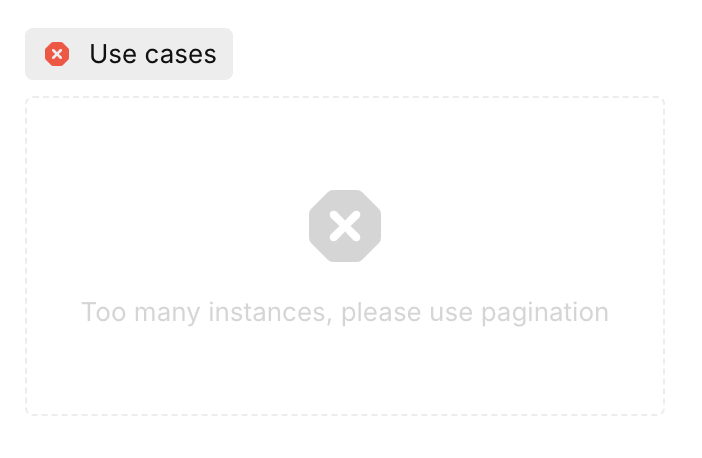
To prevent potential lag or crashes, the value lineage graph now shows an error message when attempting to display a node with more than 100 instances without pagination.
[Improvement] Datagalaxy connector: more filters options
Datagalaxy configuration now allows the use of IS_EMPTY and IS_NOT_EMPTY as filters options for all attributes.
It also allows the usage of CONTAIN, CONTAIN_SOME and DO_NOT_CONTAIN for for multi-value relation attributes.
[Improvement] Datagalaxy connector: allow mapping into a workflow
The DataGalaxy connector now supports workflow mapping for single-value relation attributes.
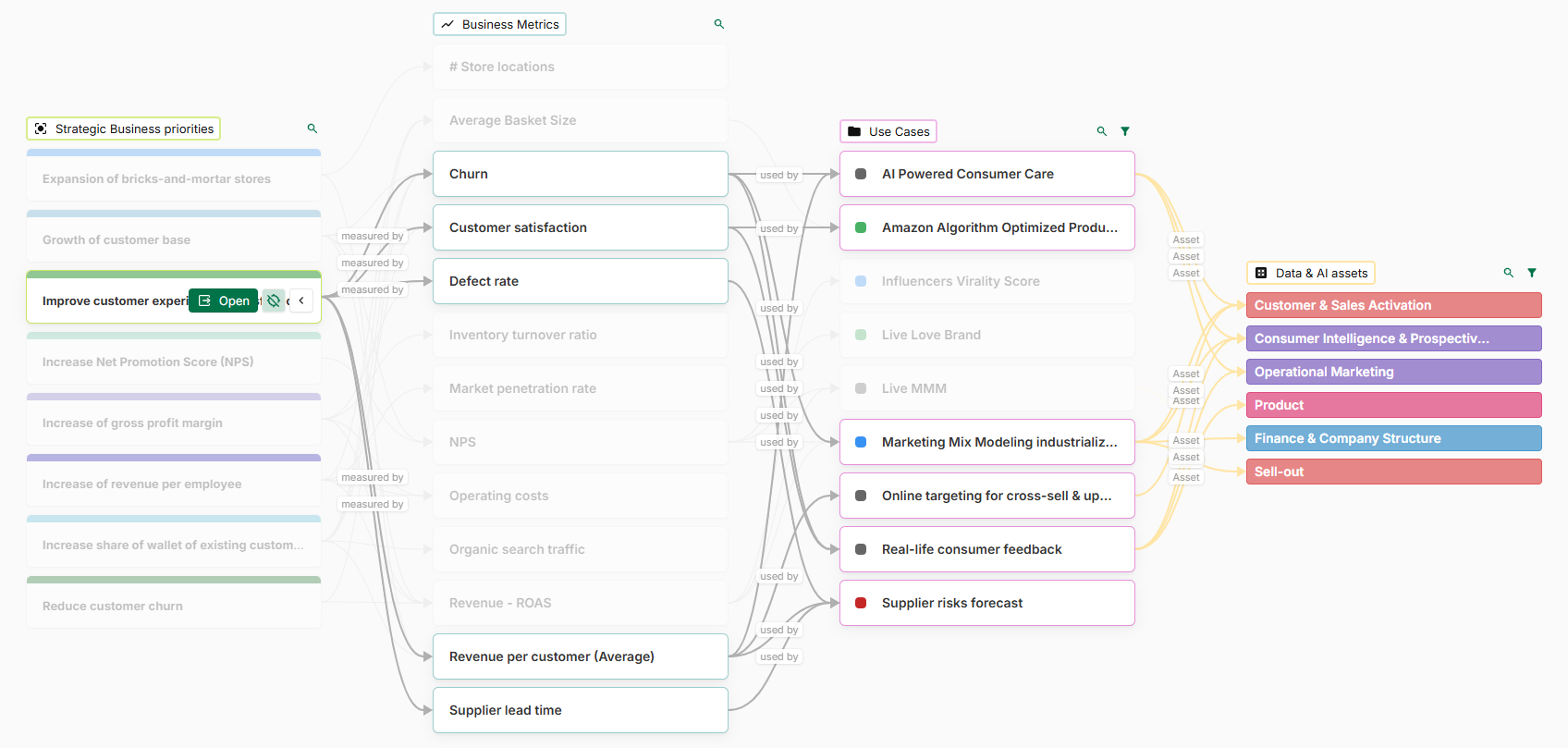
[Improvement] Graph chart highlighting behavior adapts to pagination
The behavior of instance highlighting in graph charts has been updated for better usability:
-
When pagination is used in any column, highlighting an instance will trigger filtering, showing only the relevant instances.
-
When pagination is not used, highlighting preserves the full graph view, allowing users to maintain a global overview.
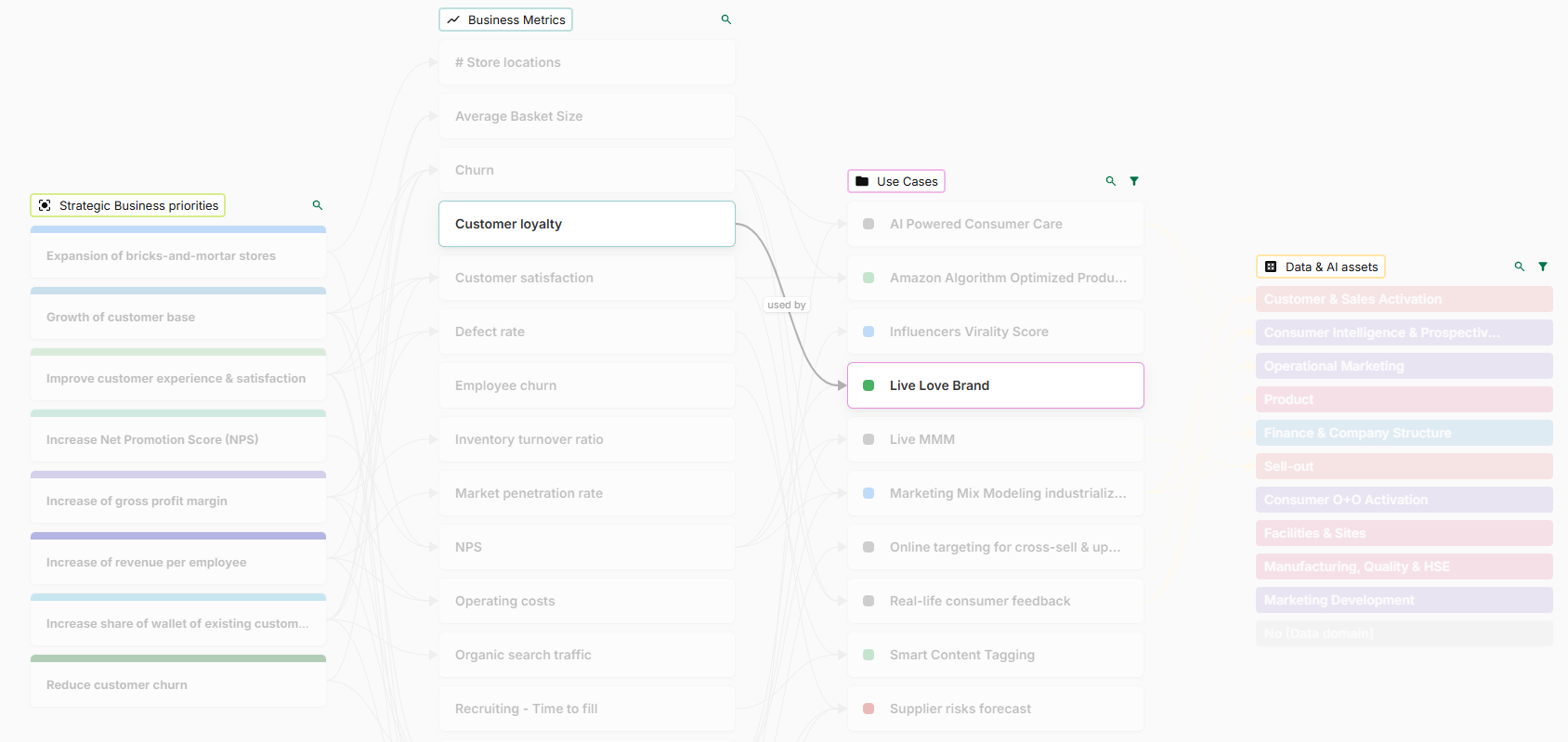
[Improvement] Display unlinked instances in graph charts
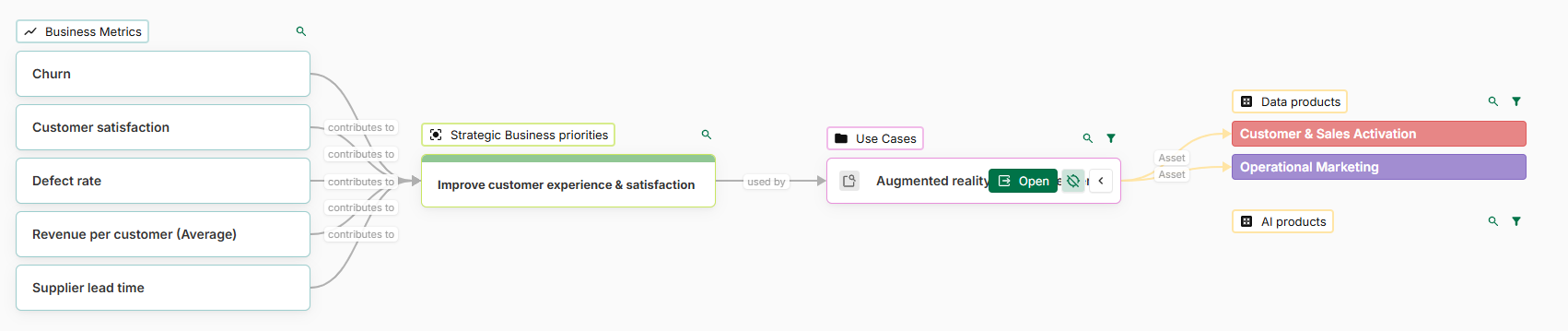
Graph charts now support displaying instances that are not connected to the previous step.
A new option Include orphan instances is available to inject all instances of a given step, even if they aren't linked to the previous step.
2025-04-02
[Breaking change] Automations that listen for field updates now trigger when the field is set during instance creation
New behaviour
Previously, if an automation was listening for updates on a field, it would not trigger if the value was set when the instance was created.
Now, the automation will always trigger when the field is set, even during instance creation.
How values are set at creation
When an instance is created, all existing workflow fields on the concept are automatically set with their first value.
Apart from this specific behaviour, values on fields can also be set at creation:
-
Via the Create button on the dashboard
-
Via an Excel import if instances are created
-
Via automation, if values are assigned to fields during instance creation
-
Via a YOOI-managed integration (Jira, DataGalaxy, etc.)
-
Via a customer-managed integration
Why this change? What are the benefits?
Before this update, it was sometimes necessary to configure two separate automations:
-
One to listen for updates on a field
-
One to detect instance creation and check if a field value had been set
This setup was complex to manage, and in many cases, the second automation was missing, leading to inconsistencies. Now, only one automation is required, making the process easier and more reliable.
Need assistance?
If you notice any unintended changes due to this update, please contact the YOOI support team, who will be happy to assist you.
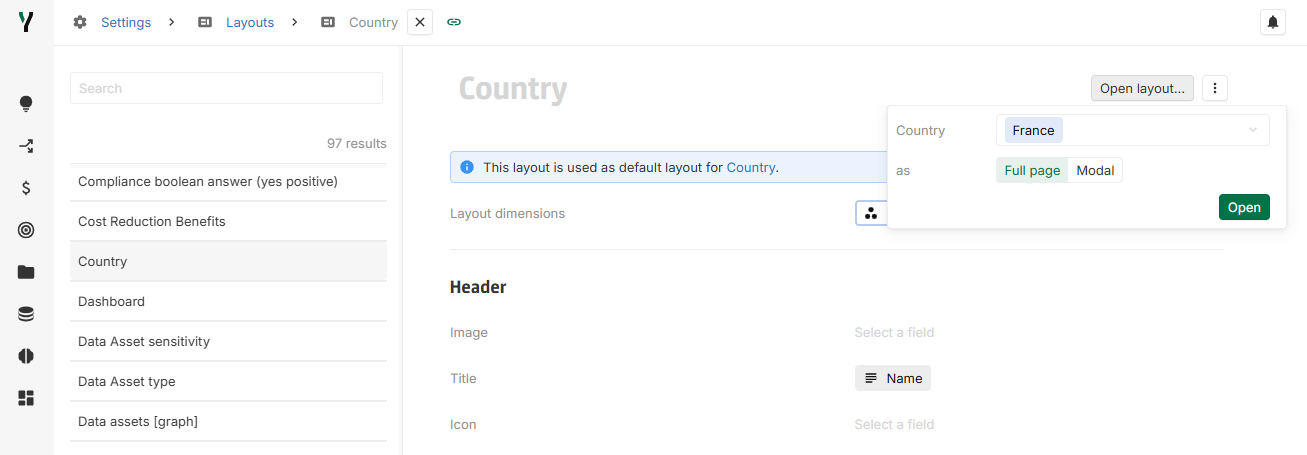
[New] Open button in Layouts and Forms configuration
It is now possible to open an instance in a layout or form directly from its configuration, either as a modal or a full page.
[New] Inline Messages in Layouts and Forms
It is now possible to add an inline Message when configuring a layout or a form. These messages support rich text formatting (color, bold, italic, etc.) and can be displayed inside a banner with four different style options.
Note that the Message area field does not support rich text. If rich text is required in a message or banner, an inline message should be used.


[Improvement] DataGalaxy connector: new attribute type support
The DataGalaxy connector now supports synchronization for HtmlLink and FormattedText attributes.
[Improvement] DataGalaxy connector: mapping screen upgrade
This update brings several improvements to the DataGalaxy connector’s mapping screen:
-
Improved organization: Mappings are now ordered by configuration, with field mappings appearing first.
-
Collapsible sections: Mappings are collapsed by default for an improved user experience, and their collapse/expand state is preserved when navigating.
-
Error indicators: An error icon is now displayed if a mapping is not properly configured.
[Fix] Line chart: Date legend in French
Previously, the date legend in the line chart was not translated and remained in English. This issue has now been resolved, and the legend correctly appears in French.
[Fix] Line chart: Date legend granularity
The date labels in the legend now adjust to match the granularity of the data displayed, consistent with the behavior of the temporal bar chart.
2025-03-25
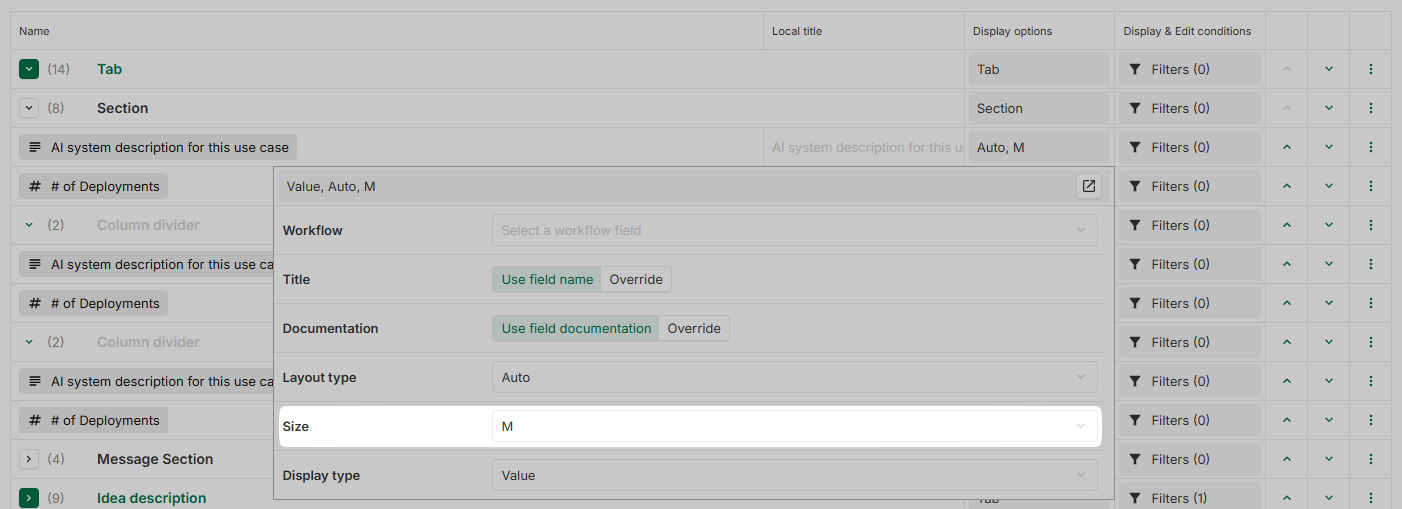
[New] Size variants for number and text fields in layout
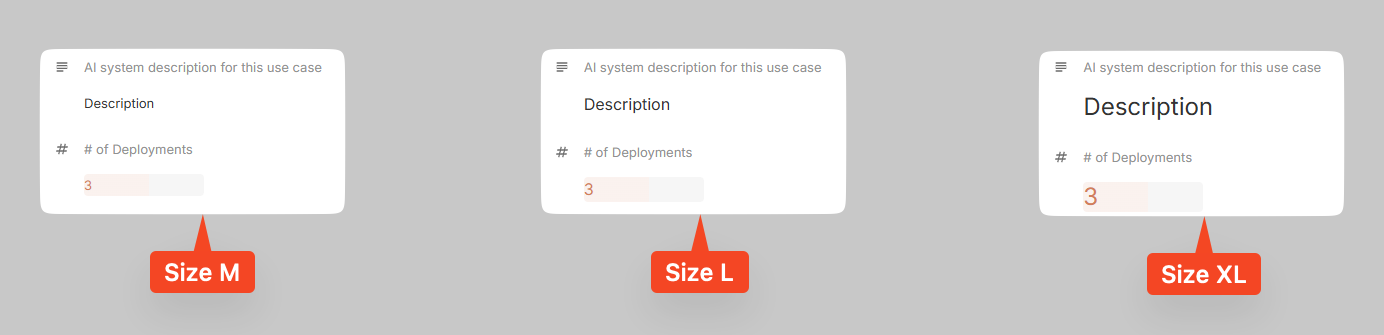
When configuring a layout, it is now possible to select a size variant (M, L or XL) in the display options for number and text fields. By default, the size is set to M (classic display).
The layout entries are displayed according to the selected size.
[New] Layouts and Forms configurations duplication
Layouts and Forms configurations can now be duplicated.
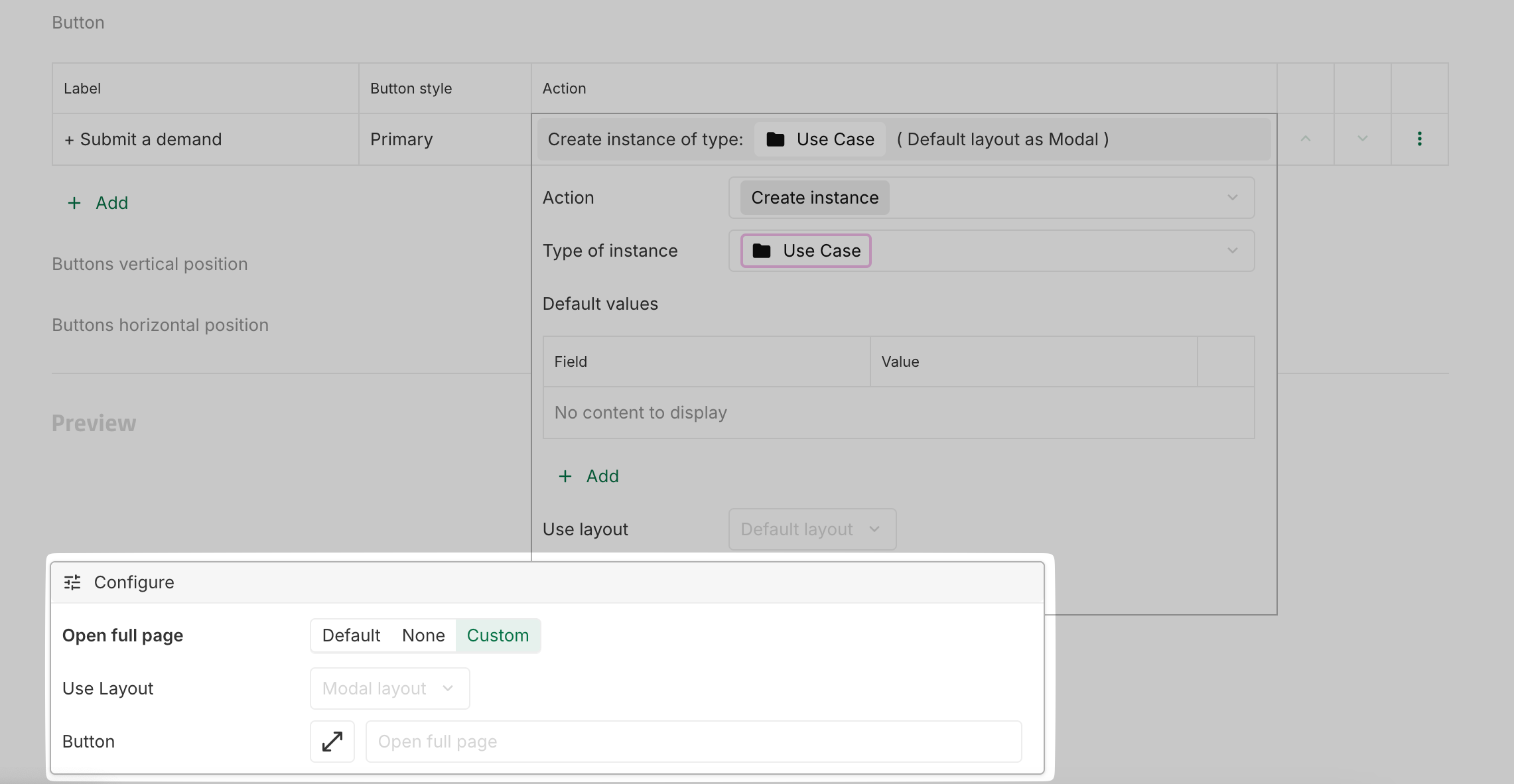
[New] Open as full page in layout modal
A default Open full page button is now available for layouts in modal mode. Three options are available:
-
Default: Opens the current modal layout in full page mode.
-
None: The button is not displayed.
-
Custom: Can be customized to open a different layout in full page mode with a custom label and icon.
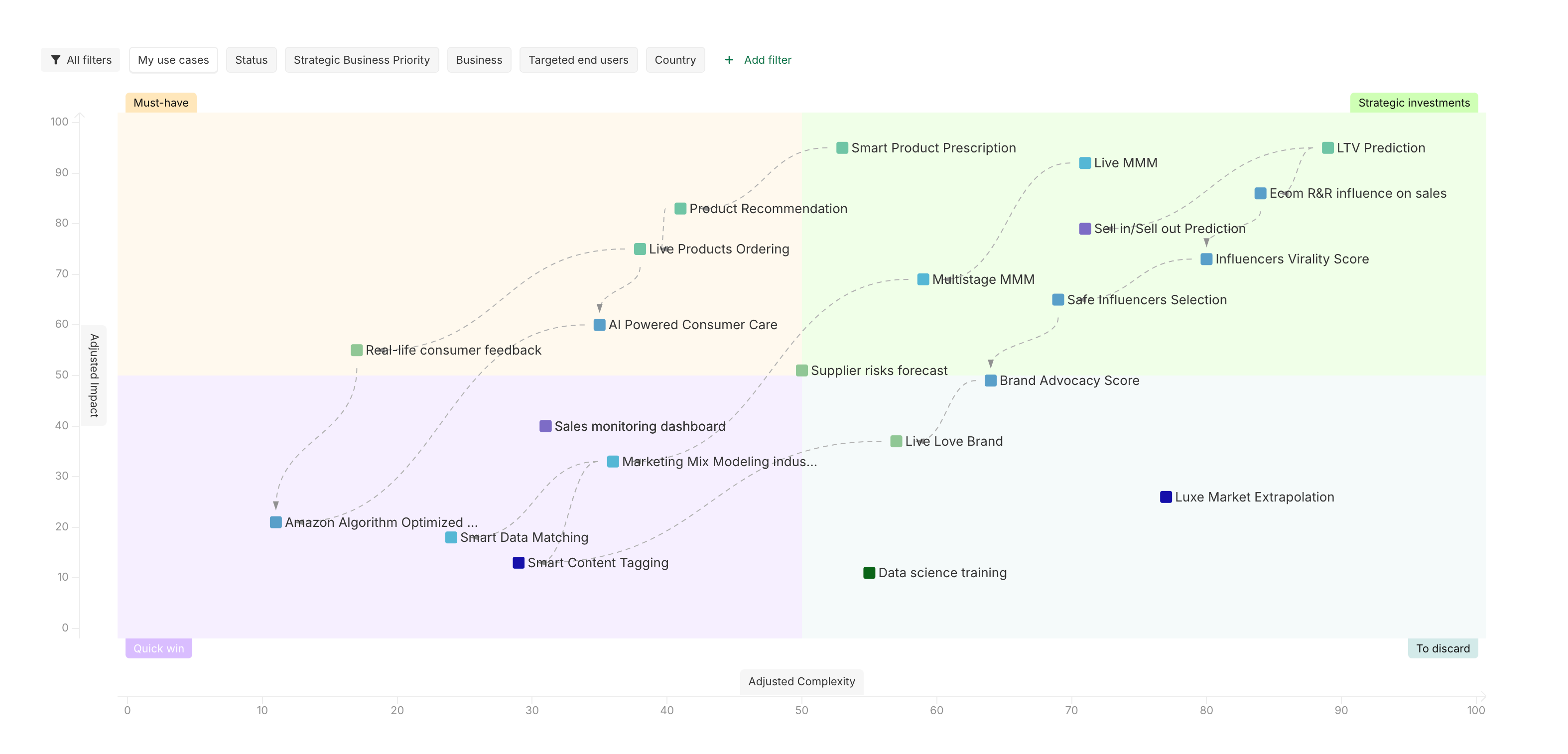
[Improvement] Matrix instance label text color
To enhance readability, the instance labels in the matrix are now displayed in black instead of grey.
[Improvement] Jira Connector: enhanced text field configuration
The Jira connector now supports a new configuration to manage character limits and new line removal for Jira text fields. More details are available in the documentation.
[Improvement] DataGalaxy Connector: Polling configuration with a cron
The Datagalaxy connector now uses a cron to configure polling, allowing for more precise control of polling time. More details are available in the .
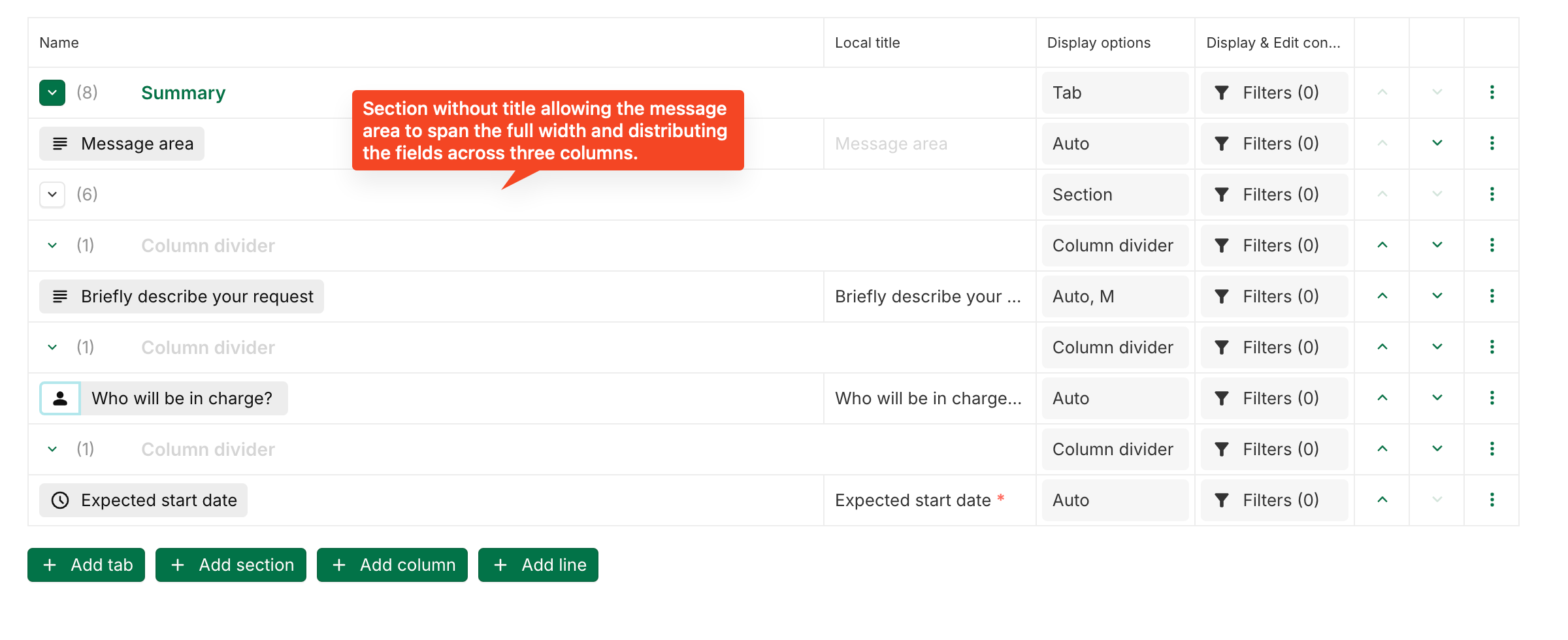
[Improvement] Section without title : no more separator and empty space
In a layout, the behavior of separators and empty space for sections without titles has been updated. Sections without a title will no longer display a separator or an empty space for the title, ensuring a cleaner design.


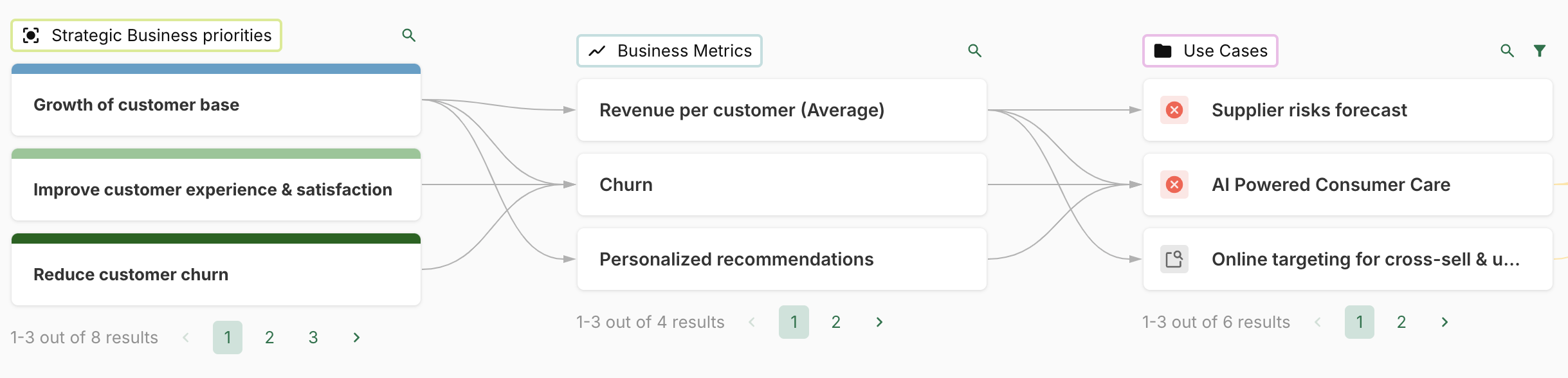
[Improvement] Highlighting and pagination in value lineage
When highlighting associations between instances, pagination in the value lineage is now removed. This allows pagination to be used for better readability while still enabling highlighting.
Additionally, highlighting now keeps only the relevant instances, ensuring that the information remains focused and meaningful.
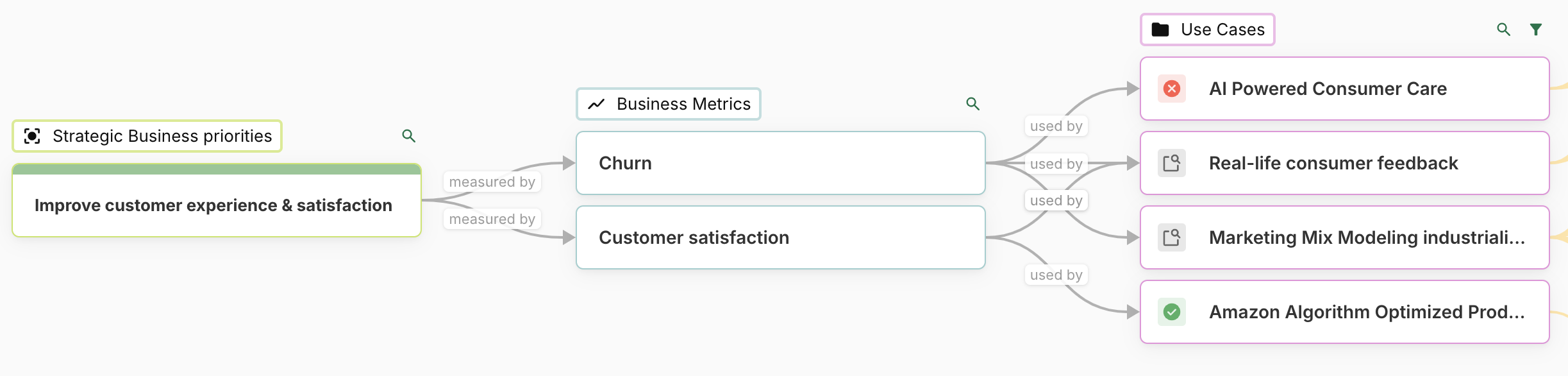
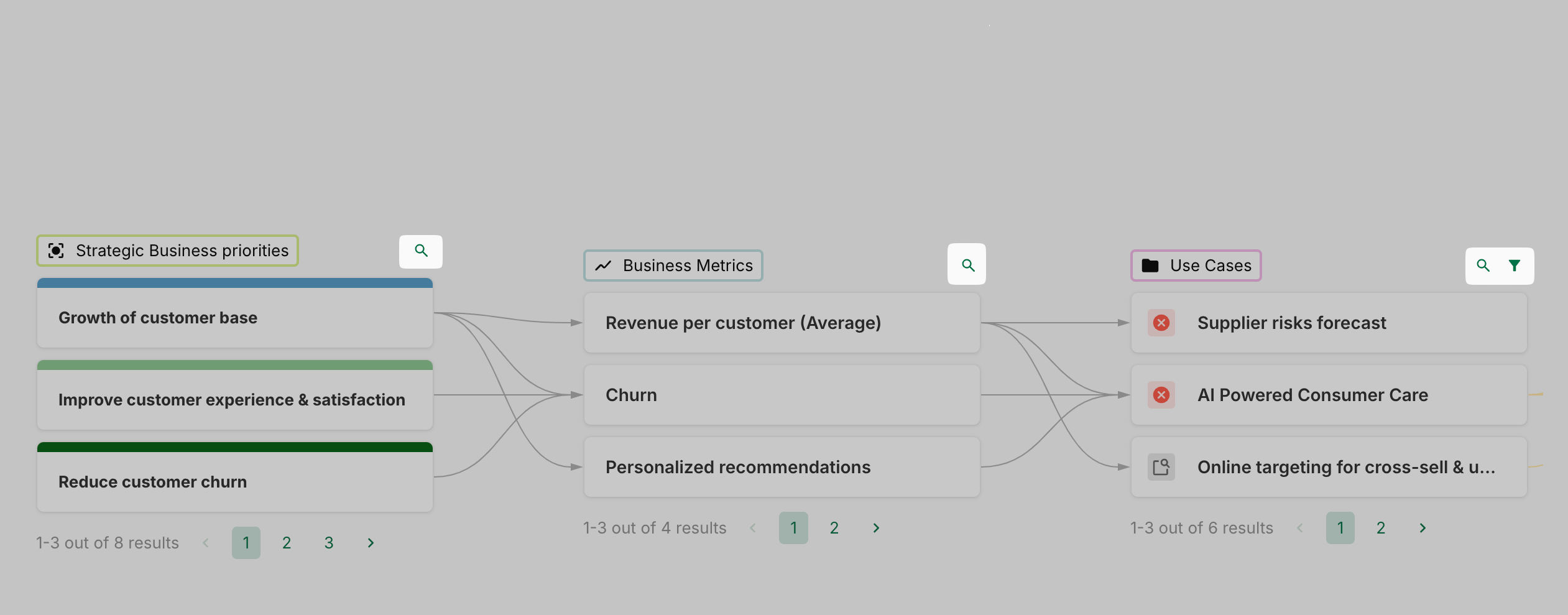
[Improvement] Collapsed filter and search bar in value lineage
To enhance readability, the filter and search bar in value lineage are now collapsed by default.
[Fix] Date Range Filter: proper handling of Is empty
The Is empty and Is not empty filters now work correctly with the Date Range field. A Date Range field is now considered empty when both the start date and end date are unset.
2025-03-13
[New] Forms
A new way to display instances and their fields is now available : forms.
Designed to guide users through their completion journey, forms provide a structured and intuitive experience. They can be used for various purposes, such as submitting new ideas or completing compliance forms.
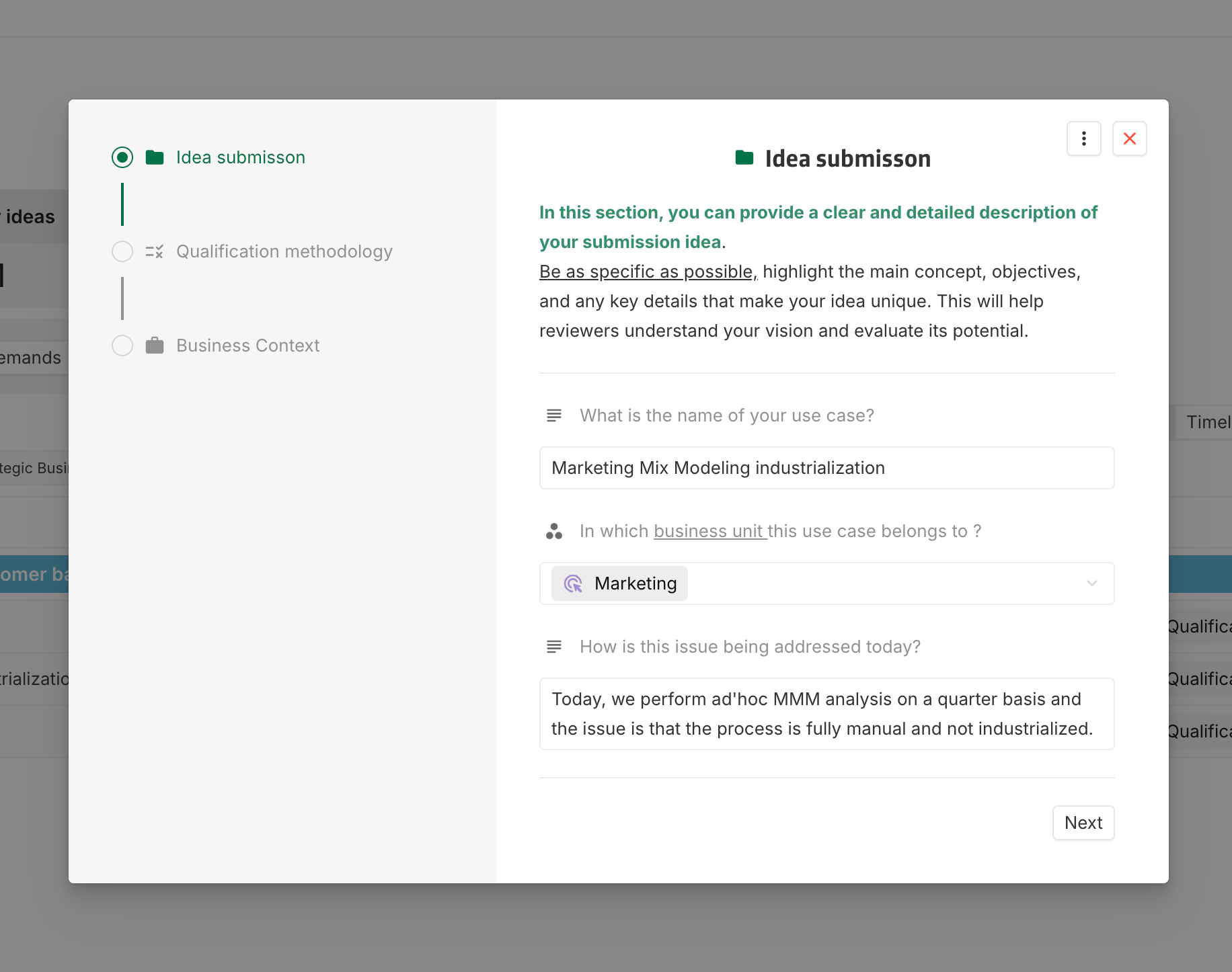
Creation and edition
Forms can be created and edited from:
-
A concept configuration
-
Settings > Layouts > Forms
The editing experience is similar to layout editing, with forms capable of being displayed either in full-page mode or as a modal, just like layouts.
Pages instead of tabs
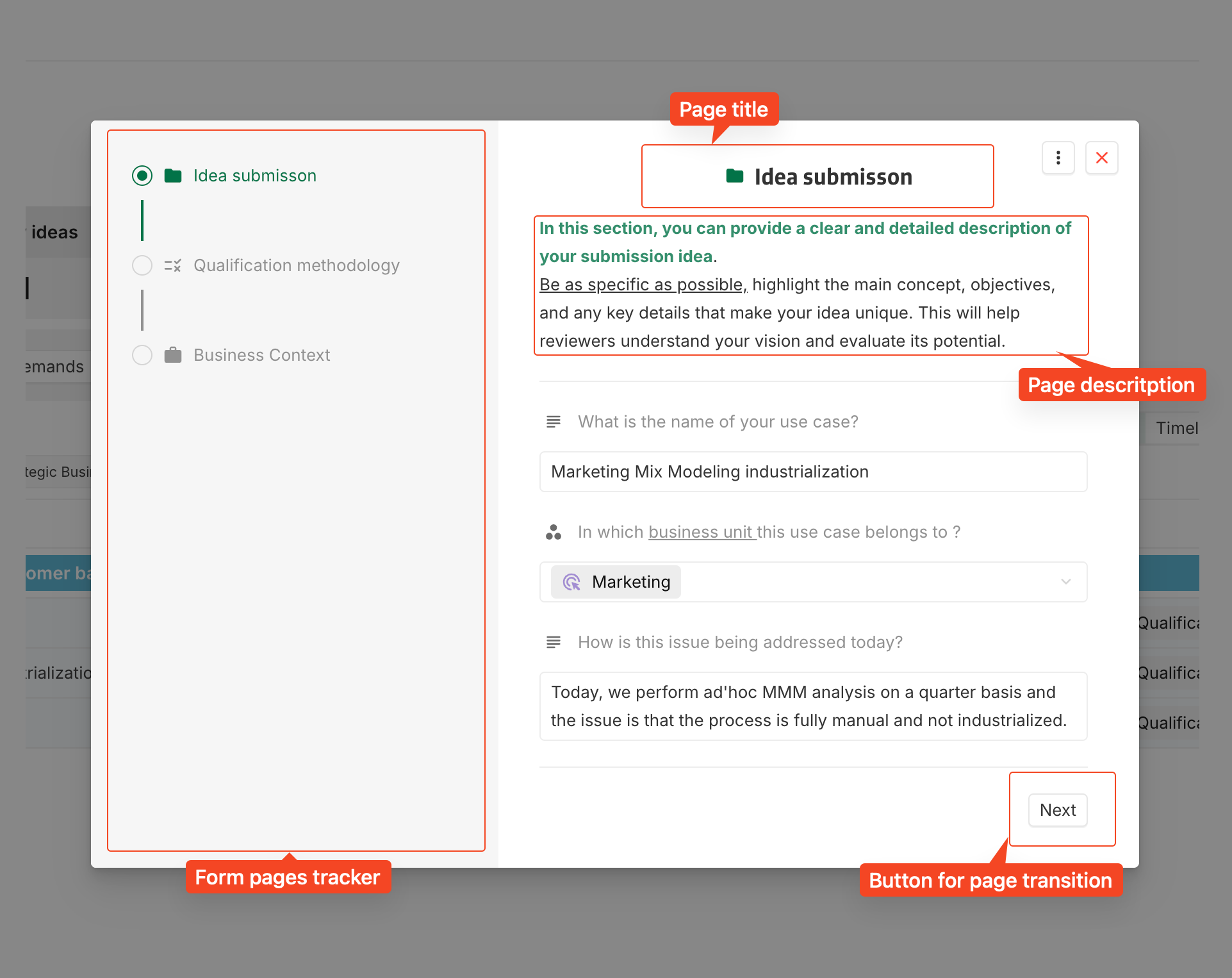
Unlike layouts, which rely on tabs, forms use pages, each capable of containing as many fields as needed. However, view fields and phase fields cannot be used in forms, as they are intended for collecting input rather than displaying information .
Users can track their progress using the form pages tracker, if enabled in the configuration.
Navigation
Navigation within a form is strictly controlled: users cannot freely switch between pages. Instead, movement is managed through configured buttons (e.g., Next, Previous). Each button can have an assigned transition, which will be performed when clicked.
Usage
Currently, instances can be displayed using forms from:
-
Creation button on dashboards
-
Opening instances within views
Soon, users will also be able to access forms directly from instances, allowing them to complete forms seamlessly as they progress through their use case.
[New] DataGalaxy connector
It is now possible to synchronize data from a DataGalaxy instance using a new connector. For now only the polling of instances from DataGalaxy is supported, the documentation is accessible .
[Improvement] Rich text support for local field titles
Overriding a field title in a layout now supports rich text (color, bold, italic, etc.).

[Improvement] Improved line breaking for non-breakable text
Non-breakable text now wraps properly in rich text fields (particularly in non-computed text fields) and banners (particularly in message areas). Instead of causing display issues, long unbreakable strings automatically move to a new line.
2025-02-20
[New] Integration attachment API
New APIs are now available for managing attachments:
For more details, please refer to the attached documentation.
2025-02-13
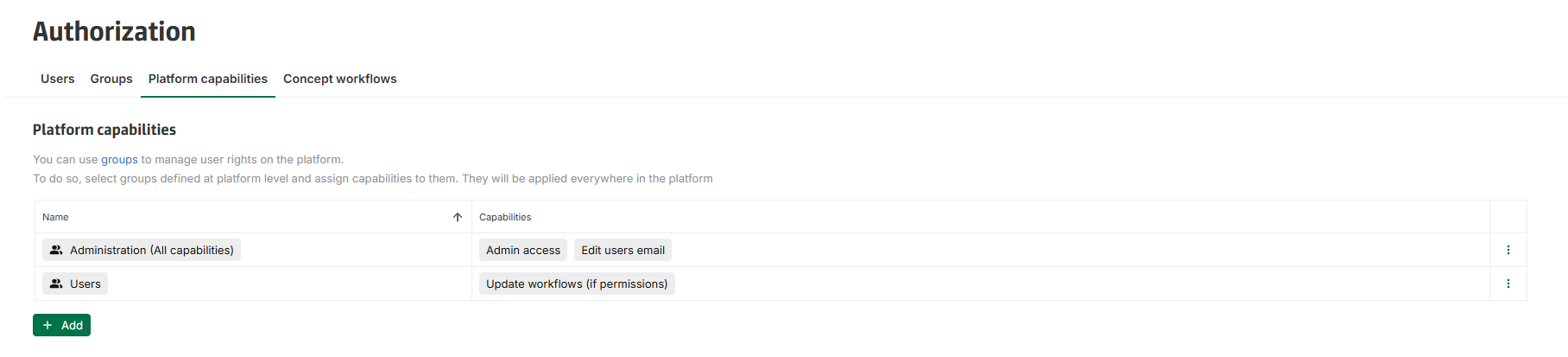
[New] Update workflow (if permissions) platform capability
A new platform capability is available : Update workflows (if permissions).
This capability allows users to execute workflow transitions or update workflow status, provided they have the necessary concept permissions.
This capability has been automatically added to the group of users that is flagged as Granted on user creation in order to ensure the same behavior as before.
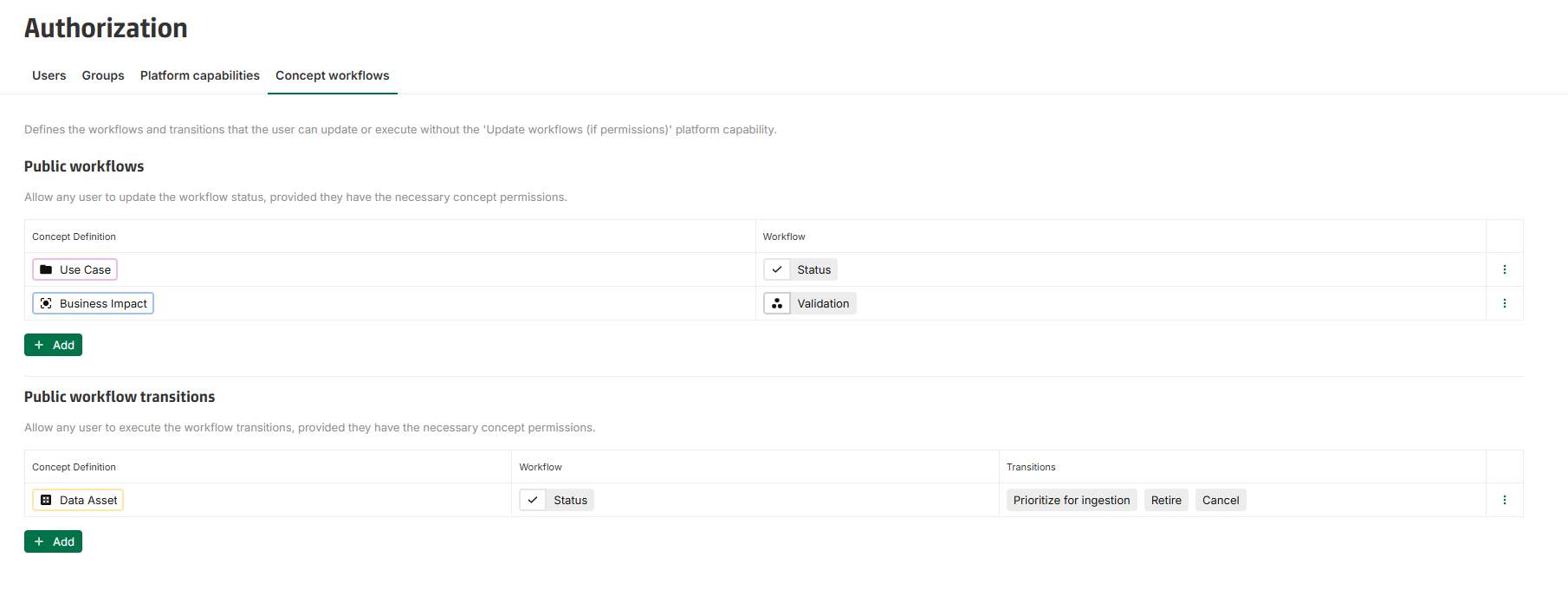
Public workflows / public transitions
In order for users without Update workflow (if permissions) capability to interact with workflows and transitions, it is now possible to configure public workflows and public transitions.
Under Settings > Authorization, a new tab is available : Concept workflows.
Given they have the necessary permissions, users will be able to update status of configured public workflows and execute transitions of configured public transitions.
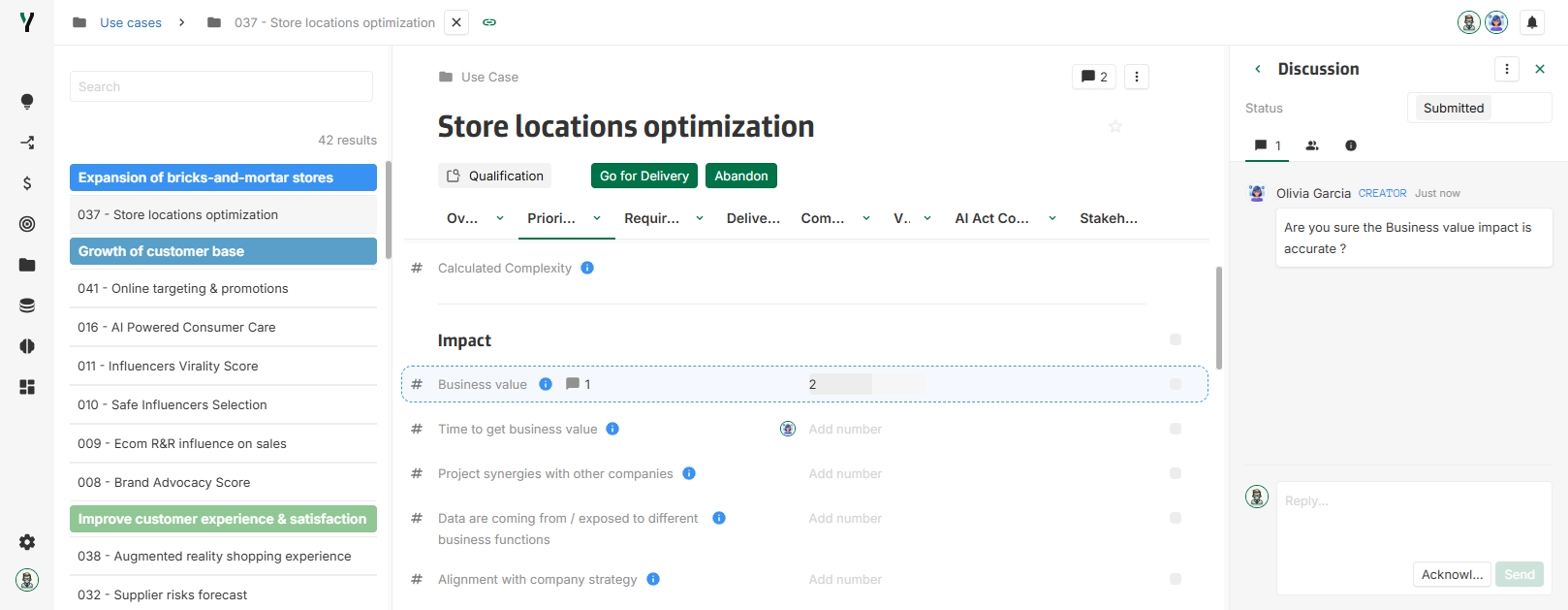
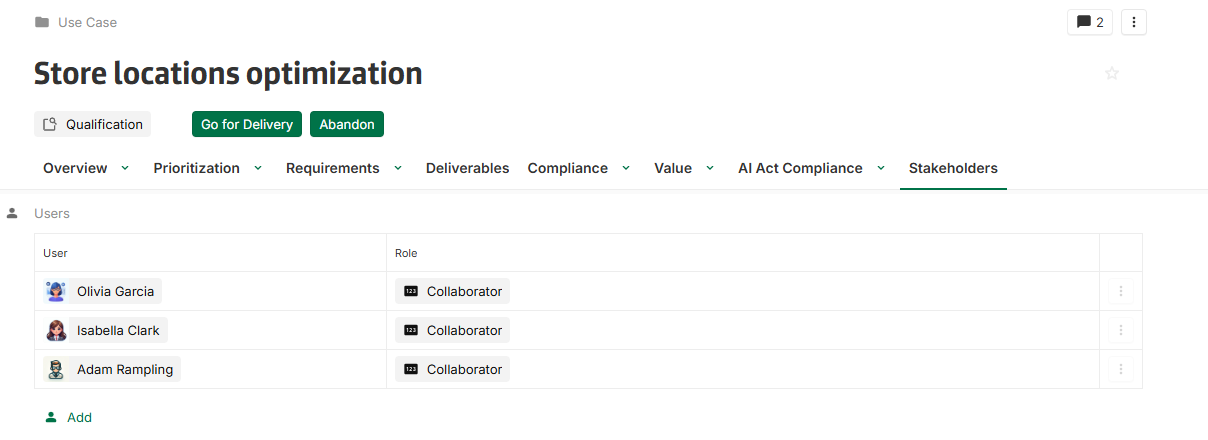
[New] Customizable User Avatars
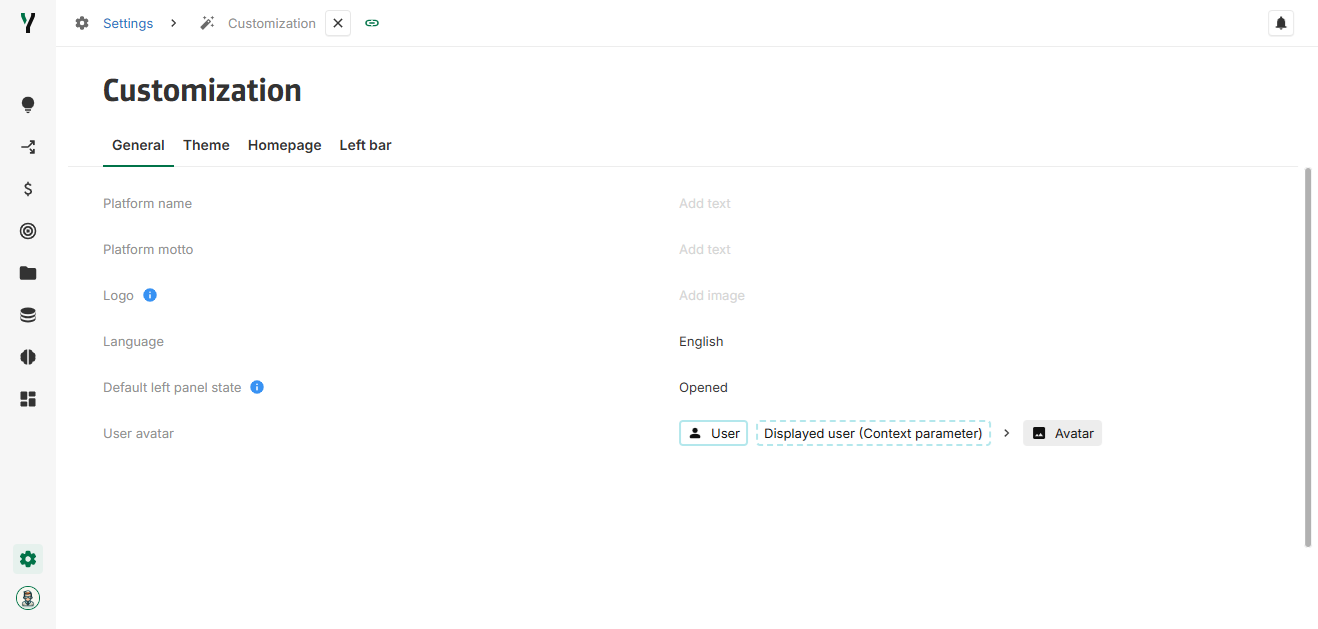
An image field can be selected to users as avatars across the interface.
The chosen image field must have a 1:1 ratio and will be displayed anywhere the users appears in a circular format (left bar, activity, collaboration, …).
The configuration can be done in the screen Configuration > Customization in the General tab under User avatar.
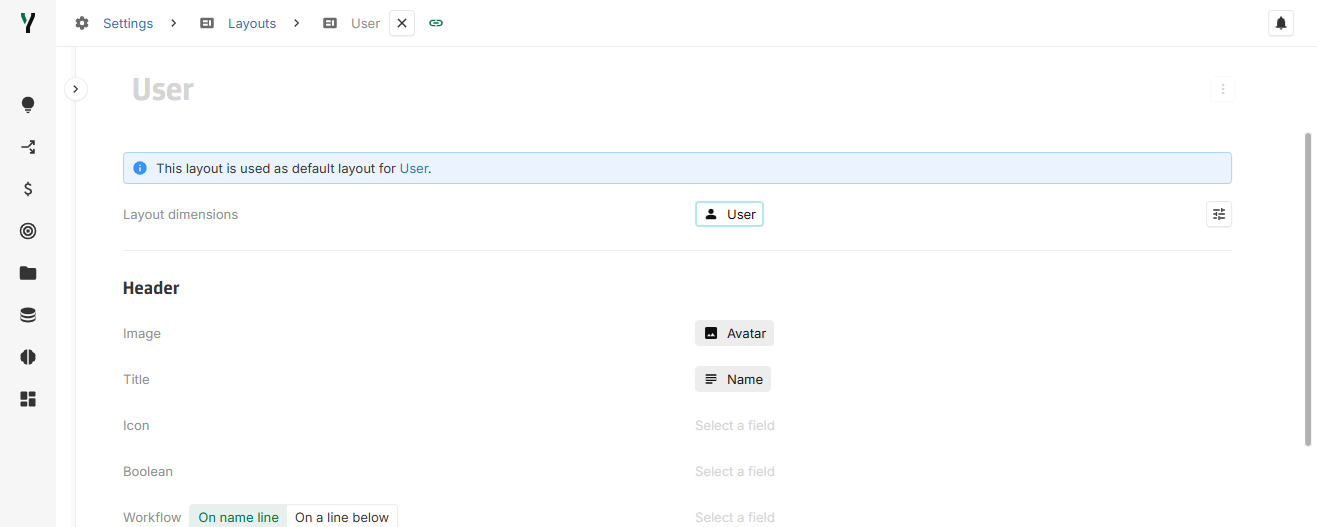
[New] Image field in concept header
An image field can be set in the concept header next to the title.


The configuration can be done in any Layout under the Header section.
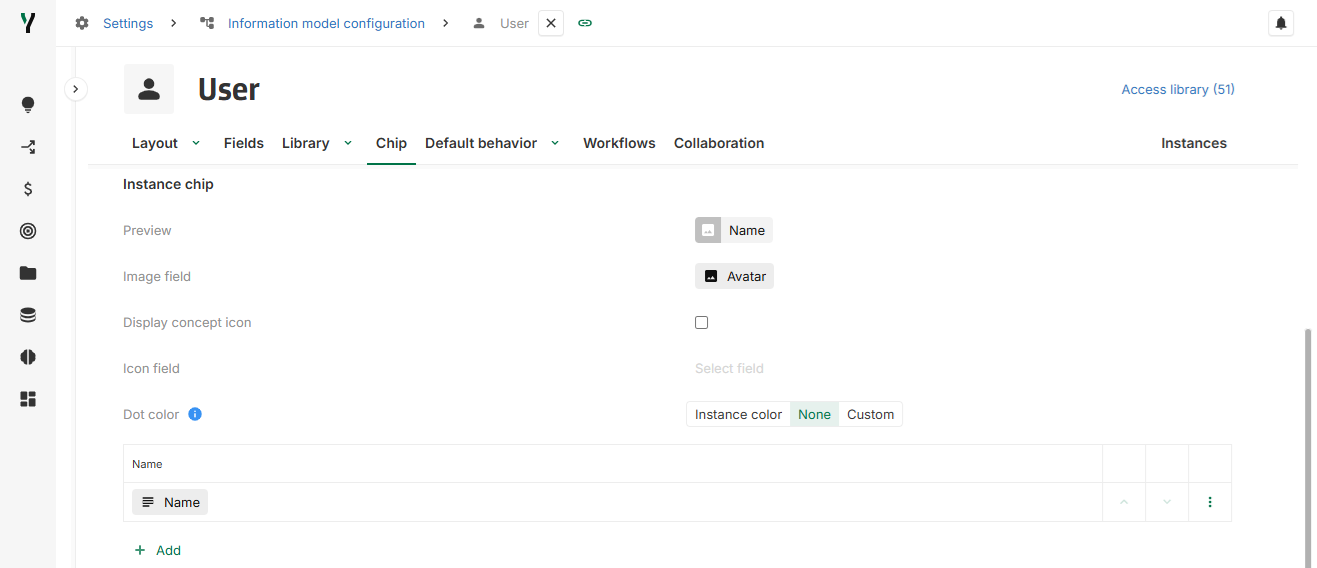
[New] Image field in chip
An image field can be set in concept chip representation.
The configuration can be done in any concept configuration page in the Chip tab under the Instance chip section.
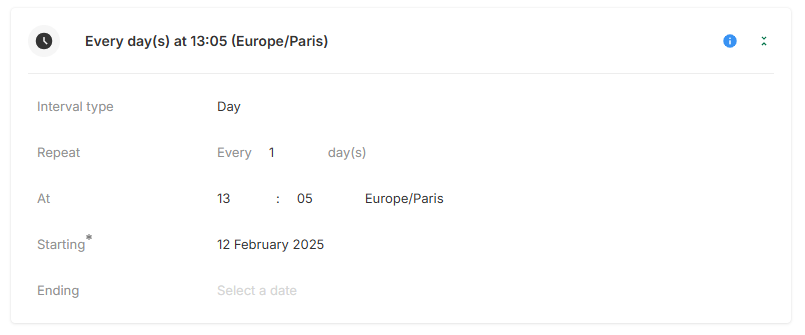
[Improvement] Minute-Level Granularity for Scheduled Automation Triggers
Scheduled automations can now be configured with minute-level steps, rather than being limited to whole hours.
To improve clarity, trigger times are now displayed in a 24-hour format. Additionally, the interface has been redesigned for a smoother configuration flow.
2025-01-30
[New] Define instances Default sort in table view
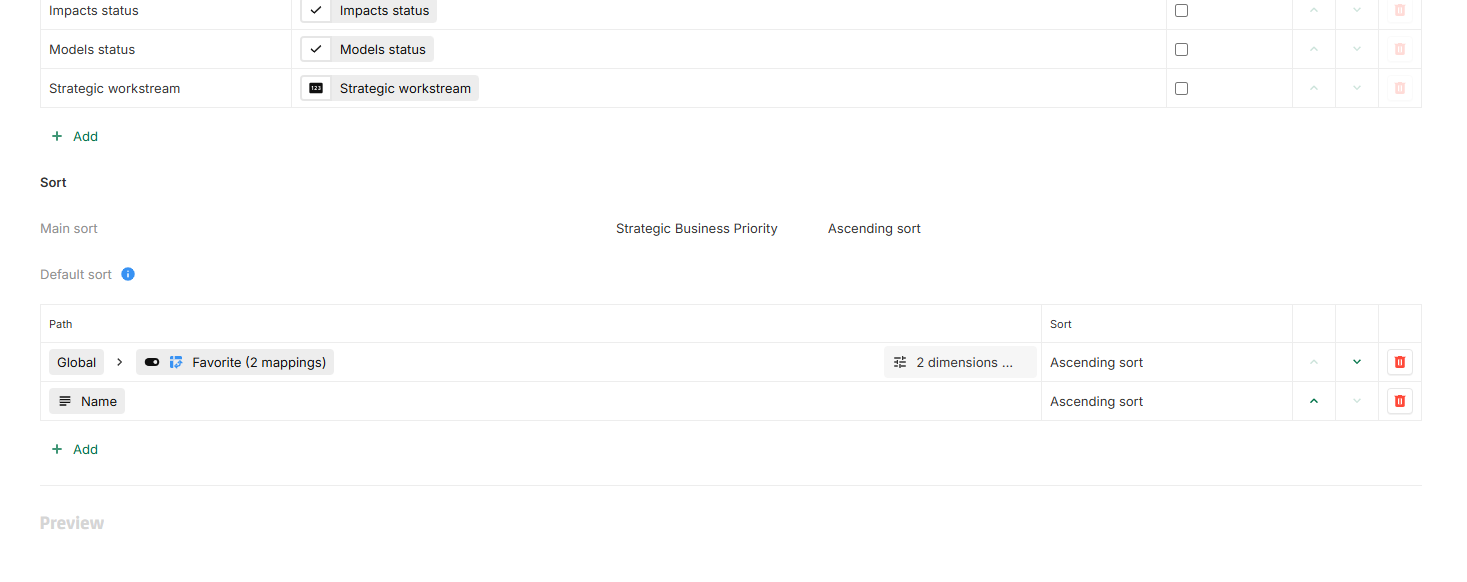
Instance Default sort can now be defined in table view.
This sort will be applied after the Main sort.
Configuration details:
-
Sorting can be configured in the Sort section of the table view options.
-
Instances can now be sorted based on fields that are not necessarily displayed.
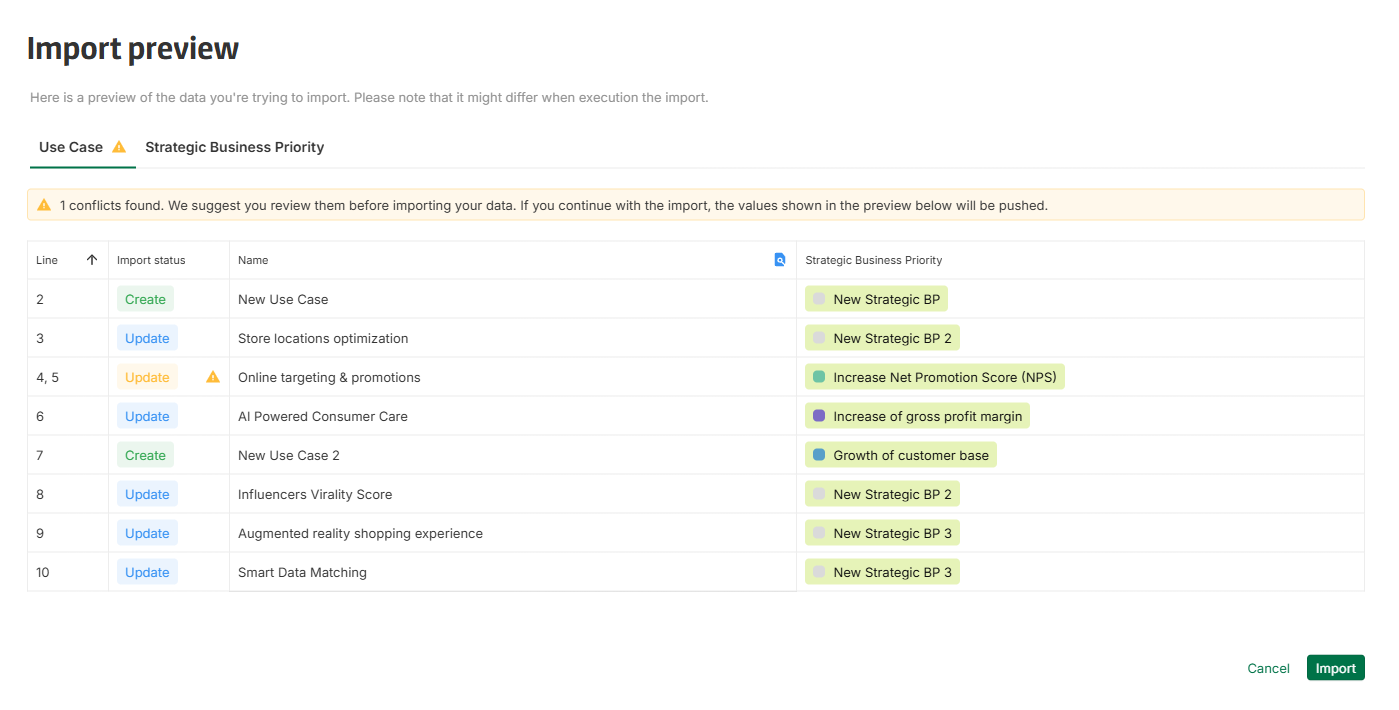
[New] Excel Data Import
Excel Data Import is now available under Settings > Data Import. For detailed instructions on using this feature, refer to the documentation: Data import
2025-01-23
[New] Modal instance page support
Instances can now be displayed as modals:
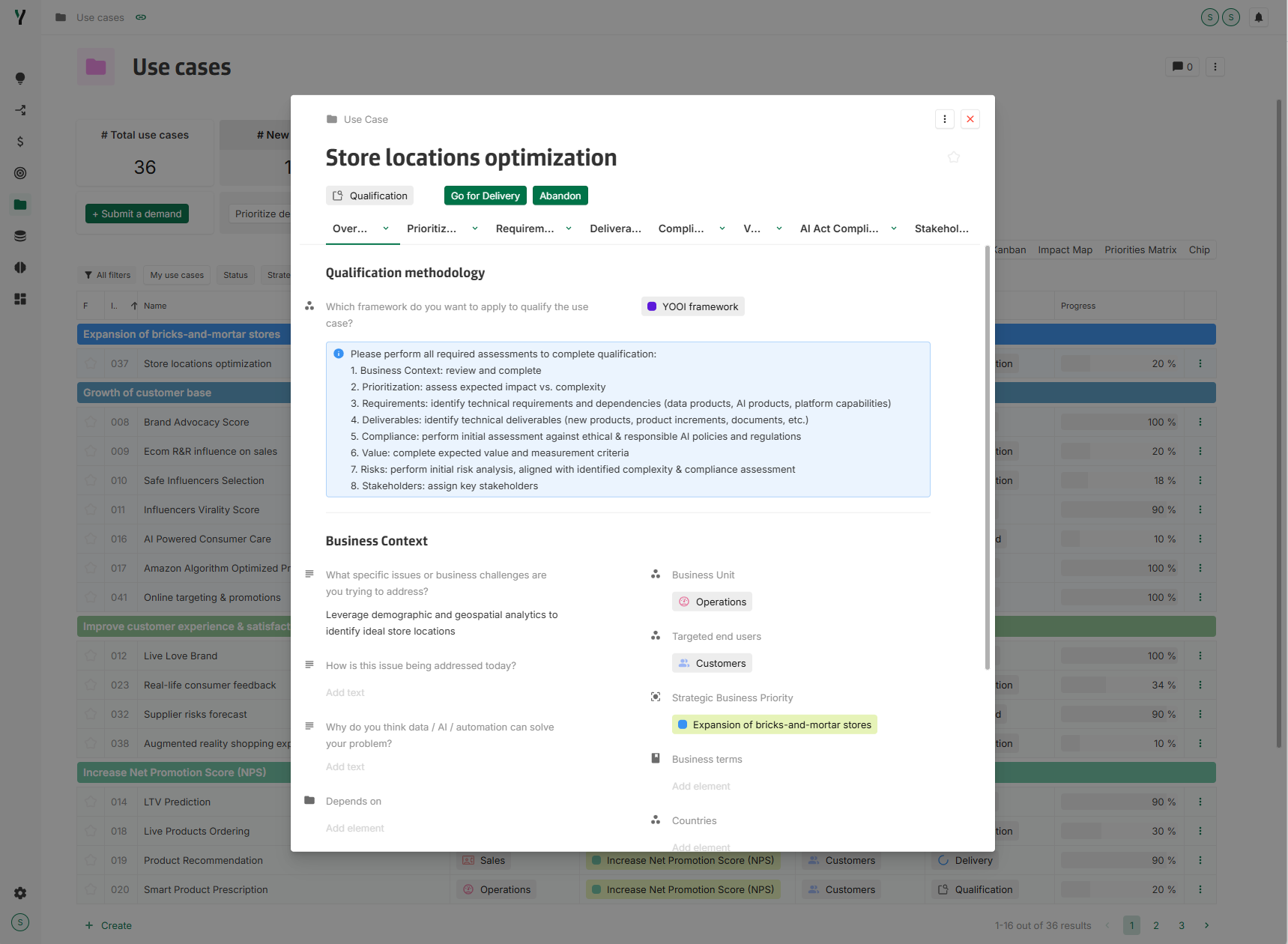
All page features are available in modal mode, except for collaboration.
On close, modal can be re-opened using the banner button: Access changes.

[New] Views open button behavior configuration
The behavior of the open button for instances can now be configured in the Graph chart widget, and views.
It is possible to configure under Open :
-
If open option is available on the view.
-
Which layout is used on open.
-
Which display mode is used on open: Full page (classic display, as before) or Modal.
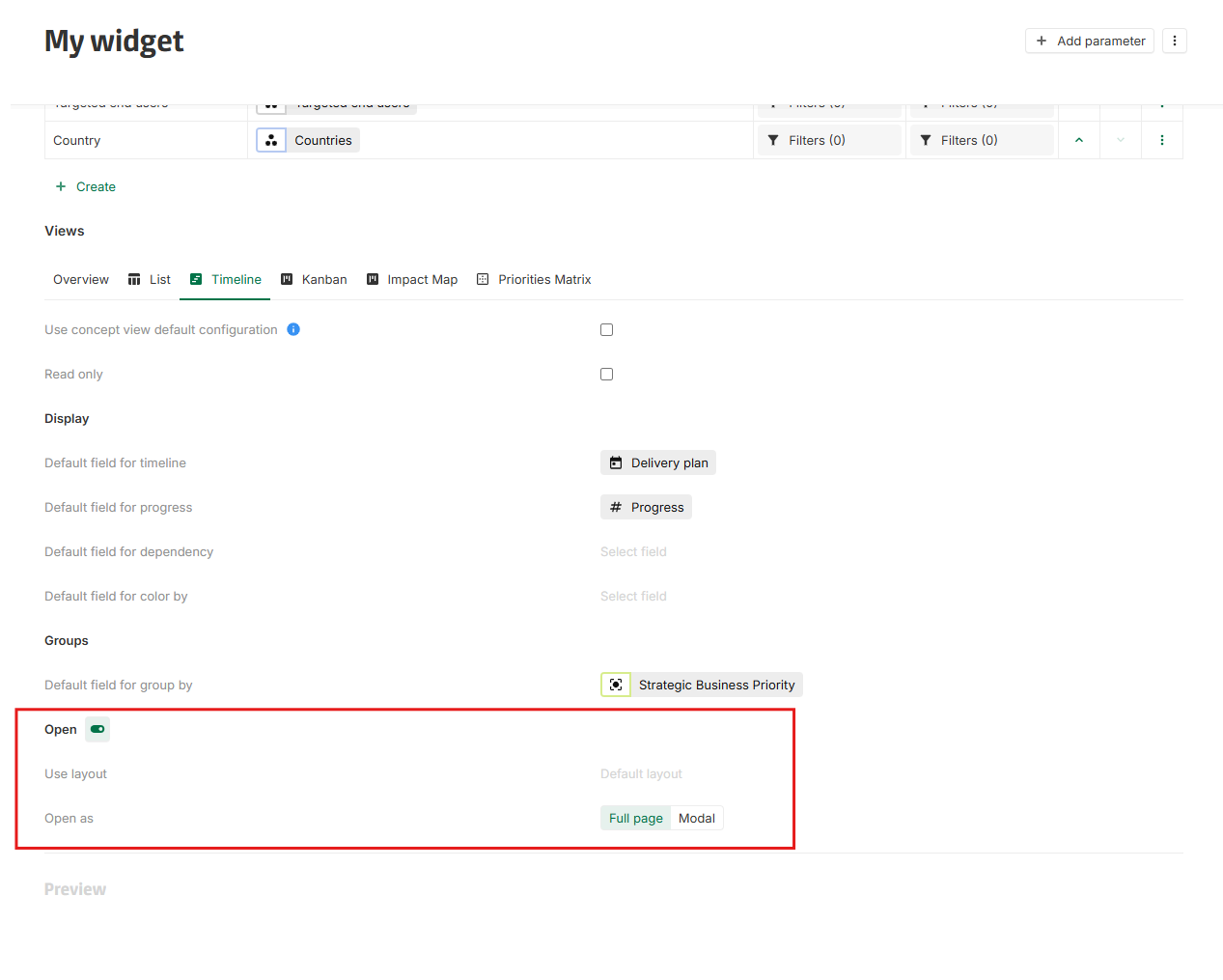
When a layout is used, mapping are automatically done, but can be adjusted.

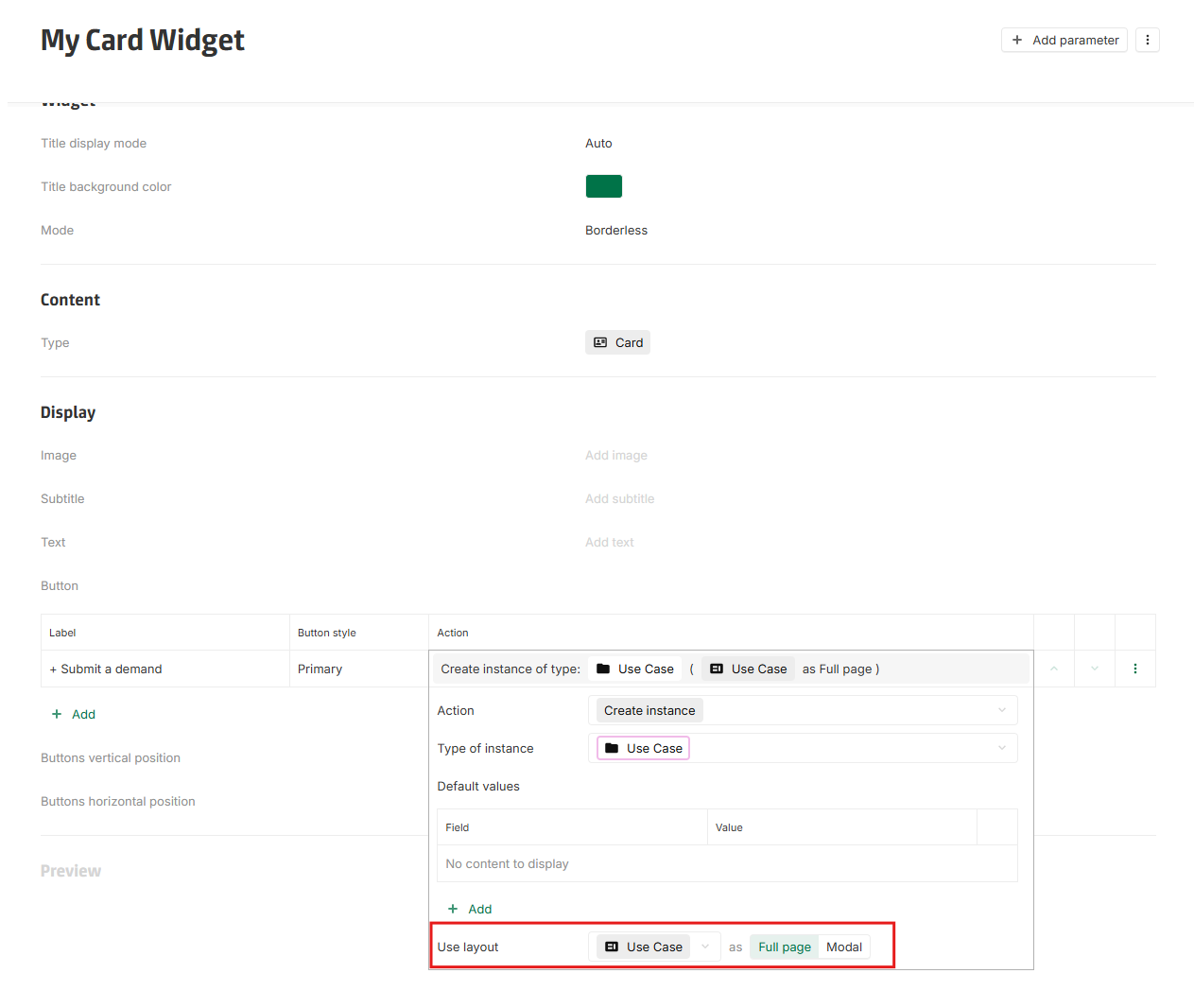
[New] Card widget creation open behavior
The creation behavior for card widget instances can now be configured to use a specific layout and display mode.
This can be configured under Display > Button > Action > Use layout:
[Fix] Jira connector user field update
It is now possible to update Jira's user field using the Jira connector.
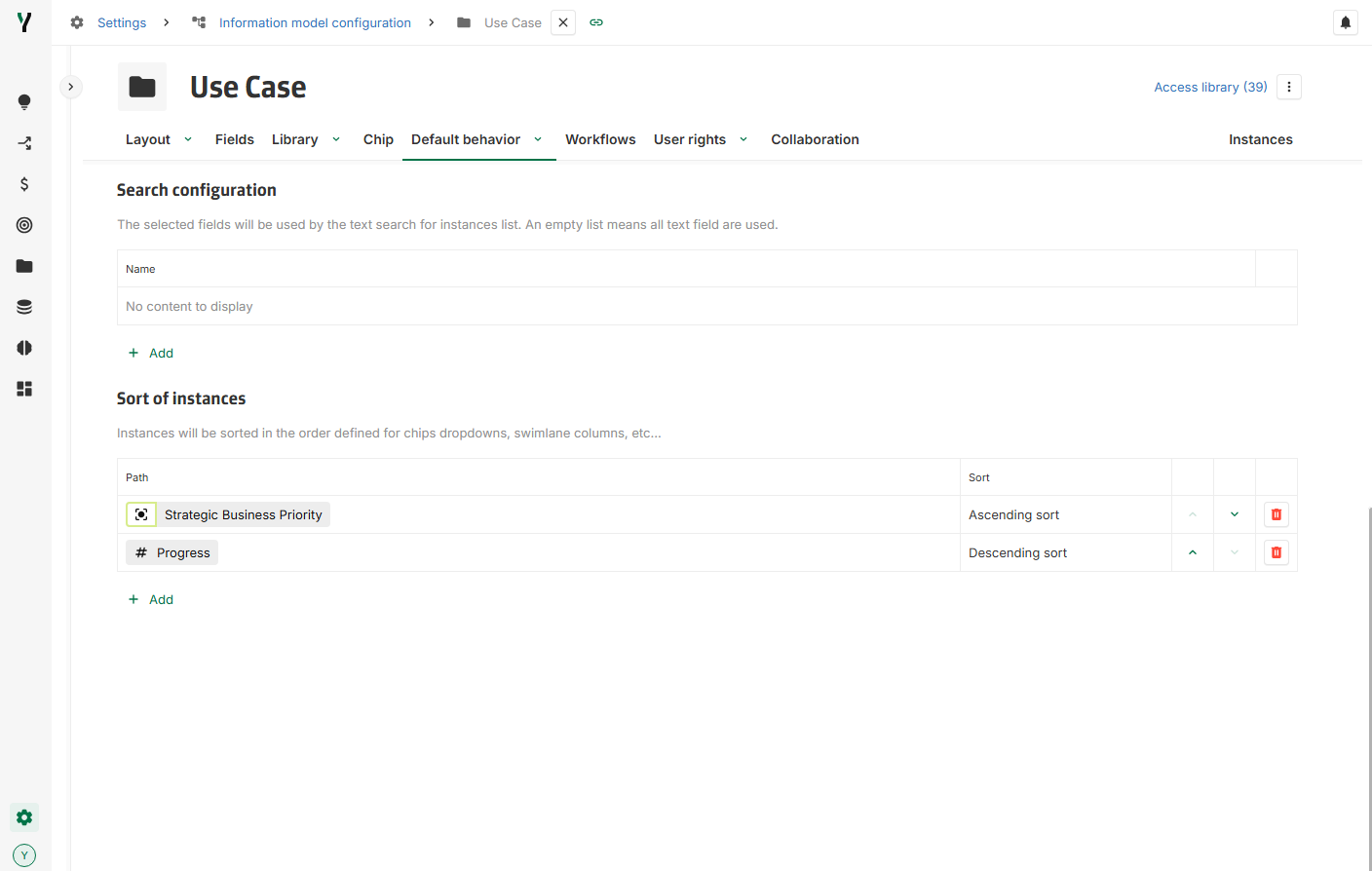
[New] Define instance sorting in Concept Configuration
Instance sorting can now be defined for the following representations:
-
Chips dropdowns
-
Path
-
Quick filters
-
Swimlane column
-
Master detail (applied after the main sort, based on the originating view)
-
Group by (n-1) on views
Default Behavior:
If no custom sorting is defined in the concept configuration, the default sorting remains unchanged: alphabetical sorting based on the chip's displayed text.
Configuration details:
-
Sorting can be configured under: Settings > Information Model > Concept > Default behavior > Sort of instances.
-
Instances can now be sorted based on fields that are not necessarily displayed on the chips.
2025-01-15
[New] Formula function to extract instance UUID
A new formula function OBJECTUUID(object) has been introduced to extract the instance UUID.
For more details and examples, please refer to the formula documentation available on the platform.
[New] Formula function to manipulate arrays
A new formula function ARRAY(...) has been introduced to create and manipulate arrays.
For more details and examples, please refer to the formula documentation available on the platform.
[Improvement] GETOBJECTS replaced by UNIQUE
The formula function GETOBJECTS(...) has been deprecated and replace by a function UNIQUE(...).
This new name reflects its purpose more clearly while maintaining the same functionality.
Transition details
Since the 2024-10-03 release, the use of the GETOBJECTS function is no longer required in most cases. However, there are specific scenarios where ARRAY or UNIQUE functions are applicable (all those examples are a n-n computed associations):
1. Make an array from single instances (without deduplication)
Arrays can be created from single instances using ARRAY or {} :


2. Join arrays and/or instances with deduplication

3. Join arrays and/or instances without deduplication

Simplification example
As a result, in many cases, formulas using GETOBJECTS can be replaced with simpler alternatives. For example:
Original formula

Simplified Formula

To allow administrators adequate time to review and adapt their formulas, the GETOBJECTS function will be removed in June 2025.
2025-01-09
[New] Type and Parent instances in concept header
The concept header now displays the concept type and, for embedded instances, all parent instances above the name.


[New] Formula support for n-1 association
When configuring n-1 association, it is now possible to set a formula to compute the result.
When a formula is set on an n-1 association, the reverse 1-n association is disabled.
[Fix] Section navigation in Layout
Navigating to a section with a special character in its name using the tab’s dropdown now works as expected.
[Fix] Groupby in Views and Library
Switching from a groupby with a many-to-many association to a groupby with a many-to-one association no longer breaks the view.