
2024-06-27
[New] Boolean field features
Instance and card header
A boolean field can now be used in card headers (next to the color) and also in an instance header (Main boolean field in the concept layout configuration) :

Filters
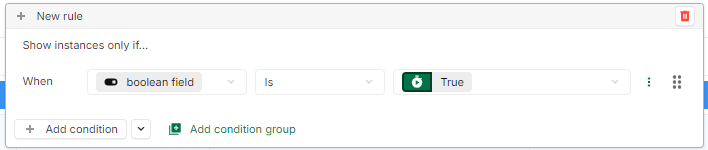
Filtering with boolean fields is now possible :
Automation
Also, automation now supports boolean fields. It is possible to:
-
Listen to the updates of a boolean field.
-
Change the value of a boolean field in generate data.
-
Use a boolean field as a variable when sending an email.
2024-06-21
[New] Boolean field
A new type of field is now available in the platform: the boolean field.
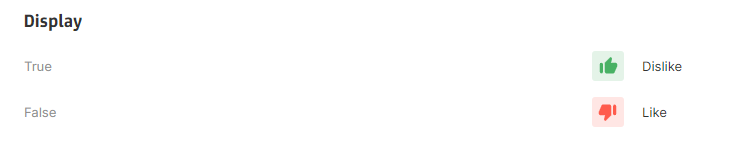
This new field can have two states : true or false. For each state, a corresponding icon and tooltip can be configured.
Also, this field can be multidimensional.
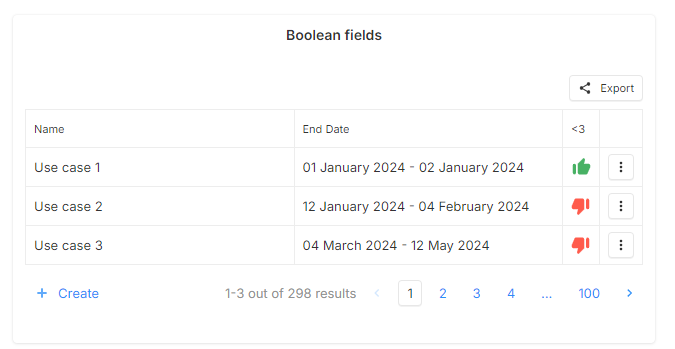
For now, this field can be used in layout, cards and tables as a standard field :
2024-06-13
[New] Icon field
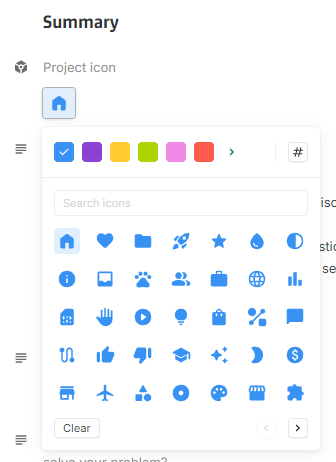
A new type of field is now available in the platform: an icon field. This new field allow to pick an icon and a color.
This field can be used in many places in the application, in particular:
Layout
Card header
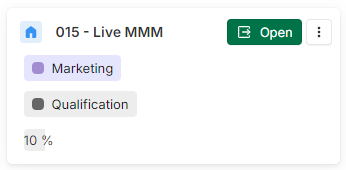
Main icon field for concepts
A main icon field can be defined in a concept configuration. This icon field will be displayed in the layout next to the name of the instance.

Main icon field for dashboard
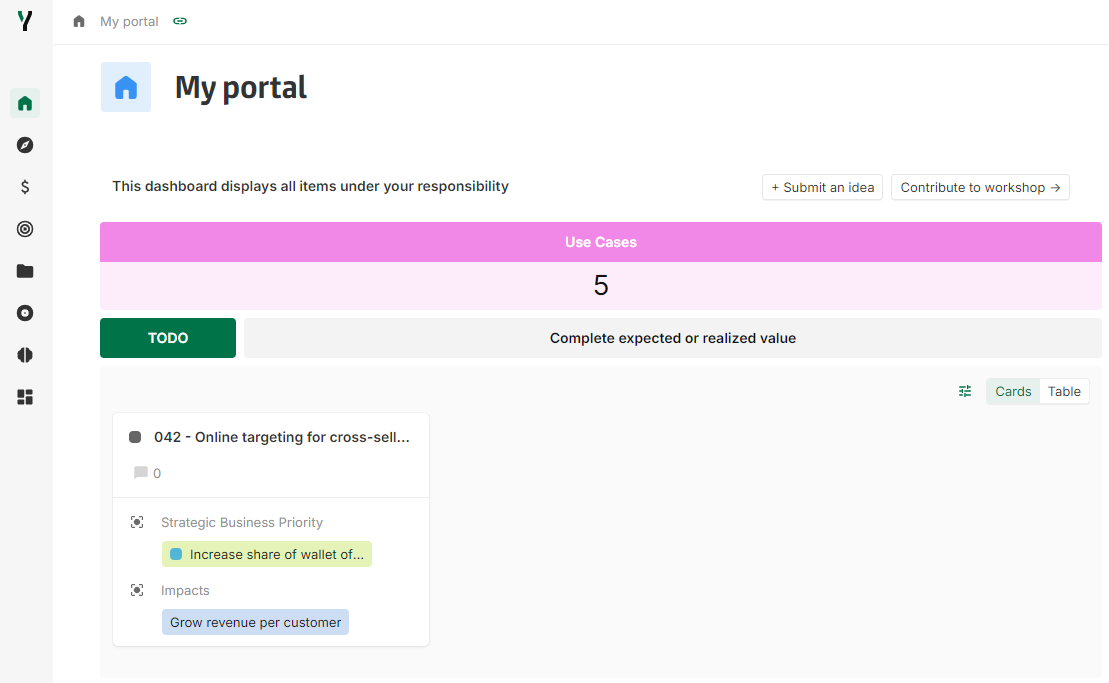
Dashboards have a particular configuration and have a core icon field, which is defined as the main icon field. When editing a Dashboard, it is possible to define its icon. This icon is also used for the left bar and the navigation header.
[Improvement] Hide timeseries or dimension in timeseries table display
It is now possible to choose to Hide or Display the Timeseries or a dimension of a timeseries table that respects the following conditions:
-
For Timeseries, if there is only one series.
-
For one given dimension, if the given dimension points to a single instance.
Example 1
Configuration:
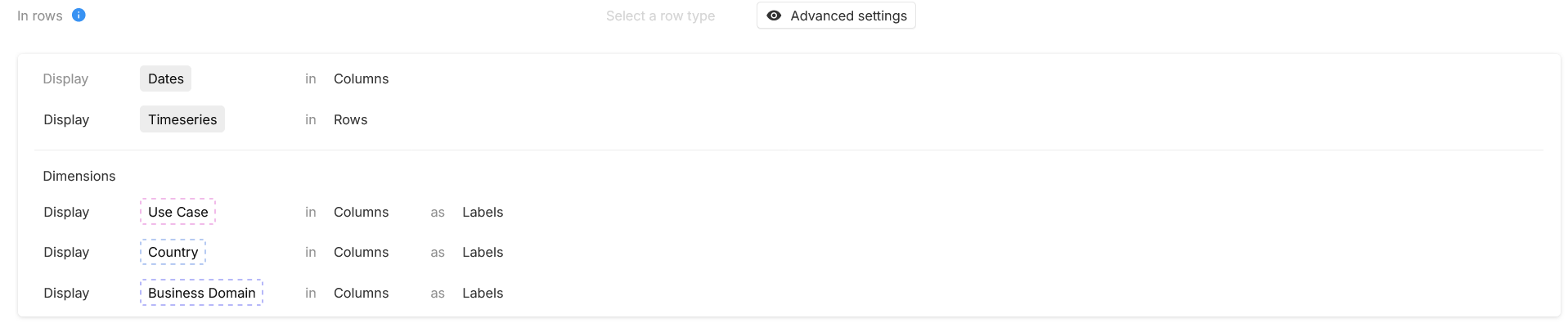
Display result:

Example 2
Configuration:
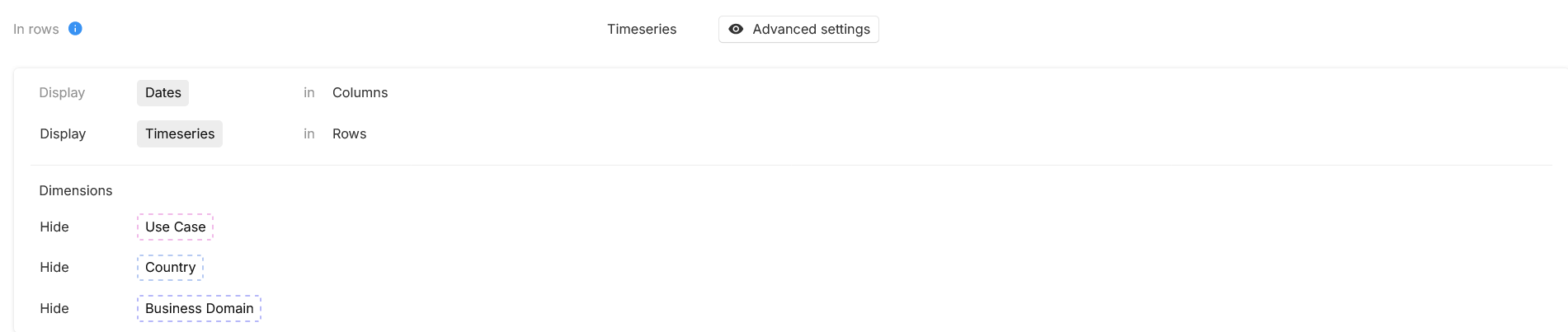
Display result:

[New] Filters on association fields
Filters can now be added to restrict the options available on association fields. Those restrictions are applied everywhere in the application where the field is used (layout, table view, card view, swimlane, etc).
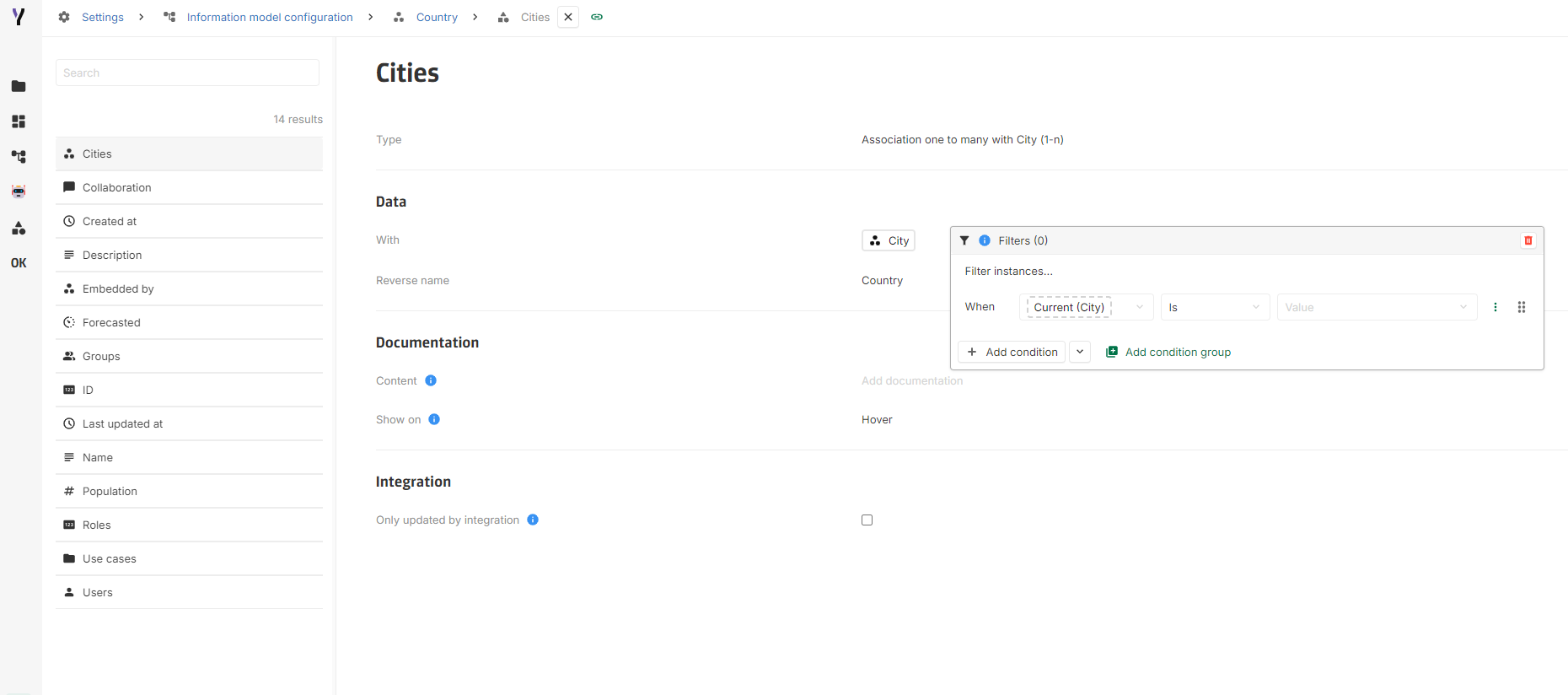
If existing values do not match the filters defined on the field, an error is displayed in the element chip:

2024-05-30
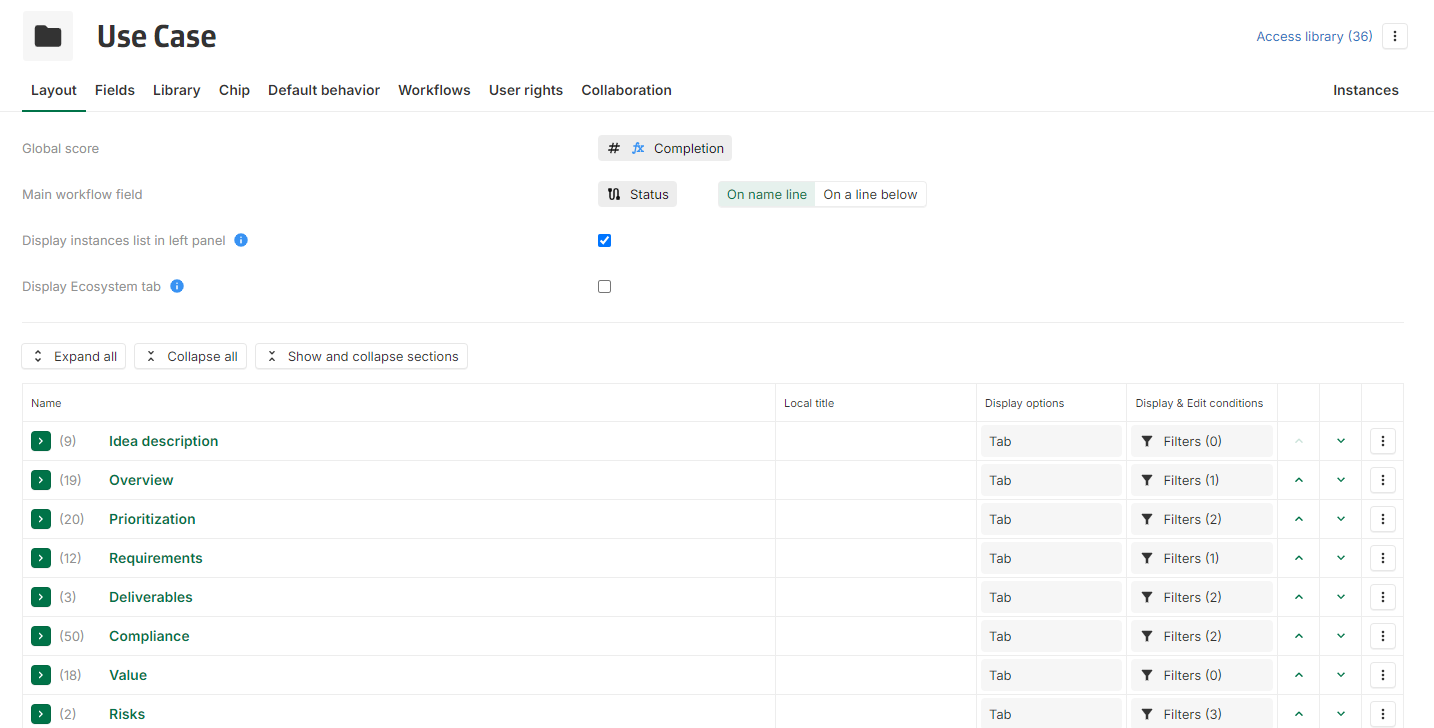
[New] Layout collapsing
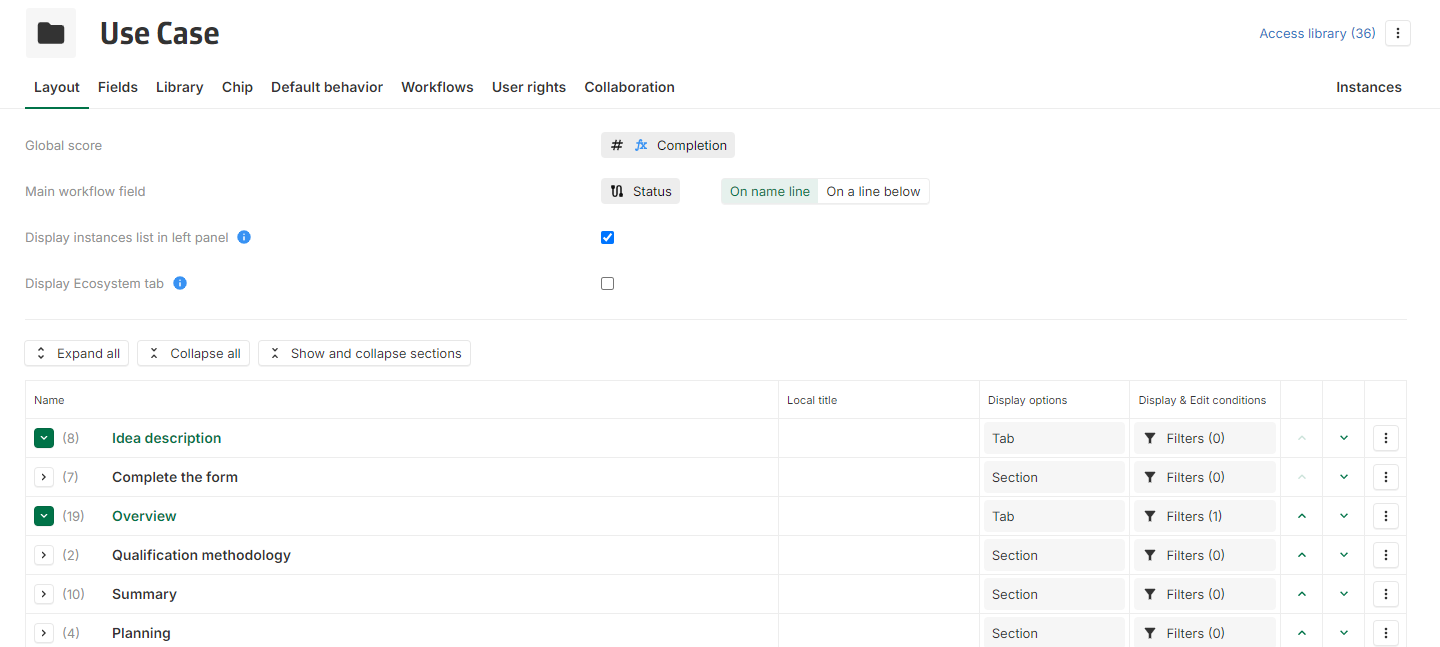
Under the tab Layout on a concept's configuration, it is now possible to collapse the configured blocks (tabs, sections and column dividers) by clicking on the new button located on the left of any block line.
Three shortcuts buttons are also available above the table:
-
Expand all
-
Collapse all: will collapse every block and show only tabs
-
Show and collapse sections: will show tabs expanded with sections collapsed
On every block, the number of contained lines is displayed.
Also, if a concept's layout configuration contains more than 20 lines, it will be collapsed by default to ensure optimal performance.
[New] Hide collaboration
The collaboration feature can be hidden if:
-
No intention is active on a concept, then the collaboration feature will be deactivated for this concept. Users can no longer access existing collaborations on this concept.
-
There is not any active intention on the platform, then the collaboration feature is deactivated globally, on all the platform.
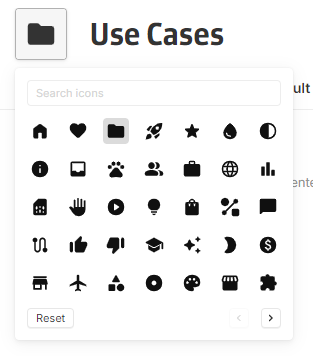
[Improvement] Improved icon picker with bigger icon set
A new icon picker is now available with a bigger icon set based on Material Symbols.
This offer more flexibility when configuring a concept icon as there are more icons available.
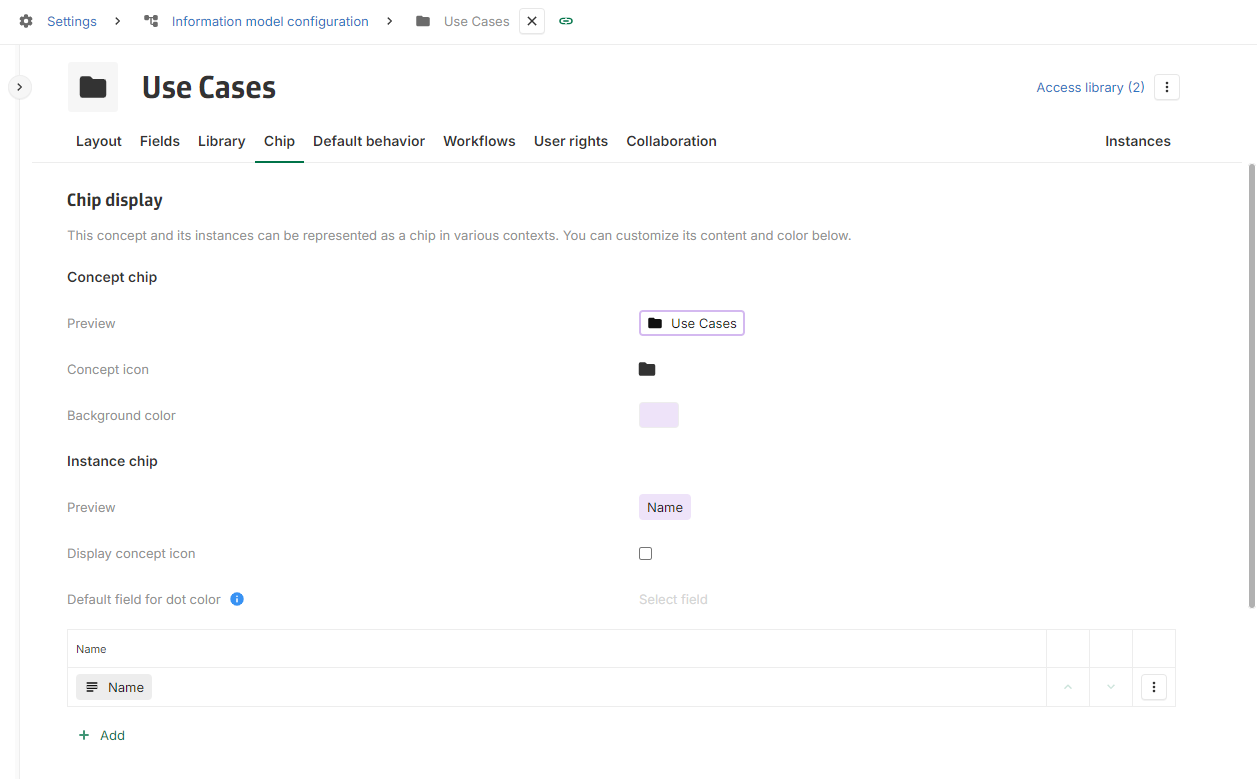
The chip configuration has also been reorganised to make it more comprehensible:
[Fix] Timeseries table fix when adding a new line
When a new line is created on a timeseries table (Add button), it no longer appears on other instances when navigating using the master detail.
2024-05-23
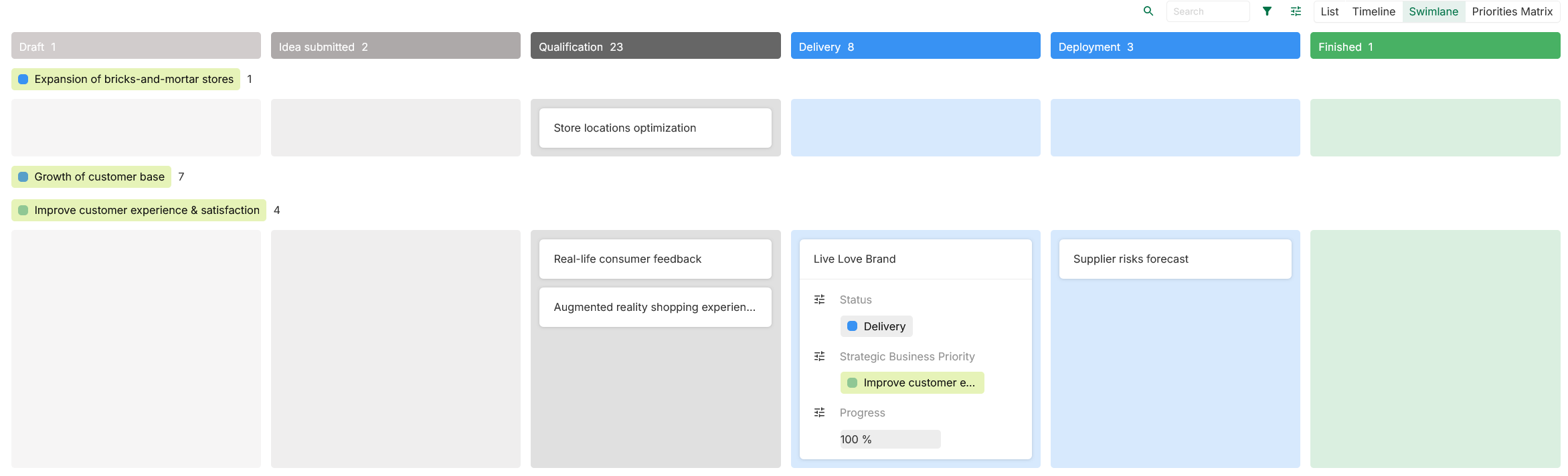
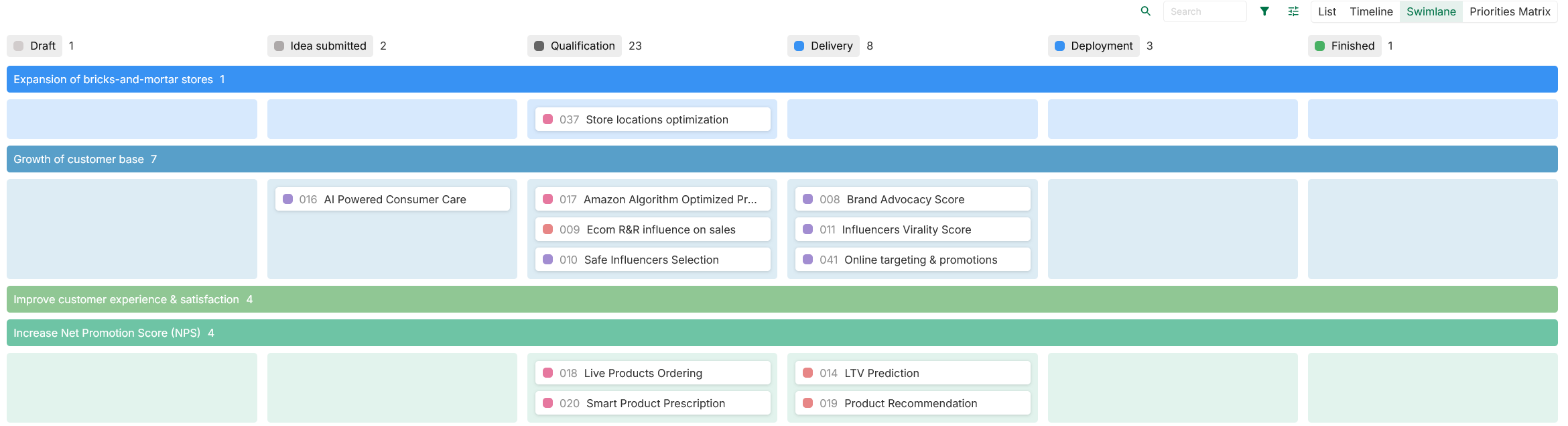
[New] New Swimlane view
Swimlane view has been updated, except in concept libraries. This includes a new design, configuration, and features such as:
-
Instances can ban displayed as card or chips
-
Groups can be collapsed
-
Columns or groups can be used as color coding
-
Columns can be hidden
-
Dependencies between instances can be displayed with arrows (as in graph chart)
-
The number of instances per group and per column is automatically displayed
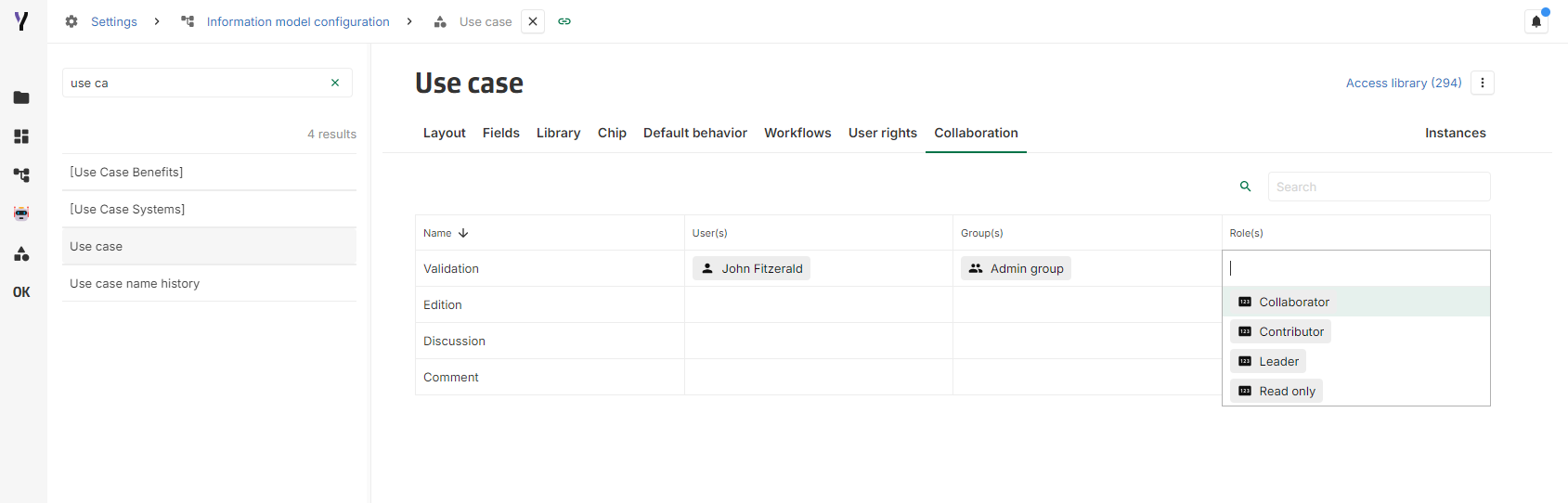
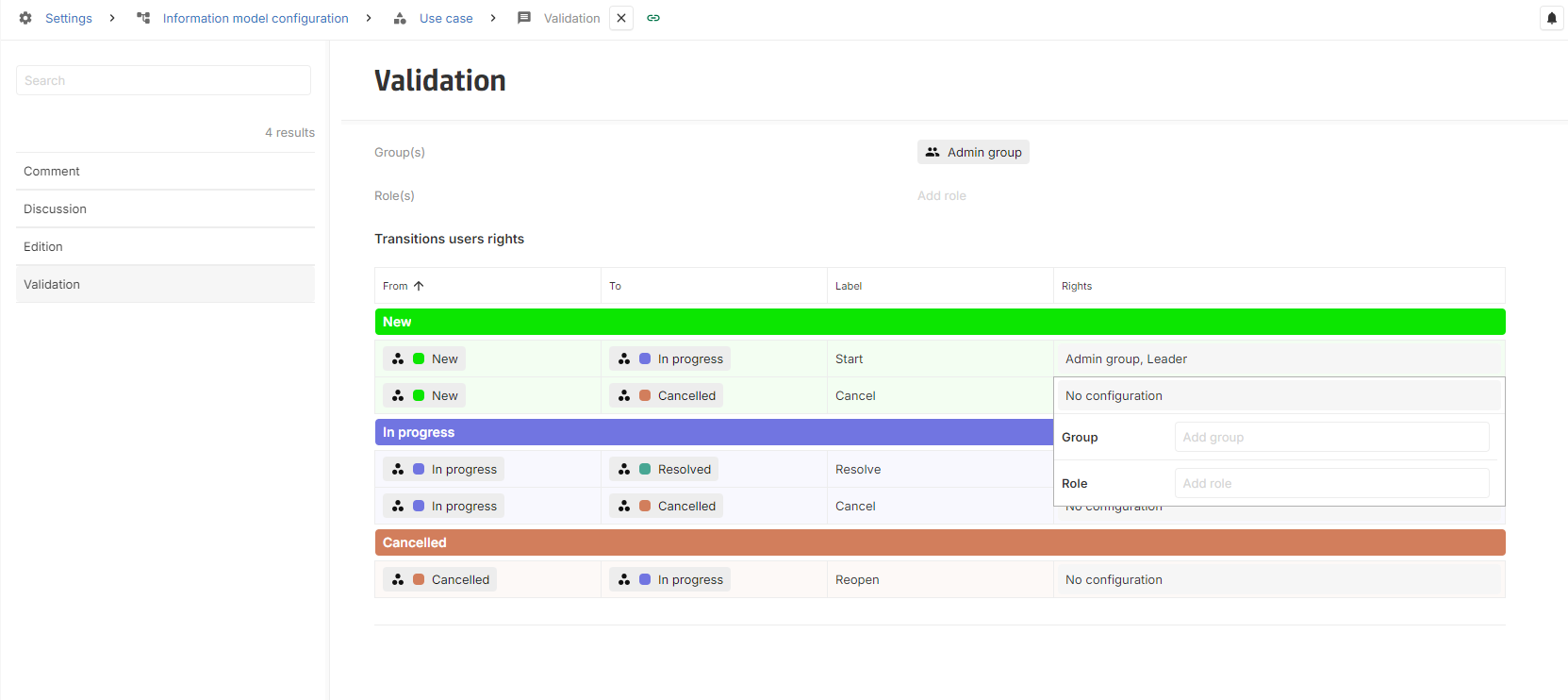
[New] Collaboration roles and transition rights
Roles subscribers
Add by hand on collaborations
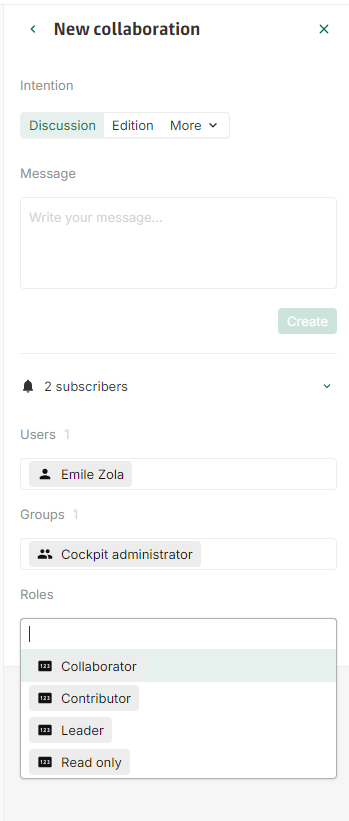
Roles can be selected as a collaboration subscribers when creating a new collaboration, or on an existing collaboration.
Default roles as subscriber
Under the tab Collaboration on the concept’s configuration, roles can be defined as default subscribers for this concept's collaboration:
Transition rights on intention workflows
Collaboration transitions can be restricted to certain Group or Role.
2024-05-16
[New] Automation can now listen to embedding field events
It is now possible to listen to updates on embedding fields in automation.
2024-05-02
[New] Notifications popover
The notifications are now available on the top right of the screen, everywhere in the application.

When clicking on the notifications icon, a panel will display the user notifications.
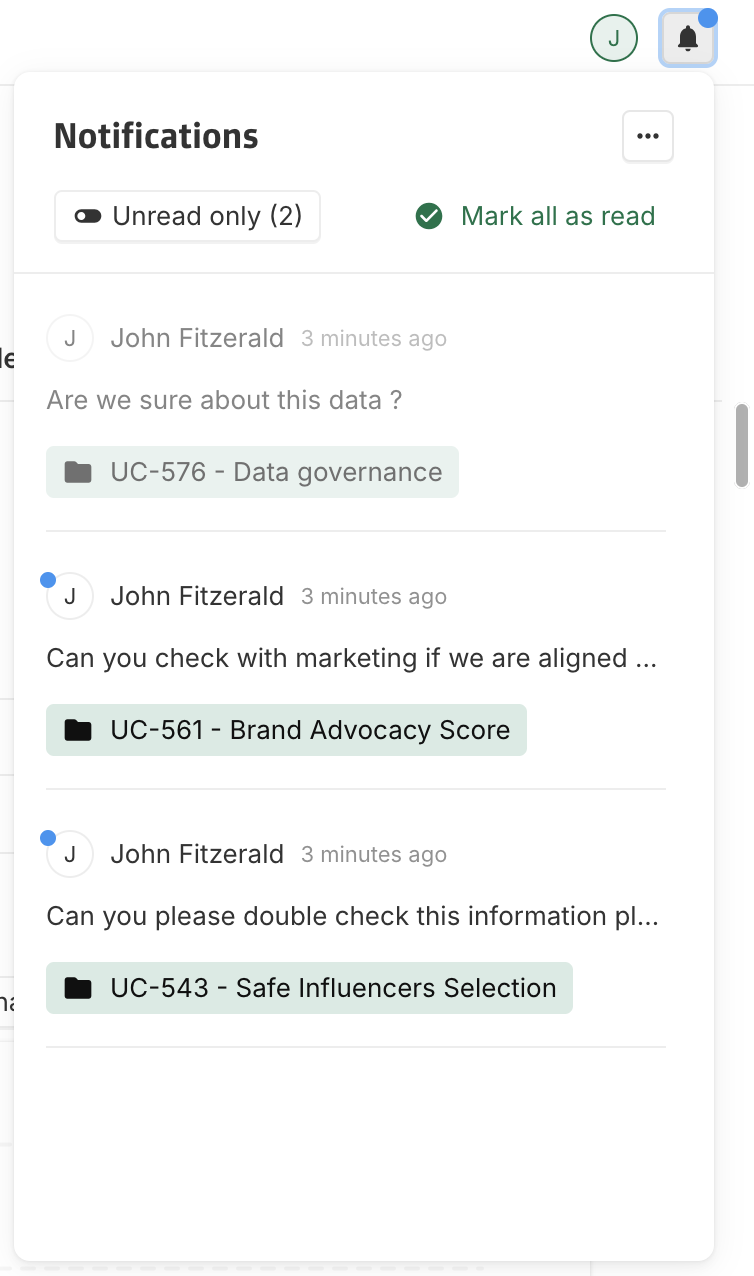
In the notifications list, read notifications are displayed as faded, while unread ones have a distinct blue chip. Clicking on a notification will navigate to the associated collaboration.
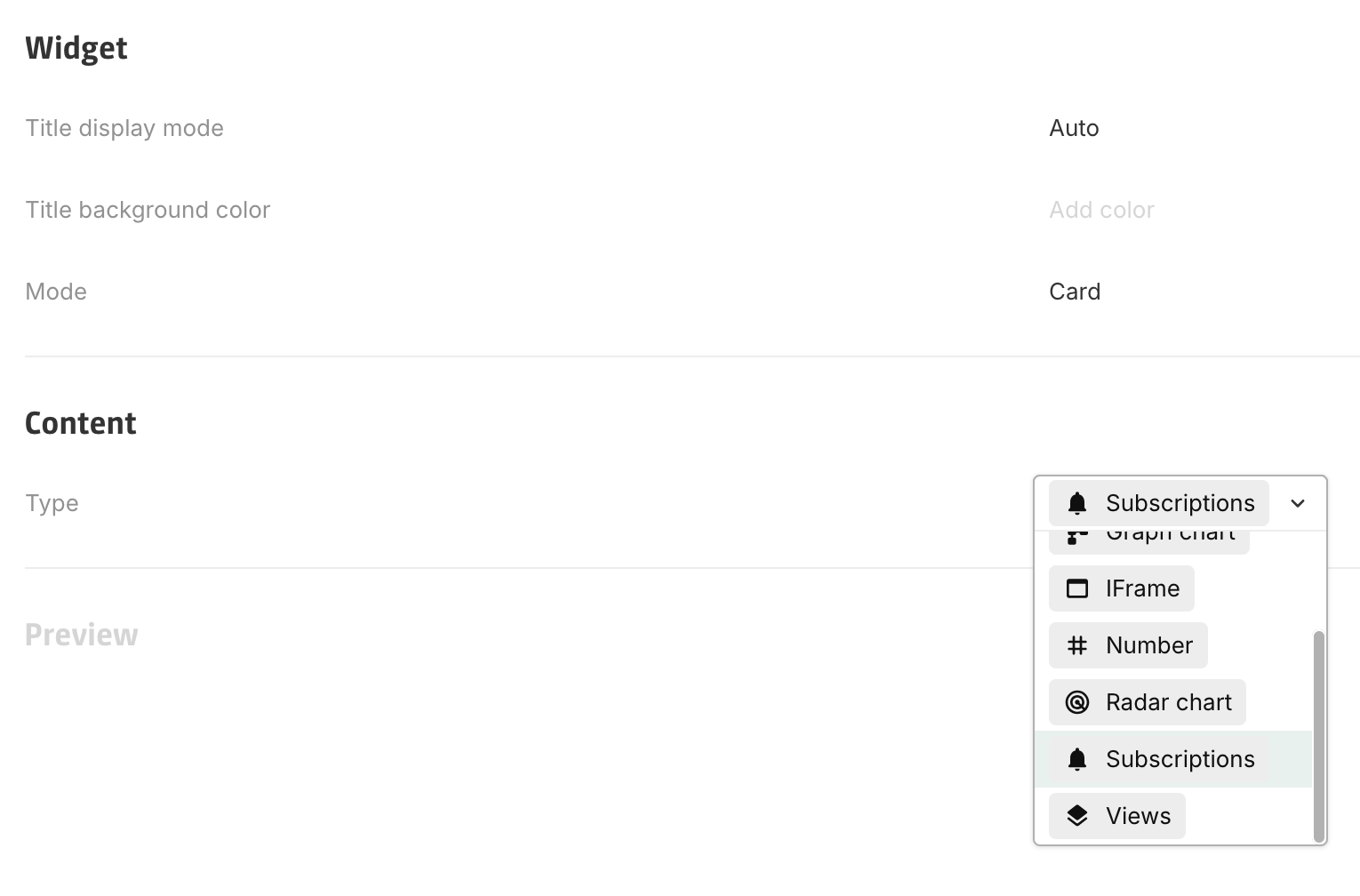
[New] Subscriptions widget
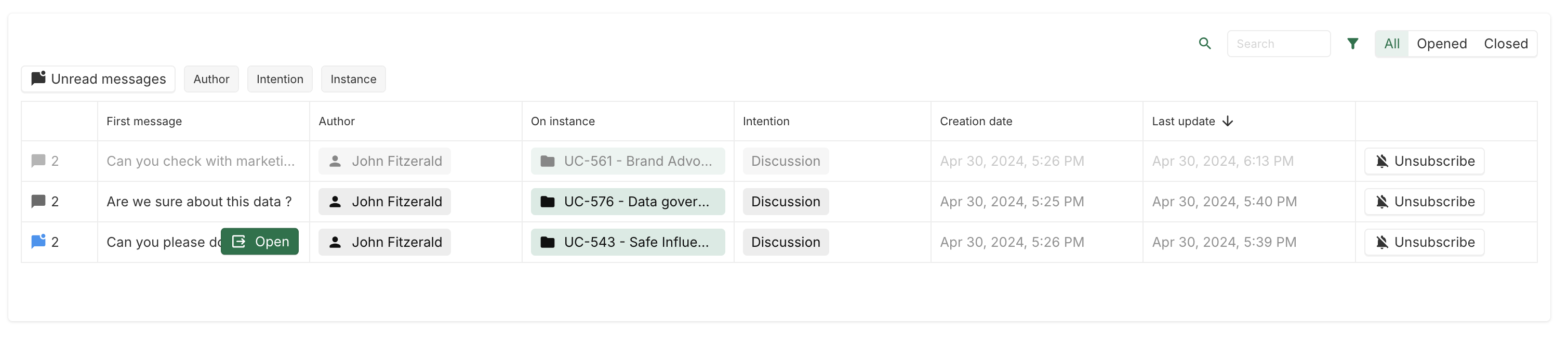
Now that notifications are available everywhere in the application via the Notifications popover, the notifications table has been replaced with a Subscriptions widget:
Each line displays a collaboration subscribed by a user:
-
The first column displays the number of messages in the collaboration and its state (blue means that there are unread messages, faded means that the collaboration is closed).
-
The last column allows users to unsubscribe from a given collaboration.
The table can be filtered by:
-
The First message content (search bar)
-
Author
-
Intention
-
Instance
[New] Collaboration automation
A new Listen to collaboration(s) event trigger is available on automation.
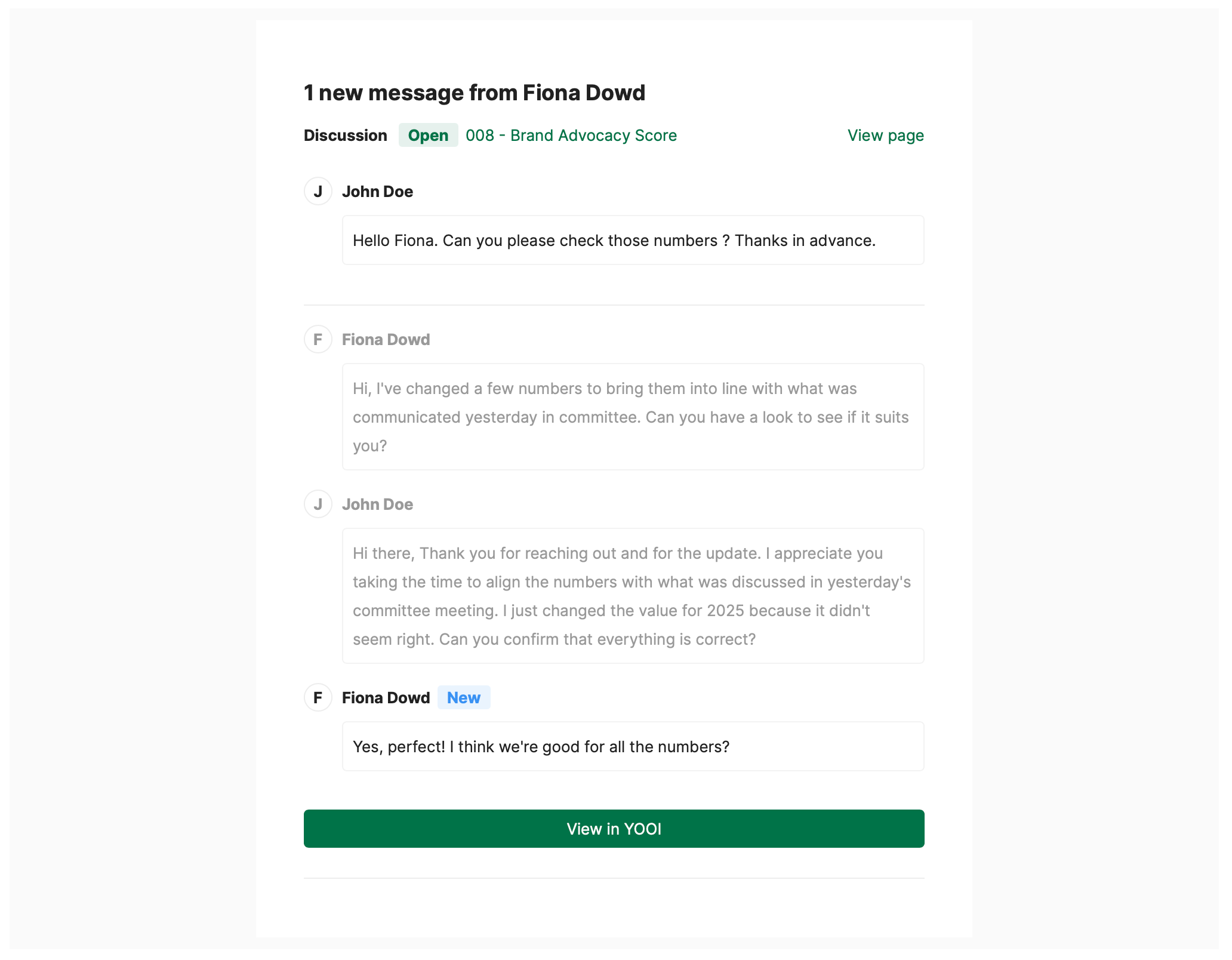
Thanks to it, a mail can be sent on each new collaboration message to it’s recipients. Variable linked to the collaboration are available to configure the emails.
With a proper configuration in automation, the email sent can be as this one:
More information is available in the documentation.
2024-04-25
[New] Formula function to ease NULL value handling in computings
NULL values often requires to be handled in computing formulas. As a reminder, a value is NULL when the value for a field for a given dimension(s) has no value.
To ease dealing with those NULL values in formula, two new functions were introduced:
-
COALESCE: Take any number of parameters and returns the first non NULL value.
-
ZN: Take a single parameter and return 0 if NULL, the parameter value otherwise
[Fix] Timeseries table dimension mapping on timeseries fix
Timeseries table doesn’t produce rejected update and display the values correctly when more than one series are projected as row.
2024-04-18
[Improvement] Fixed width in column for table and timeseries table view
When configuring a table or timeseries table column Width, it is now possible to define a fixed width (rem) instead of a relative width (%). Fixed widths are defined using rem units (1 rem is equal to 10 pixels).
When a fixed width is defined, whatever the size of the table, the width of the column will remain constant.

2024-04-04
[Improvement] Number field design
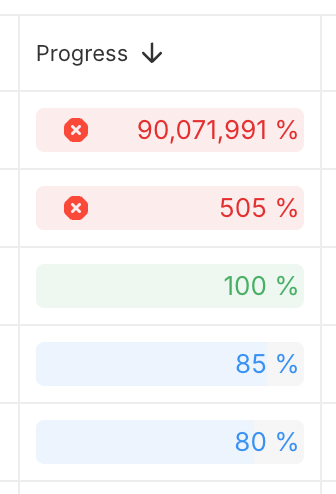
The design of the number field was changed to look more like a gauge when it has min and max values.

[Improvement] Button variants selection on card widget
To make dashboard easier to read, it is now possible to customize variants when using buttons on card.
Configuration:
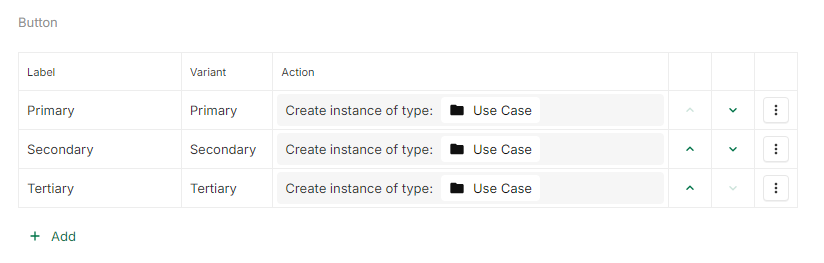
Display result:

[Improvement] Display main workflow on a separated line in header
In a concept header, it is now possible to display the Main workflow field on a separated line.
Configuration:
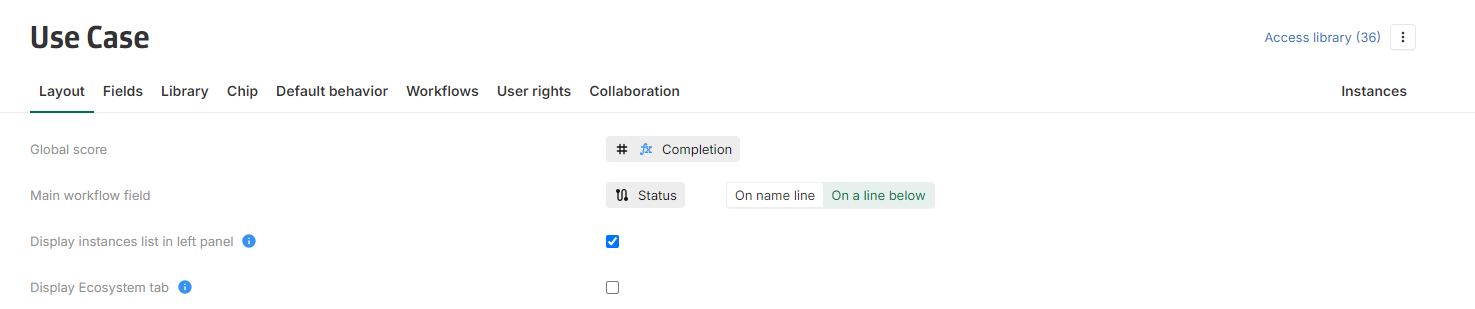
Display result:

Along this update, Sanity score has been renamed into Global score and moved into the concept header.
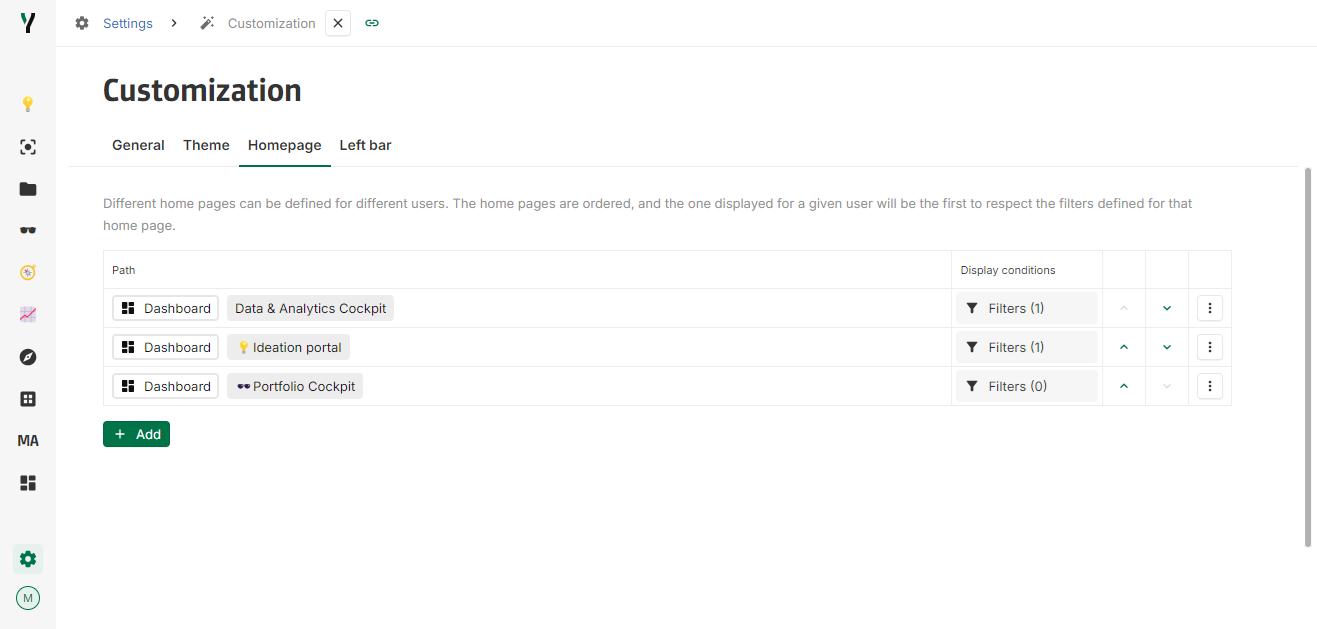
[Improvement] Multiple homepage support
To offer greater flexibility and customization, it is now possible to configure different home pages for different users.
The home pages are ordered, and the one displayed for a given user will be the first to respect the filters defined for that home page.
2024-03-28
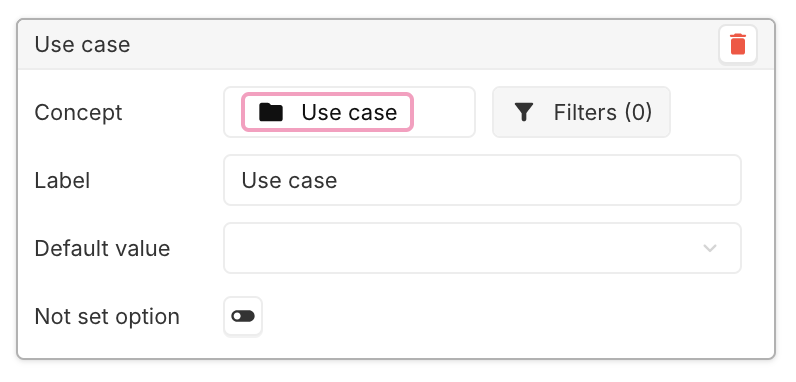
[New] Disable the Not set option in dashboard parameter
In the dashboard parameter editor, a new toggle switch has been added to have the possibility to disable the Not set option when configuring a parameter in a dashboard. By default, when defining a new parameter, the Not set option is disabled.
2024-03-21
[New] Collaboration buttons
A new way of collaborating with other users on the platform has been added: the collaboration bar has been removed and is replaced by multiple collaboration buttons.
Header collaboration button
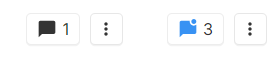
This button, located on the right side of the header, will display all the opened collaborations for the current instance. A blue state indicates that there are unread messages.
On field collaboration button

This button is displayed at the end of every field title and can have 3 states:
-
Grey state (appearing only on hover): when no collaboration is opened on the hovered field.
-
Black state: appears when at least one collaboration is opened on the hovered field.
-
Blue state: appears when there is at least one opened and unread collaboration on the hovered field.
Clicking on this button will open the collaboration thread of the selected field, displaying only the collaborations about the field. The selected field will also be highlighted.

Collaboration Field
A new field has been introduced in order to collaborate on views: the Collaboration field. It’s available by default on each concept (as the field Name or Description for example).
It can be used:
-
For display. It has the same behavior as the button on the header of instances: it displays all the opened collaborations for the given instance. It can be used like any other fields when configuring views.

-
For computing. As others fields, this field can be used in computing. It returns the number of opened collaborations for the given instance.
[Improvement] Timeseries table can now display dates without values
A new option has been added to the time series table configuration to display every date in the requested time range, even if the dates do not contain any value.
Configuration:

Display result:

2024-03-14
[New] Timeseries table data projection
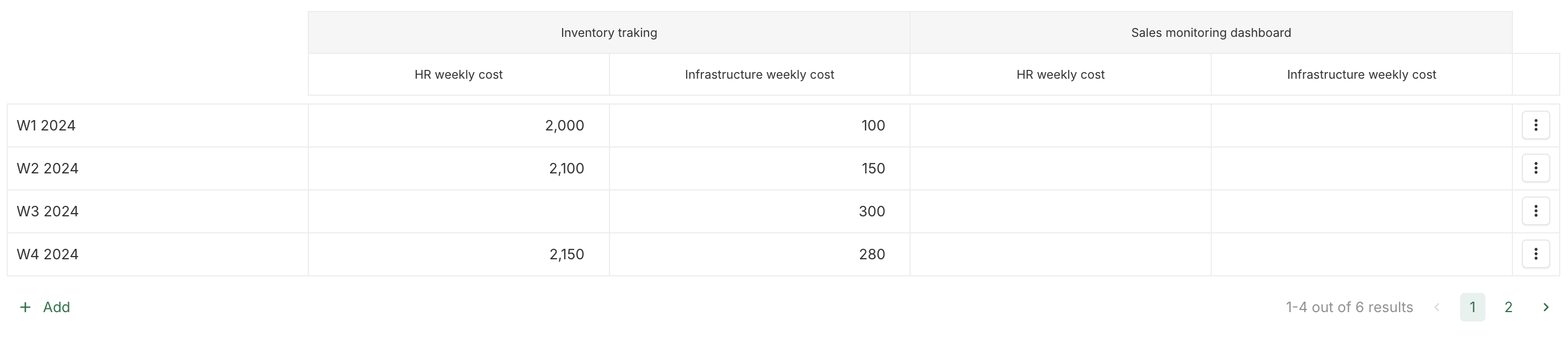
Dimensions and Timeseries can now be projected as Columns or Rows on Timeseries table view, allowing more flexibility in display.
Default configuration settings
With the default configuration, the data selected (Dates, Timeseries, or one of the Dimensions) is projected in rows, whereas all the rest of the data is projected in columns.
Configuration:
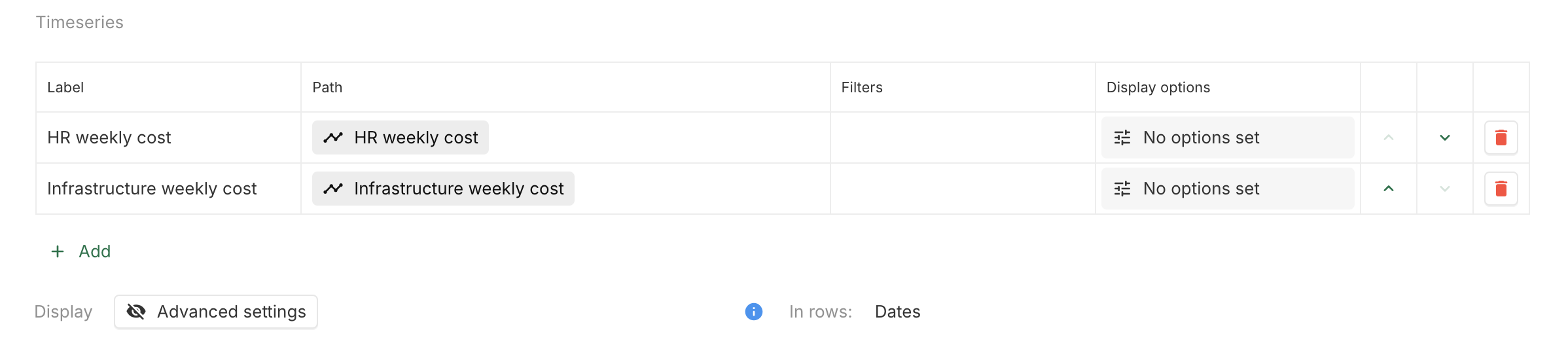
Display result:
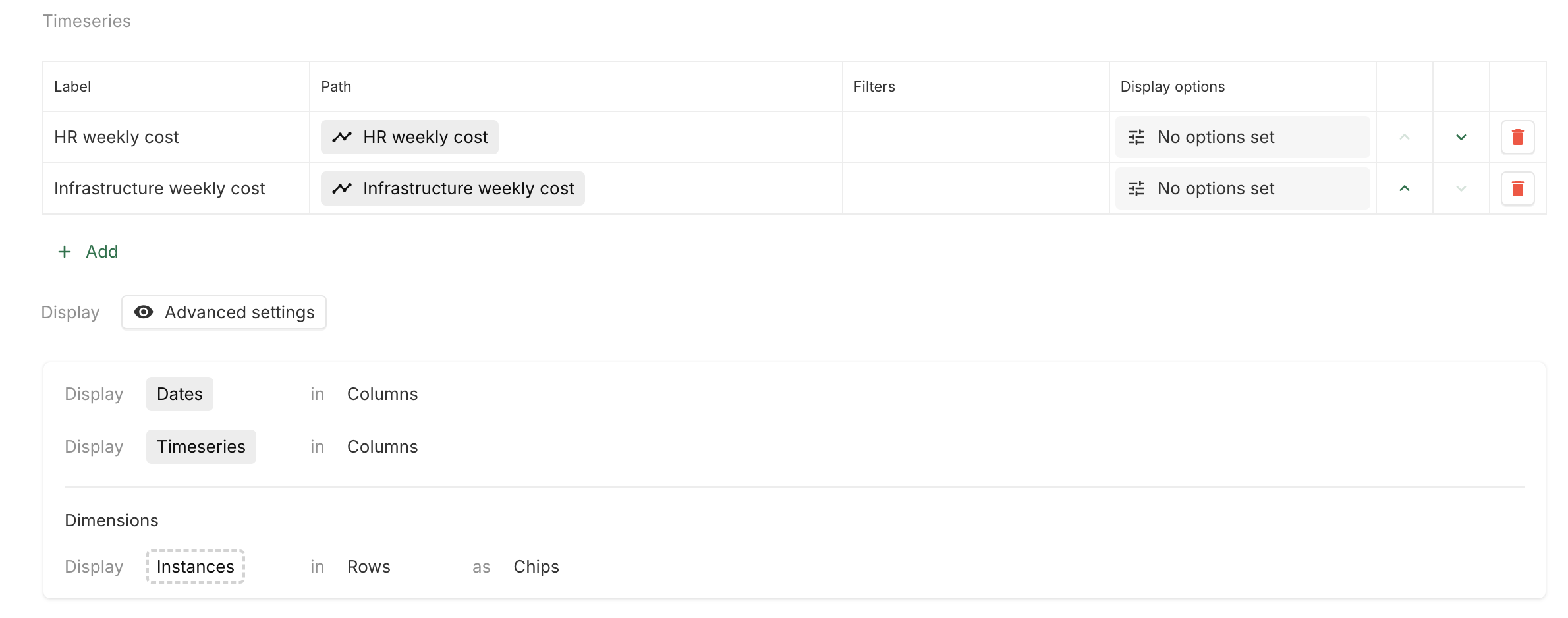
Advanced settings
A more advanced configuration is also possible, which allows each projection of data to be selected individually.
Configuration:
Display result:

2024-03-07
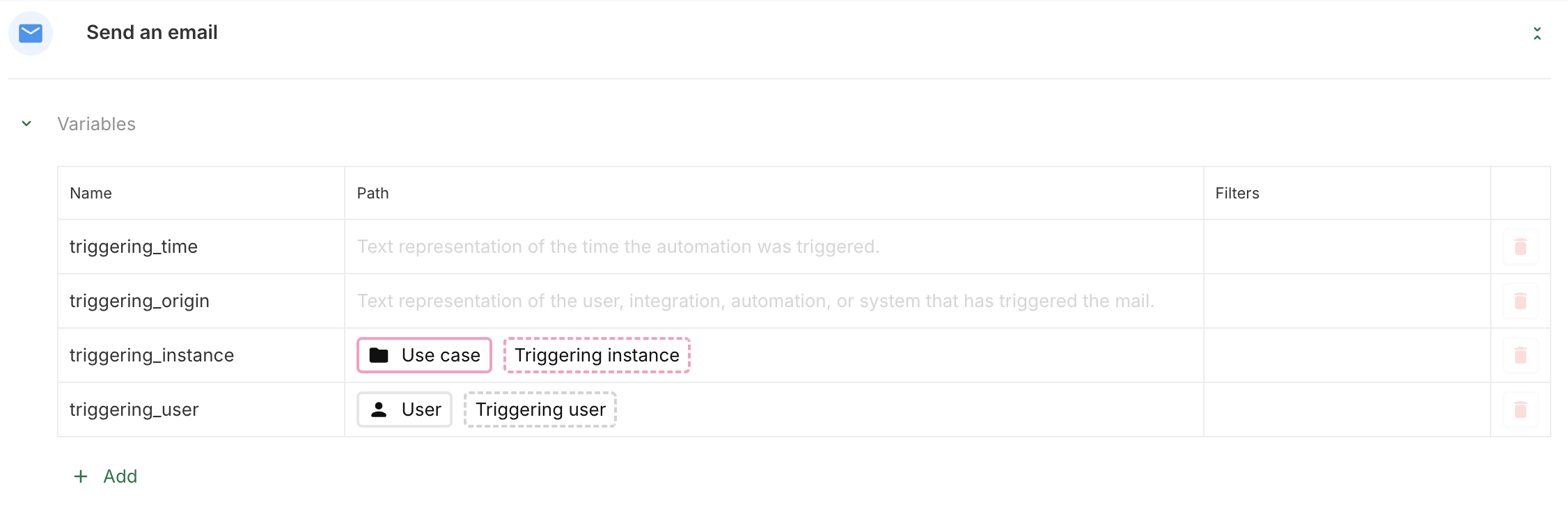
[New] Automation origin and time are now accessible in the mail template
In automation email, two new variables can be used:
-
triggering_origin: Text representation of the user, integration, automation, or system (authentication for example) that has triggered the automation.
-
triggering_time: Text representation of the time the automation was triggered.
[New] Collaboration intentions
When a user creates a new collaboration, they must choose an intention:
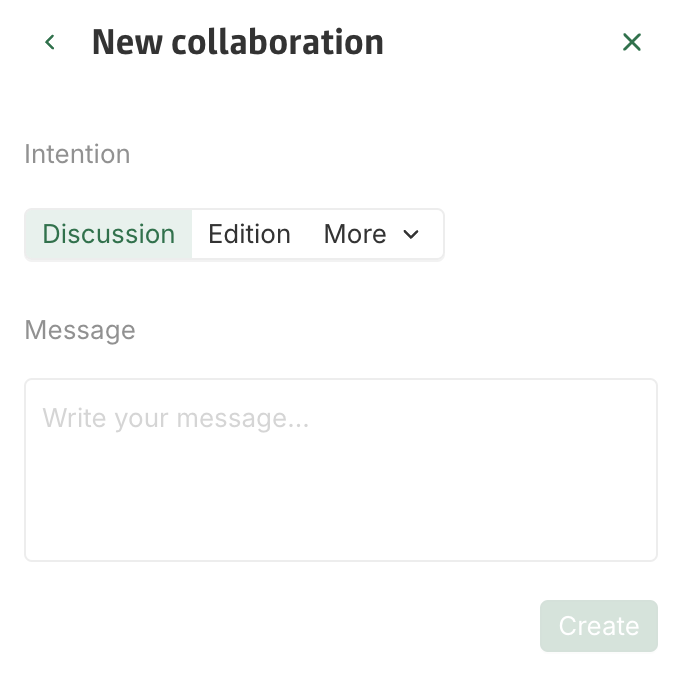
Collaboration intentions are now configurable at both the platform level and the concept level.
Intention configuration at the platform level
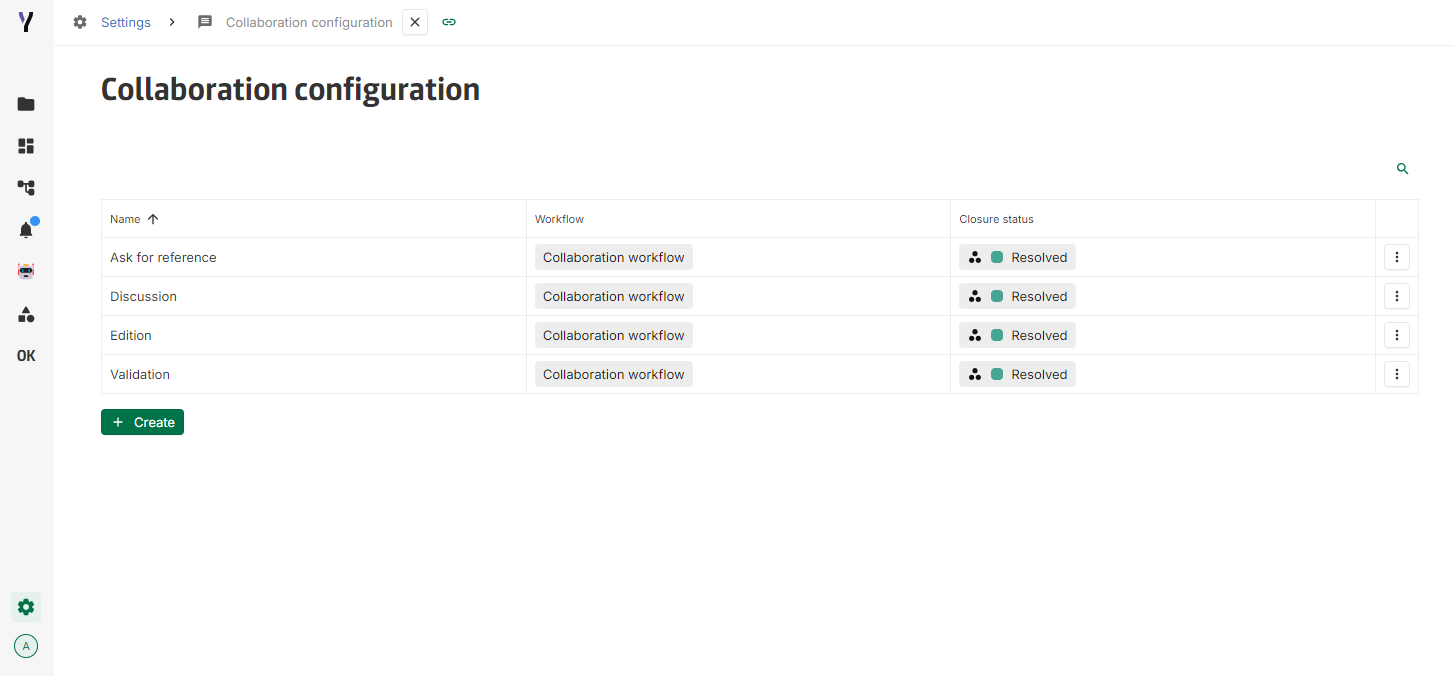
In Settings > Collaboration configuration, it is possible to create, view, delete and edit intentions at platform level.
The edition of an intention is as follows:
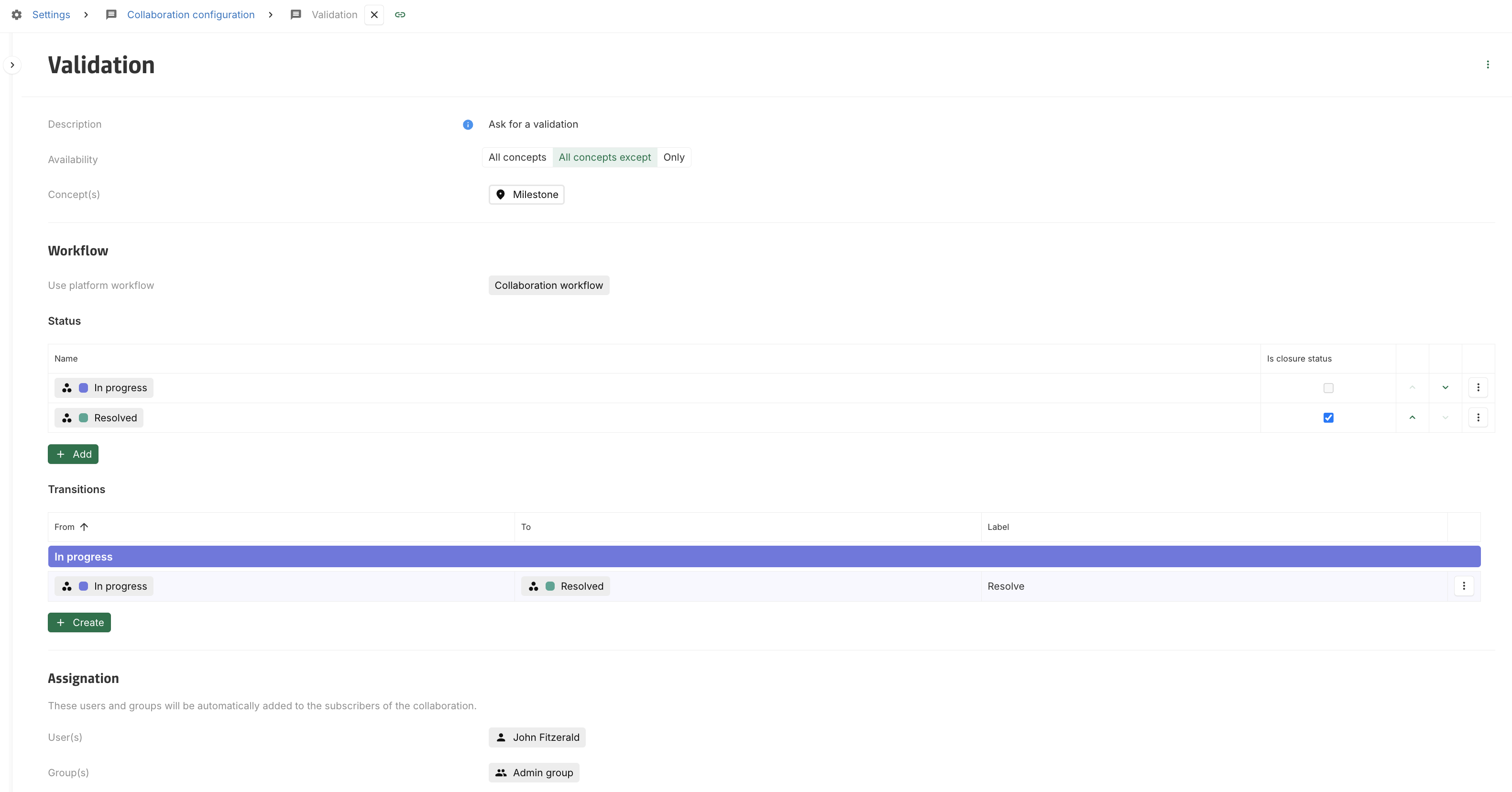
When configuring an intention at platform level, it is possible to restrict it to certain concepts (Availability), define the workflow associated with this intention (Workflow), as well as the users and groups automatically added as subscribers when a new collaboration with this intention is created (Assignation).
Intention configuration at the concept level
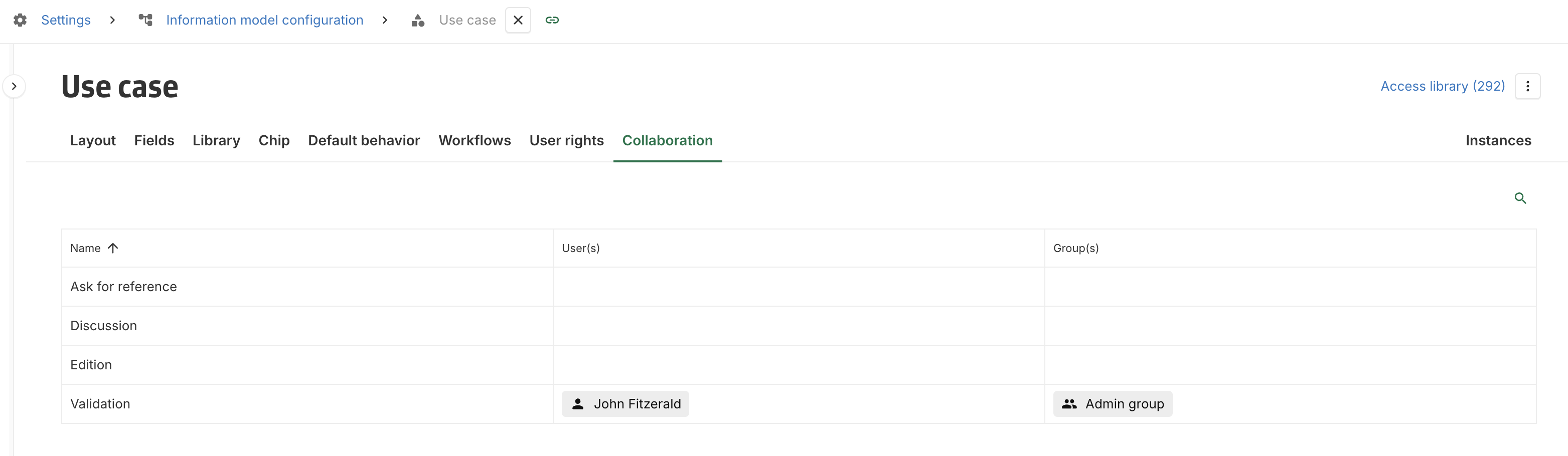
At the concept level, it is possible to find the authorised intentions for this concept in the Collaboration tab. In addition, it is possible to add other users and groups as default subscribers for this concept's collaborations. Users and groups defined via the intention configuration at platform level cannot be removed at concept level.
[Improvement] Table view supports asynchronous loading
To improve the user experience, tables are now loaded asynchronously.
First load
The first time the table is displayed, there is a loader until the table is fully loaded.
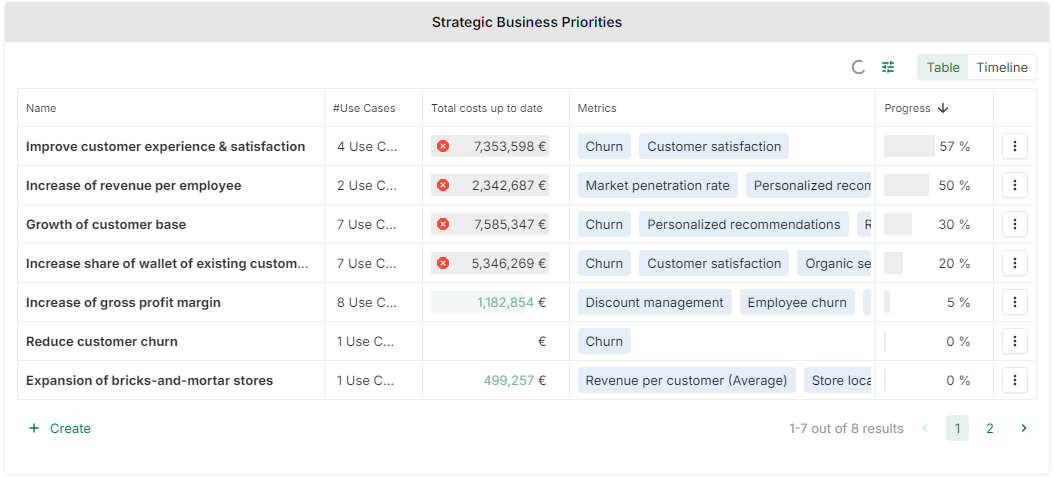
Updates
Once the table is loaded, any subsequent update will also be loaded asynchronously, while maintaining the view until the new one is computed. Which means that while the table is in the refresh state, it is still possible to view and edit inputs in the table, without freeze, ensuring a good user experience.
2024-02-29
[Fix] Deleted fields on view configuration
View configuration is accessible even if some fields used in this view have been deleted.
2024-02-22
[New] Text timeseries field
A new type of field has been added : the Text timeseries field.
It is quite similar to the existing Number timeseries field, expect that the value is a text.
This new field works with a single or multiple dimension(s), in libraries and in views.

[New] New timeseries table view
When creating a field View, there is now the possibility to create a Timeseries table, that allow to display one or more timeseries in one table.

It is also possible to display dates and timeseries As rows or As columns. For example:


[New] Multiple attempts to save the user changes
In some cases, a poor internet connection of the user could make the use of the platform complicated.
From now on, if the user’s internet connection is unstable and does not allow an instant save of the data generated by the user, the platform will try again several times to make this save and will warn the user of these attempts.

In case of failure, after thirty seconds of save attempts, a banner informs the user that the data could not be saved. This should remain exceptional, as several save attempts are performed before a failure. In addition, this banner ensures that the user has a quick feedback that the save could not be done.

[Improvement] Integration token expiration date
When generating an API token, an expiration date can now be set. For security reason, it’s recommended to set it.
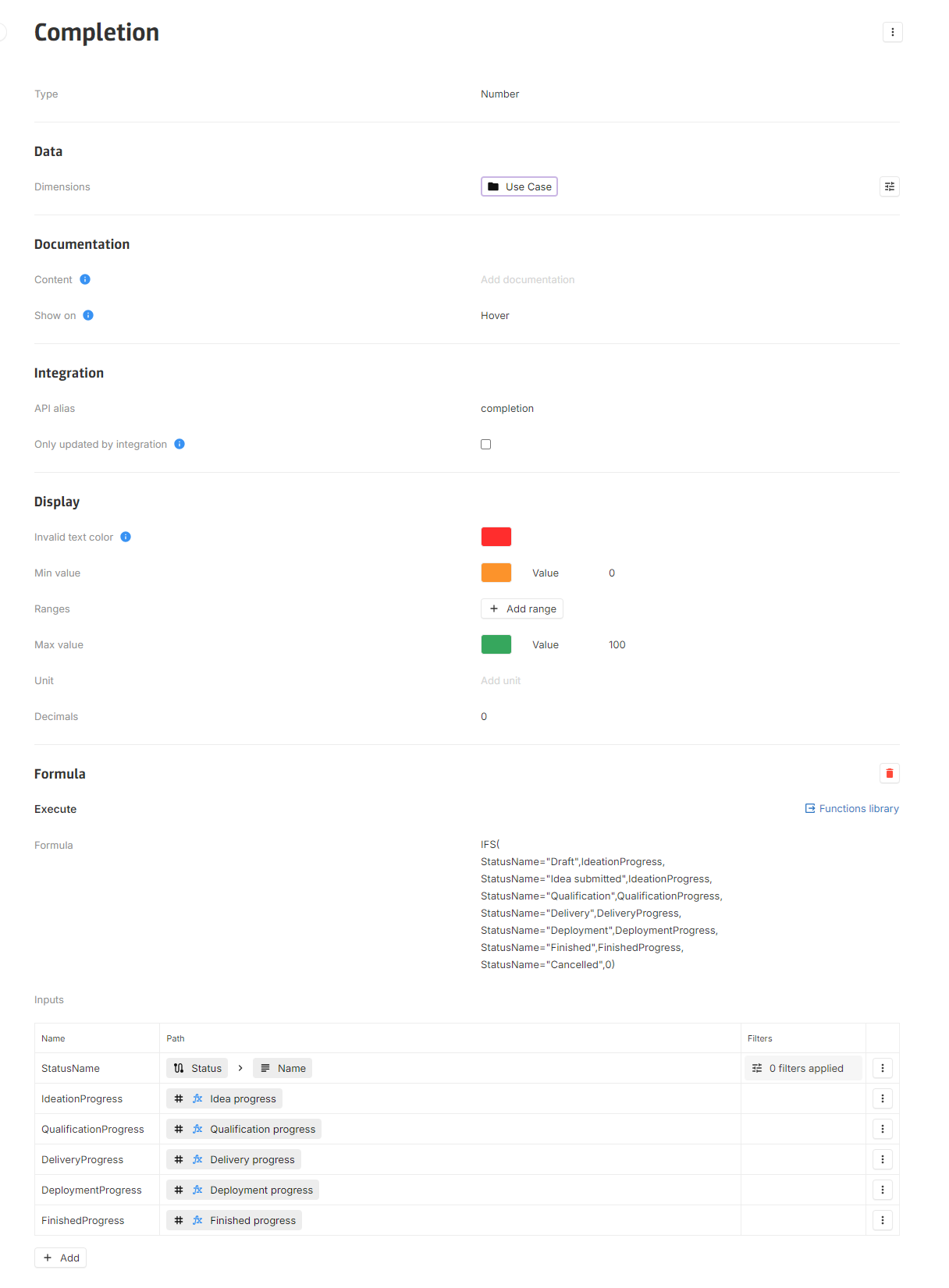
[Improvement] Better field configuration organization
To ease configuring fields, options are groups into sections.
[Improvement] More control over number timeseries computing
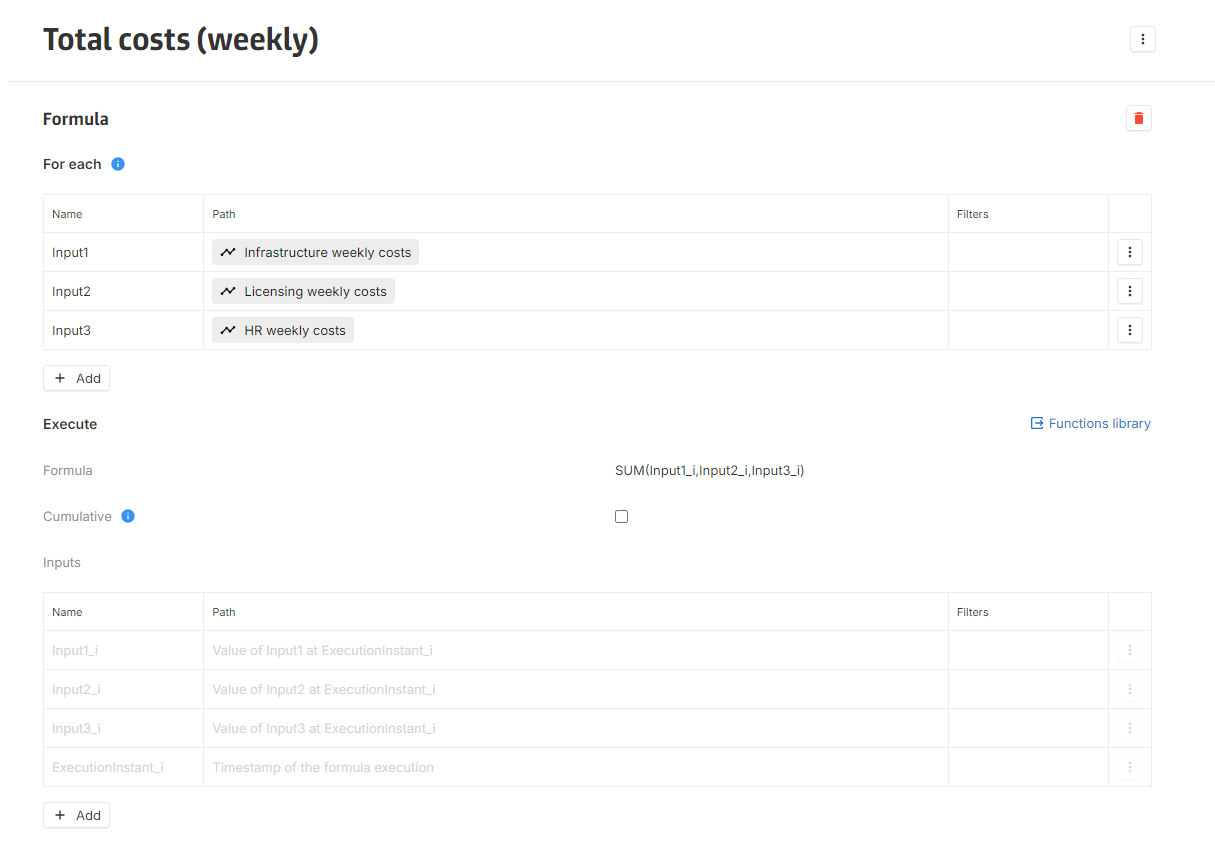
To improve timeseries computing, the formula section for timeseries has been reworked.
New formula section
Formula is organized around two sections:
-
For each section is used to declare timeseries inputs that will be used to extract formula execution instants.
-
Execute section is used to declare the formula and others inputs.The formula is executed at each execution instant.
It is now possible to:
-
Get the complete timeseries as input along with the value at the execution instant (in an input suffixed by i: Input1_i, Input2_i, Input3_i in the example above).
-
Get the timestamp of the formula execution (Executioninstant_i), which can be used in functions.
New or updated functions
In addition, four new functions have been added or updated:
-
VALUESIN: new function to retrieve the values of a timeseries on a given interval.
-
LASTVALUE: updated to accept an optional default value as a third parameter.
-
VALUEAT: updated to accept an optional default value as a third parameter.
-
ISBLANK: updated to work with null values.
[Improvement] Default reverse name of association field
The default reverse name of an association is now used in the application (chip name, navigation bar, master detail, etc.) instead of Undefined, which was previously used. It is still possible to rename this default name.
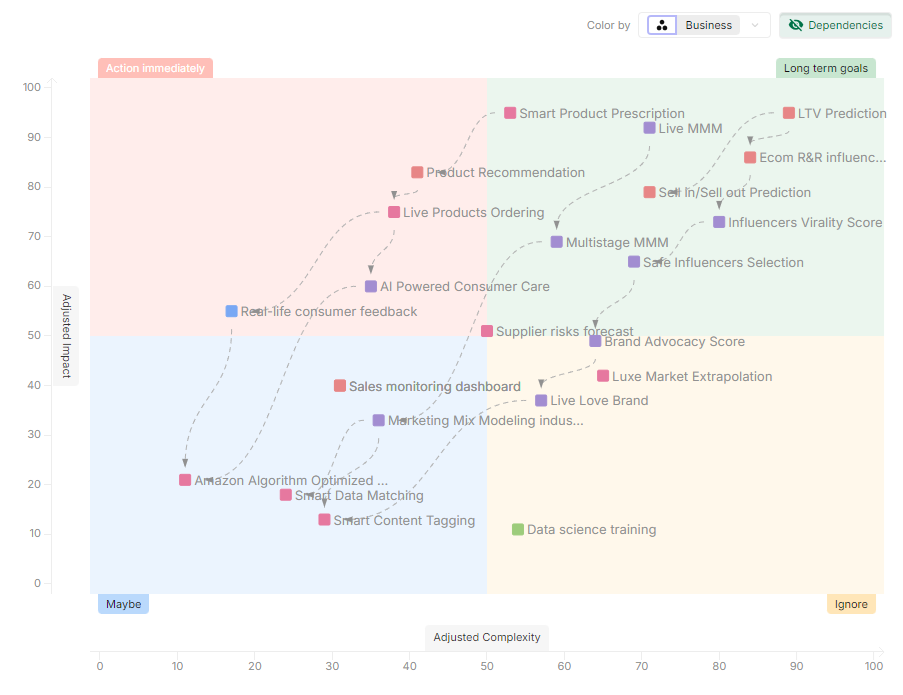
[Improvement] Matrix view quadrant naming and color customization
When using matrix view, it is now possible to customize quadrant name and color.
To ease the use of the matrix, the ability for the end user to change the fields used as axis, dependencies and label was removed.
2024-02-06
[Improvement] Clearing layout filters
Layout display Filters now offers two filters operation.
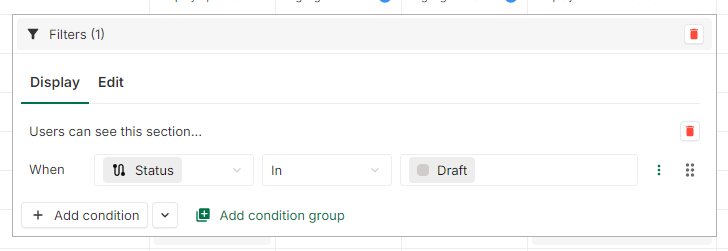
The one on the top will clear both Display and Edit Filters, whereas the second one will only clear the selected section.
[Improvement] Add for automations that Run at a schedule time the time zone in the tooltip
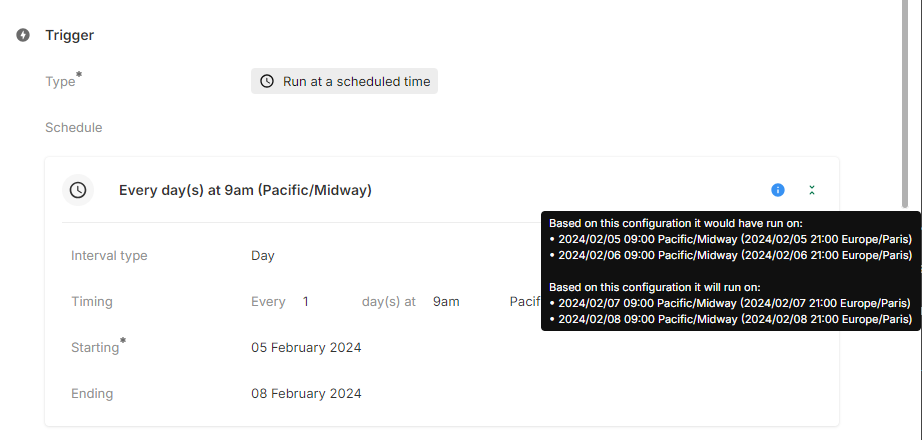
In order to ease the Automation configuration, the time zone has been added to the tooltip when the trigger is Run at a scheduled time.
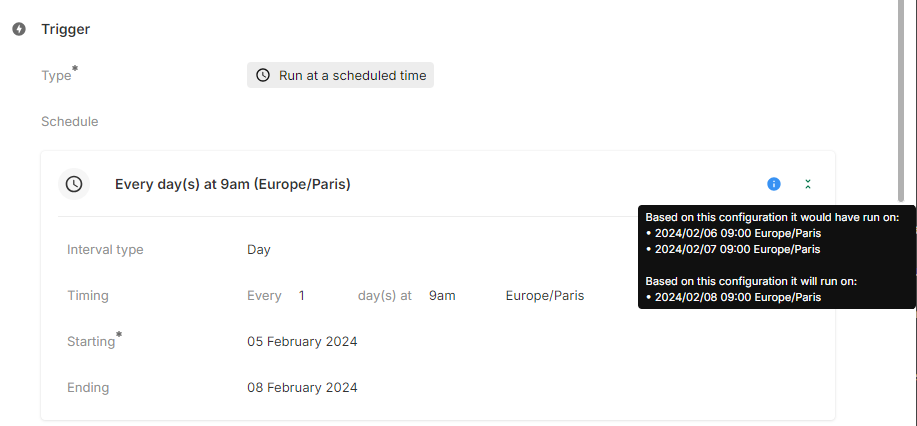
If the execution time zone differs from the time zone of the platform, both are shown in the tooltip.
2024-02-01
[Improvement] Multidimensional numbers timeseries
Numbers timeseries can now be used in a multidimensional context.
[Fix] Scrollbar display after update to Chrome 121
After the release of Chrome 121, some scrollbar were not displayed properly (bigger than expected and with arrows).
[Fix] Color by field value display on timeline
Chips on timeline now correctly display the related Color by field value at the end of the chip.
[Fix] Filters on dates
Dates filters conditions is and is not were not working as expected.
2024-01-25
[Improvement] Graph chart improvements
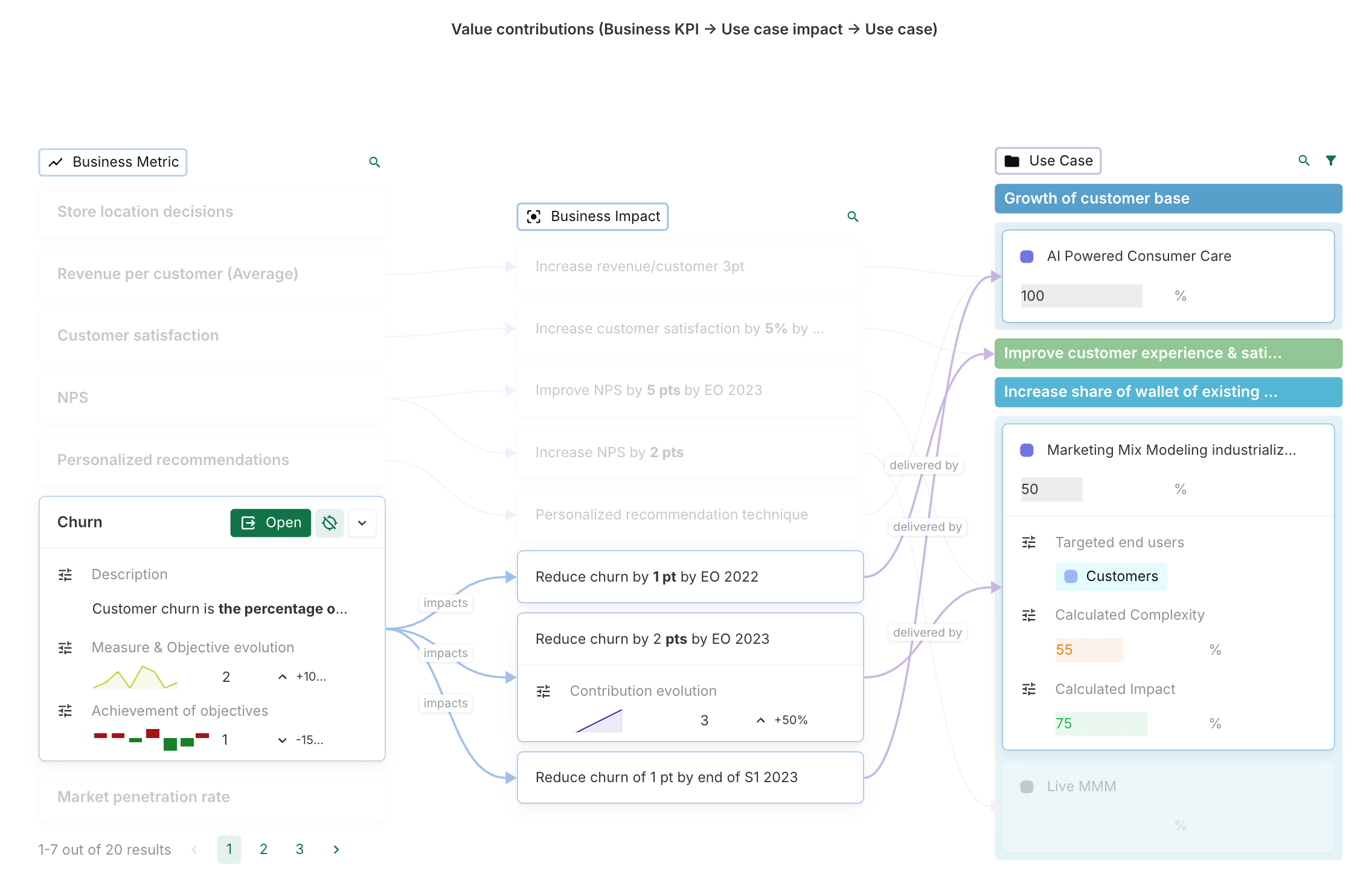
Significant improvements have been made to the Graph chart feature, providing users with a more seamless and intuitive experience while exploring and analyzing data lineage.
-
Expandable cards: Instances can now be displayed as expandable cards with a customisable header and body, allowing to view more information without cluttering the chart.
-
Instance grouping: Instances can now be grouped to better organize the chart and gain a clearer understanding of relationships between nodes.
-
Path highlighting: The path of an instance can now be highlighted by clicking on the dedicated button in the right corner of the chip or card. Highlighting the path makes it easier to track the lineage of a specific instance and understand how it relates to other nodes in the chart.
-
Configuration page makeover: The configuration page has also been updated to make it easier to configure the chart and customize its appearance. A detailed documentation on how to configure the chart is available in the product’s documentation.
[Improvement] Description on Integration
In order to be able to add some documentation, or a reference to the documentation, a description is now available on all integrations.

[Improvement] A confirmation is asked when deleting an Automation rule
There is now a confirmation modal when deleting an Automation rule. It helps to prevent miss-clicks, especially in the Automation table.
[Fix] Fix automation trigger on stakeholders update
Automation event trigger now works properly when adding a stakeholder on a instance .
2024-01-18
[New] Generate data using Automation
Automation can now be used to update or create instances, using a new action type Generate data
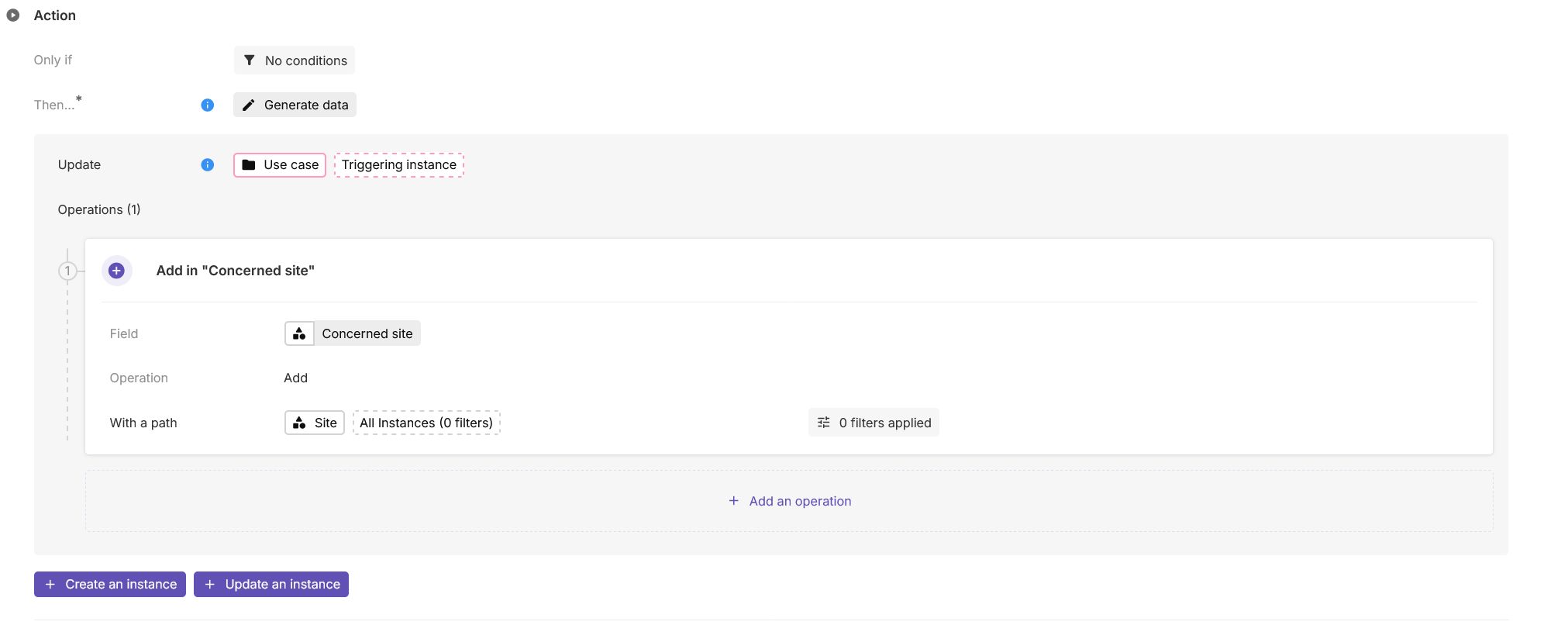
How to create a generate data automation ?
-
Create an Automation and choose an adapted trigger.
-
Select Generate data action.
-
Select Create or Update :
-
To update an instance, Update should be selected, with the path to the instance that needs to be updated.

Updates the Triggering instance -
To create an instance, Create should be selected :
-
Without linking to an existing instance, the path should be completed with the Concept of the instance that needs to be created.

Creates a Use case -
By linking to an existing instance, the path should be completed with the path to the linking field.

Creates a Milestone in the Milestone list of the Triggering instance
-
-
-
Add one ore more operations, each operation will be played in the displayed order.
-
For each operation, select the field that needs to be updated.
-
Select the needed operation. Depending on the type of the field updated, a variety of operations are available :
-
For field Text, Association, Number, Date, operations available are the following :
-
Initialize will only update the field if the updated instance has no value for this field.
-
Replace will always replace the previous value with the new one.
-
Add (only for Association (n-n) and Association (1-n)) will add the value to the existing values.
-
Remove (only for Association (n-n) and Association (1-n)) will remove the value from the list.
-
Clear will delete all values from the field.
-
Increment (only for Number) will increment the number by the value given, that can be positive or negative. If the Number field for the updated instance has no value, it will start at 0.
-
-
If the selected operation needs a value (i.e all operations except Clear), this value can be :
-
A fixed value (With a value) :

Add Australia to the Concerned site field -
A dynamic value (With a path)

Add all the Sites to the Concerned site field
-
-
Dedicated interfaces are available for Date Range, Workflow and Stakeholders fields.
-
-
This part of the release note remains available in the corresponding part of the documentation.
[Fix] Error when using drag and drop on Swimlane
When using the drag and drop in a Swimlane grouped by an Association n-n, it could end up in an error.
2024-01-11
[Improvement] Open URL button in card widget now check URL validity
When editing a card widget Open URL button, an error is now displayed if the URL is not valid. A button with an invalid URL will not be displayed anymore on the widget.

A valid URL should start with :
-
https:// or http:// for external URL
-
/ for local URL. Old local URLs without a / have been corrected automatically.
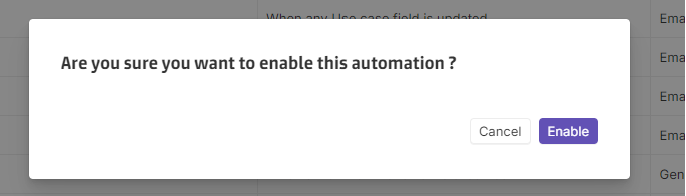
[Improvement] A confirmation is asked when activating or deactivating an Automation rule
When activating or deactivating an automation rule, a confirmation modal now asks the user to confirm its choice. It helps to prevent missclicks, especially in the automation table.
[Fix] Fix Display & Edit conditions filters in layout
The Display & Edit conditions filters in layouts are now working as intended, using two parameters :
-
Displayed instance: equals to the instance whose page is being displayed.
-
Current: equals to the instance owning the displayed field.
2024-01-04
[Improvement] Better start performance
Following the improvement of the previous release, a second set of optimizations is now delivered in order to accelerate the application start.