
Overview
This configuration explains how to safely import users from a file containing both:
-
Existing users already present on the platform
-
New users that do not yet exist
The objective is to create missing users without unintentionally modifying existing user names.
This situation commonly occurs during user imports where the source file contains a mixed population of users.
Why a two-phase import is required
Default import behavior
During a user import, the email field is generally used as the matching identifier.
However, when the import file also contains a Name column, existing user names will be overwritten during the import process.
This can become problematic because:
-
User names are editable values
-
Names are not stable identifiers
-
The values in the file may differ from the values already stored on the platform
As a result, a single import may unintentionally replace existing user names with undesired values.
Typical example
A source file may contain:
-
Existing users already present on the platform
-
Newly created users
-
Different naming conventions between the file and the platform
Even when the email matches correctly, the imported name may differ from the existing one.
Without additional precautions, the import updates the name of existing users.
Recommended approach
Core principle
The recommended approach separates the import into two phases:
-
Create only the missing users
-
Populate names only for users whose name is empty
This ensures that:
-
Existing users remain unchanged
-
Missing users are properly created
-
Only newly created users receive the imported names
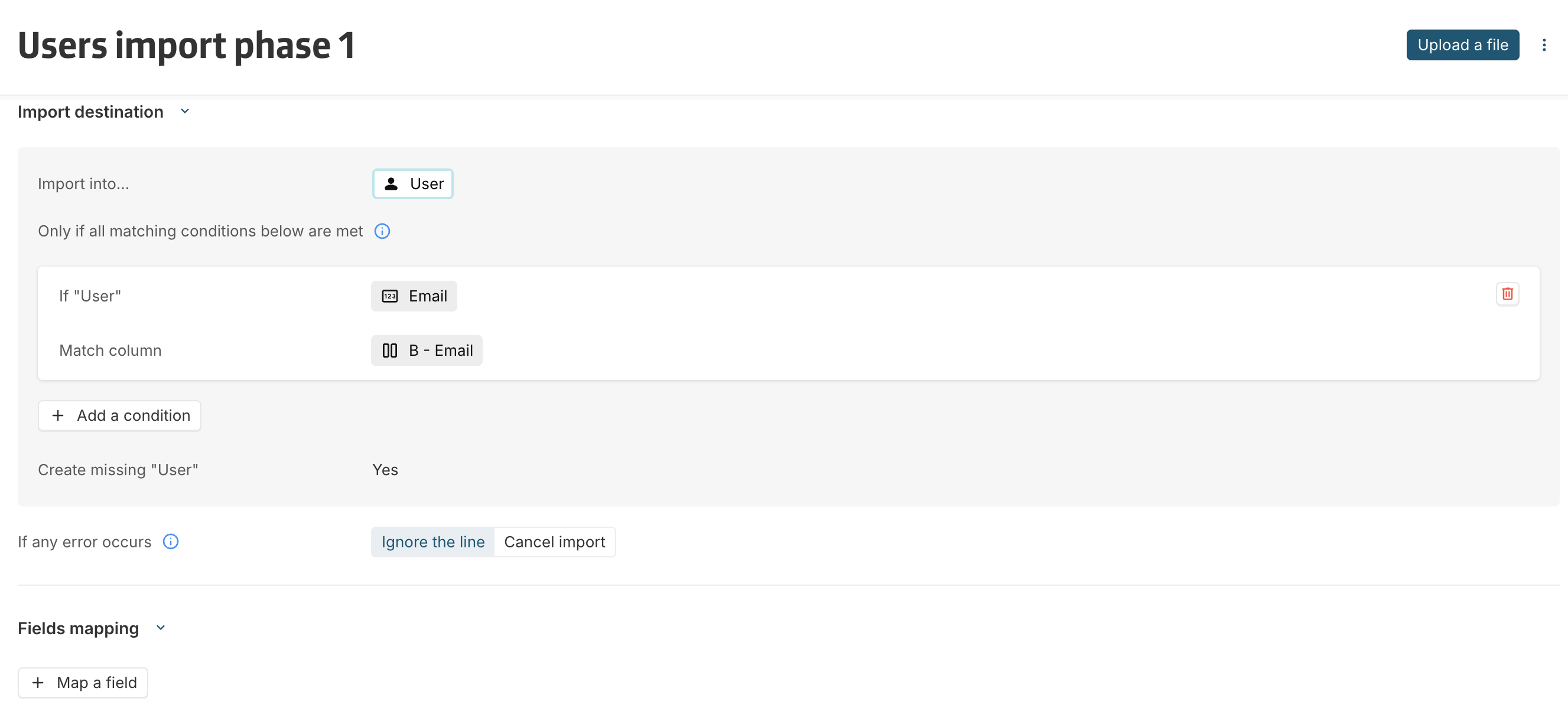
Import phase 1: Create missing users only
Objective
The first import creates users that do not yet exist on the platform.
At this stage, names are intentionally not imported.
Configuration
Result
After phase 1:
-
Missing users are created
-
Existing users remain unchanged
-
Newly created users have an empty name
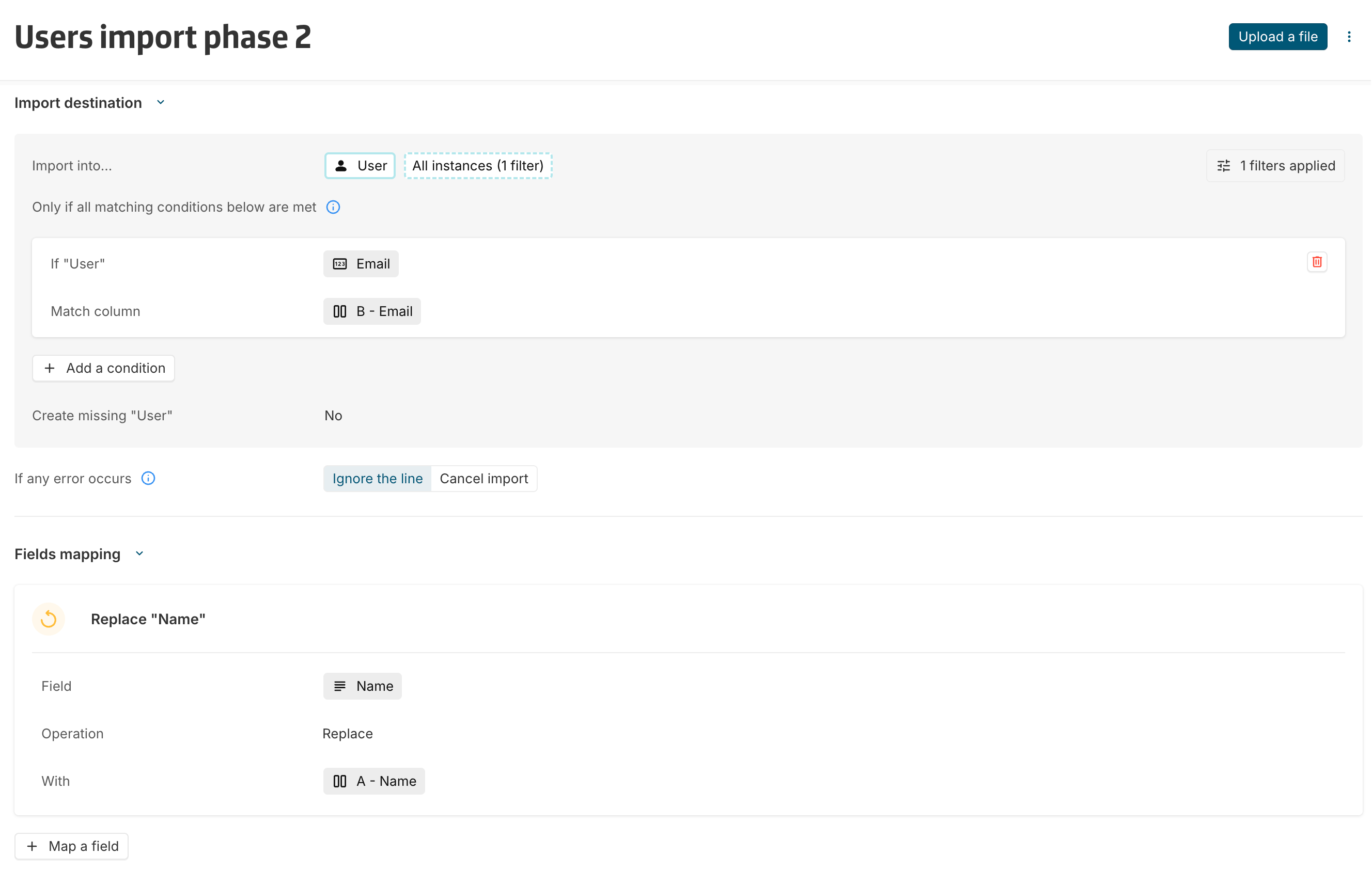
Import phase 2: Populate names for newly created users
Objective
The second import populates names only for users whose name is currently empty.
Since users created during phase 1 were created without names, they are the only users matching this condition.
Configuration
Result
After phase 2:
-
Newly created users receive their names
-
Existing users are ignored
-
Existing names remain unchanged
When a single import is sufficient
A single import can still be used when:
-
The file only contains new users
or
-
Updating names of existing users is acceptable
In all other situations, the two-phase approach is recommended.
Benefits
This approach provides several advantages:
-
Prevents unintended updates on existing users
-
Safely handles mixed user populations
-
Creates missing users without impacting existing data
-
Avoids issues caused by inconsistent naming conventions
-
Keeps email as the unique matching identifier